

The challenge for Creo users
PTC Creo Parametric is a powerful tool for design engineers, but the sheer amount of features, modules, and updates can often overwhelm even the most seasoned users. The real bottleneck is not the lack of capability in Creo—but the time wasted searching for relevant information, tutorials, or documentation when stuck.
Design engineers are often under tight deadlines. They don’t have the luxury of manually browsing knowledge bases or going through forums. That’s where Punditas AI’s Insight Engine becomes a game changer.
Meet Punditas AI’s insight engine: a designer’s best ally
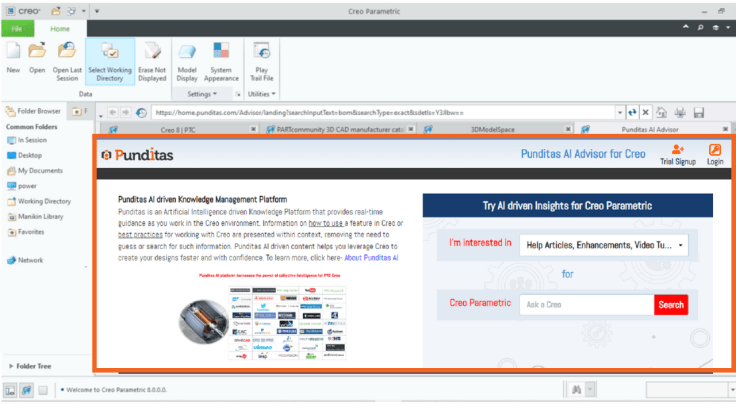
Unlike traditional search tools that return hundreds of generic results, Punditas AI’s Insight Engine uses AI and machine learning to deliver precise, relevant, and contextual information—right when it’s needed.
Whether you’re searching by topic, keyword, or phrase, the Insights Engine dynamically understands the intent behind your search and displays only those resources that actually help you progress with your design.
Unlimited, context-aware searches with advanced options
Punditas AI lets users search as many times as needed—without hitting dead ends.
✅ Standard search:
- You type a phrase like retrieving a missing component, and instantly get categorized, tagged, and ranked results across:
- Video Tutorials
- Enhancements
- Bugs & Workarounds
- Presentations
- Case Studies
✅ Advanced search: Precision at your fingertips
There are three ultra-focused search types:
- All word search – Returns results that contain all the words in your query.
- Any word search – Retrieves results that match any word in your input.
- Exact word search – Narrows down to results that match the exact phrase you typed.

You choose how wide or narrow your search should be, saving hours of trial and error.
Knowledge graph: Organized, intuitive, and interactive
Punditas AI’s Knowledge Graph is more than just a result page—it’s a visual map of everything related to your search query.
Let’s say you search for “Part Modeling” in Creo 11:
- The Knowledge Graph displays all five key perspectives related to this topic.
- You can choose any two perspectives simultaneously, such as “Product” + “Support” or “References” + “Customer.”
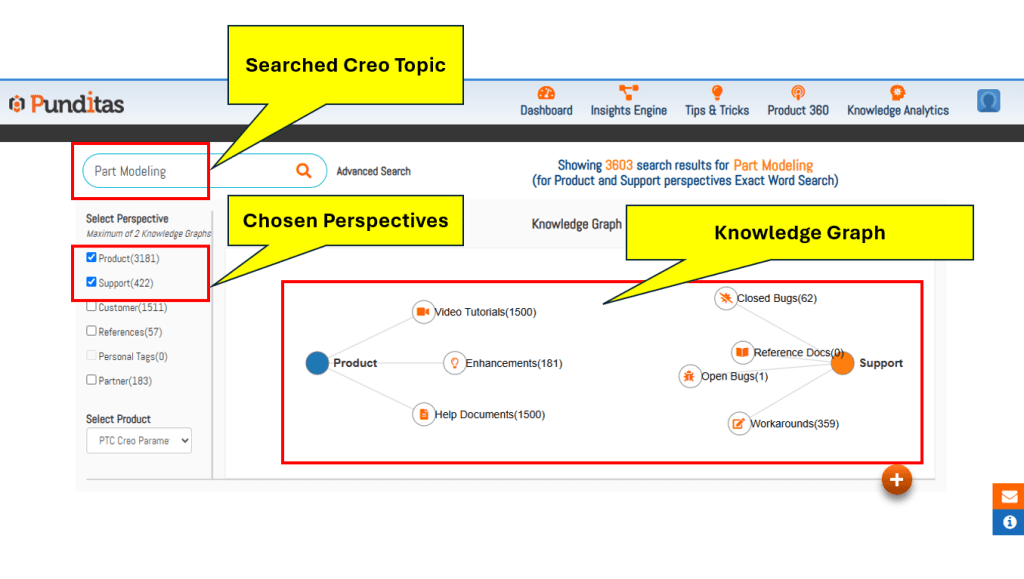
Each perspective is pre-filtered into logical categories:
- Product Perspective: Video Tutorials, Help Articles, Enhancements
- Support Perspective: Bugs (Open/Closed), Reference Docs, Workarounds
- Customer Perspective: User Presentations, Discussions
- References Perspective: Blogs, Case Studies
- Partner Perspective: Partner Products & Services
No more clicking through 20 browser tabs. Everything you need is consolidated and cross-referenced.
Multi-product search support
Many Creo users work across more than one module (e.g., Solidworks+ Creo View+ Onshape + Creo Parametric). Punditas AI lets you:
- Select which product you’re currently using from a dropdown
- Use the same search term to explore results across different products
This is crucial for engineers who juggle roles or manage complex multi-module projects.
Dynamic tip banners: Instant awareness of what’s new
After each search, Punditas AI displays three dynamic banners at the top of the results:
- New features you might have missed
- Recommended content based on your search history
- Productivity tips relevant to your current topic

Each banner links directly to the source material, saving you even more time.
Why this matters: A real-world use case
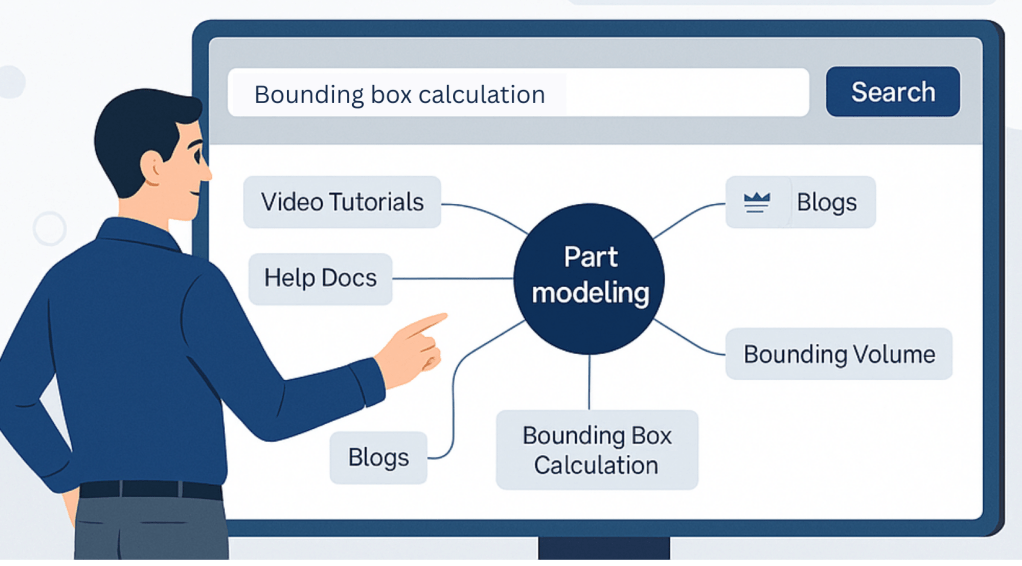
Imagine you’re a design engineer trying to finalize the enclosure for a new product using Creo. You run into an issue calculating bounding boxes and need insights.
With traditional methods, this would take:
- 20–30 minutes of web/forum search
- Reading through partially relevant answers
- Testing various methods manually
With Punditas AI:
- Search for bounding box calculation
- Choose “Product” + “Support” perspectives
- Get direct links to:
- Tutorials on the new Creo 11 bounding box tool
- Help articles on limitations and improvements
- Workarounds from other users
- Enhancements documentation
Total time saved: 25+ minutes per issue.
Key takeaway: Speed, context, and confidence
Punditas AI doesn’t just give you information. It gives you:
- The right information,
- At the right time,
- In the right context.
That’s what makes it an essential tool for Creo users who want to design faster, smarter, and with confidence.
Start saving hours and boost your productivity.
👉 Sign up for Punditas AI now – Discover how much faster Creo design can really be.
 Punditas
Leave a comment