
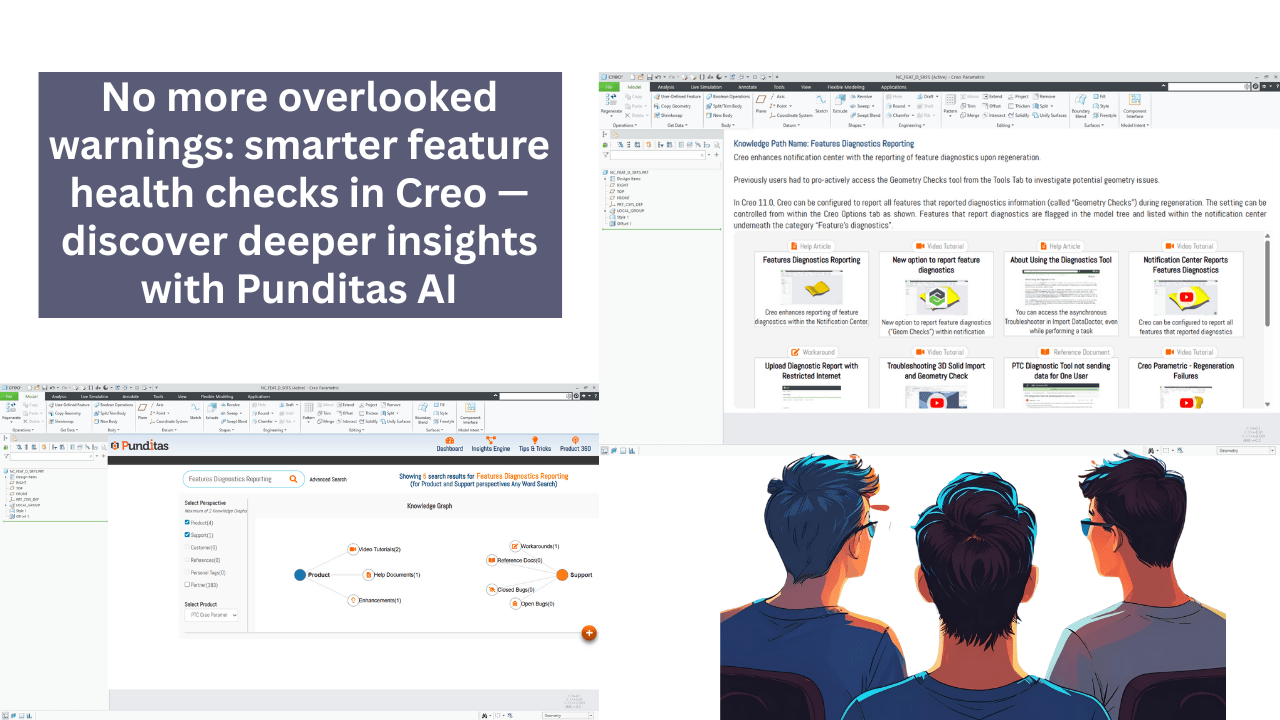
Designers working in Creo know that geometry issues can be subtle but costly. A tiny surface error or misaligned edge can ripple through an assembly, disrupting regeneration, causing downstream issues, and ultimately delaying delivery.
With Creo 11, PTC introduces a subtle yet powerful upgrade: automatic reporting of feature diagnostics directly within the Notification Center and the Model Tree. Now, users can configure Creo to flag all features with geometry checks during regeneration—bringing potential issues front and center, automatically.
A smarter diagnostic workflow in Creo
In earlier versions of Creo, spotting geometry issues often required a manual check. You had to deliberately run the Geometry Checks tool from the Tools tab, digging into the model to uncover any underlying problems. This added friction, especially in fast-paced workflows.
With the new Feature Diagnostics reporting capability in Creo 11, this friction is eliminated. Users can now configure Creo to report all diagnostic messages related to geometry checks during regeneration. These flagged features are not only visible in the Notification Center but are also marked directly in the Model Tree, offering instant visual feedback.
This update is more than cosmetic—it fundamentally changes how users interact with model quality data. And when paired with Punditas AI, it becomes a complete learning and decision-making system.
How Punditas AI helps you use diagnostics more effectively
While Creo highlights the issues, Punditas AI shows you how to act on them.
Let’s say a regeneration triggers geometry warnings across three features. Instead of pausing your workflow to search forums or dig through outdated documentation, Punditas AI steps in with real-time, in-context guidance.
Learn faster with Punditas knowledge path
The Punditas Knowledge Path is a curated learning journey designed specifically for Creo users. It includes 12 carefully selected resources—videos, help articles, community tips, and more—focused entirely on Feature Diagnostics Reporting.
Whether you’re looking to understand the new configuration settings, or need help interpreting a specific diagnostic message, the Knowledge Path brings it all together in one structured experience.
No jumping tabs. No guesswork. Just straight answers—inside Creo.
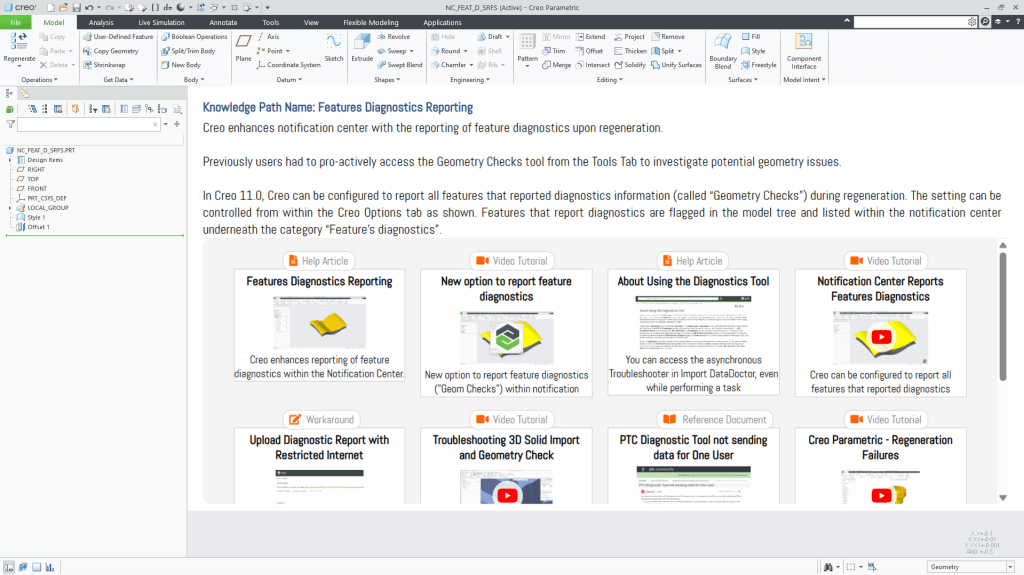
👉 Unlock the Knowledge Path to discover exactly how to use this enhancement effectively.
Find what matters with Punditas knowledge graph
If you prefer exploratory learning, Punditas Knowledge Graph gives you a visual overview of everything related to Feature Diagnostics. It maps out:
- Videos explaining the Notification Center updates
- Help articles showing how to configure diagnostics reporting
- Discussions from real users troubleshooting common issues
- Known bugs or limitations with feature checks
Best of all, Punditas AI learns from you. Its advanced AI engine prioritizes content based on how you work—bringing up the most relevant insights, not just popular ones.

👉 Discover the Knowledge Graph and reduce search fatigue instantly.
Punditas AI: It’s not just about the software—it’s about the user
PTC Creo continues to evolve with more robust features and deeper diagnostics. But learning how to make the most of them remains a challenge. That’s where Punditas AI shines.
Unlike conventional tools that stop at documentation, Punditas AI digs deeper into user behavior. It identifies where users hesitate, what they search for, and what solutions they trust. It uses this to deliver context-aware guidance, just when you need it.
It’s not just about detecting errors. It’s about enabling informed, confident decision-making.
Creo’s new Feature Diagnostics reporting is a welcome step toward better model health and regeneration performance. But like any new capability, its value is only unlocked through understanding.
Punditas AI ensures you’re not just informed—but empowered.
With its Knowledge Path and Knowledge Graph, Creo users can reduce confusion, solve issues faster, and confidently apply the latest enhancements—all without leaving their design environment.
Design smarter. Regenerate cleaner. Stay in control—with Punditas AI.
Explore Knowledge Graph
Access Knowledge Path
Contact us: contact@punditas.com
Try Punditas AI Free
 Punditas
Leave a comment