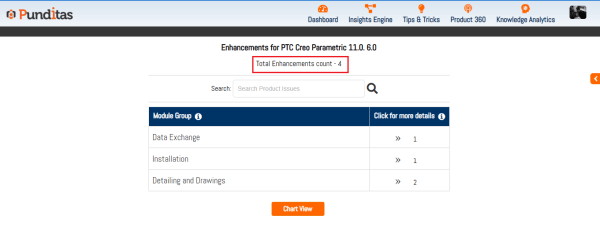
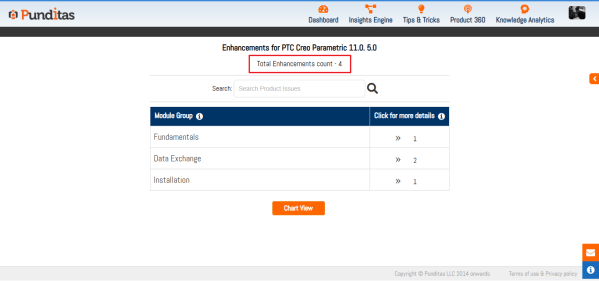
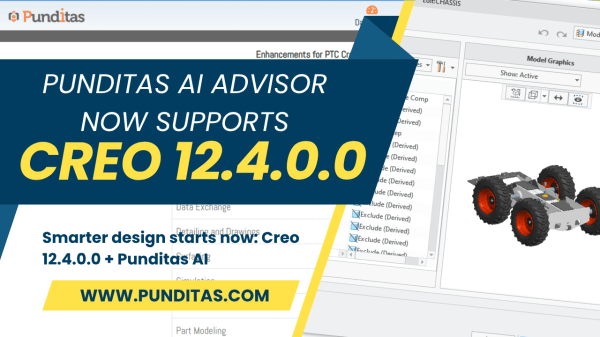
Information: An engineer’s best friend—and biggest hurdle For engineers, information can make or break a project. Quick access to design standards, troubleshooting know-how, and up-to-date documentation isn’t just helpful—it’s mission-critical. But let’s face it, too much time is still lost scrolling through search results, hunting through siloed docs, or skipping around lengthy video tutorials. Fast search isn’t... Continue Reading →
Why a unified dashboard is the future of engineering knowledge
Rethinking knowledge for engineers Engineers need knowledge as much as they need their favorite tools. Everyone’s faced it—trying to learn a new Creo feature, catch up with product updates, or fix a nagging design issue, only to find themselves bouncing between forums, inboxes, tutorials, and internal docs. The hunt isn’t just exhausting—it wastes time, creates delays, and... Continue Reading →
Lost in grid settings? Instantly find your way in Creo with Punditas AI
If you’ve ever opened up the Sketcher module in PTC Creo Parametric for the first time, you probably know the feeling: excitement quickly turning into challenge. Even something as simple as setting up the grid can feel like a challenge when you’re just starting out. Imagine this—on your first day learning Creo, you don’t even... Continue Reading →
Turn Creo roadblocks into breakthroughs with Punditas AI
Stop switching between apps to learn your CAD and PLM tools. The Tips & Tricks module in Punditas AI puts expert guidance right where you're already working. Whether you're using Creo Parametric, ThingWorx, SolidWorks, Onshape, or Windchill, you'll find current, actionable insights waiting in the Tips & Tricks module. No hunting through endless documentation. No... Continue Reading →
Punditas AI Now Supports Creo 12.4.1.0
PTC released Creo 12.4.1.0 recently. Punditas AI Advisor now supports this latest version of Creo 12.4.1.0. Punditas AI allows users to learn more about “How”, What” and “Why” of these enhancements through Product 360 module. The picture below shows the Module groups and the corresponding enhancements added within each group. To try this out, please... Continue Reading →
Punditas AI Now Supports Creo 11.0.5.0
Punditas AI is committed to delivering its users the latest updates regarding both significant and minor releases of Creo. Presently, the official platform has disseminated details concerning Creo 11.0.5.0, and Punditas AI has already accumulated valuable insights into the new functionalities it offers. The following modules of Creo Parametric is enhanced in Creo 11.0.5.0 The picture... Continue Reading →
Punditas AI Now Supports Creo 12.4
Released on June 4, 2025, Creo 12.4.0.0 represents more than just another version update. It’s PTC’s latest answer to a question every engineering leader is wrestling with: "How can we accelerate design without sacrificing depth, detail, or downstream accuracy?" The answer lies in smarter design workflows—streamlined, intuitive, and informed at every step. That’s where Creo... Continue Reading →
Stop wasting time—start designing smarter in Creo with Punditas AI
Design Engineers, Let’s Talk About Time… If you’re a Creo user, you already know the story. You're in the middle of building a complex model, and suddenly—you're stuck. You need to figure out how a specific feature works, troubleshoot a component, or find best practices for a function you barely use. So, what do you... Continue Reading →
Punditas AI Now Supports Creo 11.0.4.0
Punditas AI is committed to delivering its users the latest updates regarding both significant and minor releases of Creo. Presently, the official platform has disseminated details concerning Creo 11.0.4.0, and Punditas AI has already accumulated valuable insights into the new functionalities it offers. The following modules of Creo Parametric is enhanced in Creo 11.0.4.0 The picture... Continue Reading →
Punditas AI Advisor now supports Creo 8.0.12.0
PTC released Creo 8.0.12.0 recently. Punditas AI Advisor now supports this latest version of Creo 8.0.12.0. Punditas AI allows users to learn more about “How”, What” and “Why” of these enhancements through Product 360 module. The picture below shows the Module groups and the corresponding enhancements added within each group. To try this out, please... Continue Reading →