Stop switching between apps to learn your CAD and PLM tools. The Tips & Tricks module in Punditas AI puts expert guidance right where you're already working. Whether you're using Creo Parametric, ThingWorx, SolidWorks, Onshape, or Windchill, you'll find current, actionable insights waiting in the Tips & Tricks module. No hunting through endless documentation. No... Continue Reading →
Punditas AI Now Supports Creo 12.4.1.0
PTC released Creo 12.4.1.0 recently. Punditas AI Advisor now supports this latest version of Creo 12.4.1.0. Punditas AI allows users to learn more about “How”, What” and “Why” of these enhancements through Product 360 module. The picture below shows the Module groups and the corresponding enhancements added within each group. To try this out, please... Continue Reading →
Punditas AI Now Supports Creo 12.4
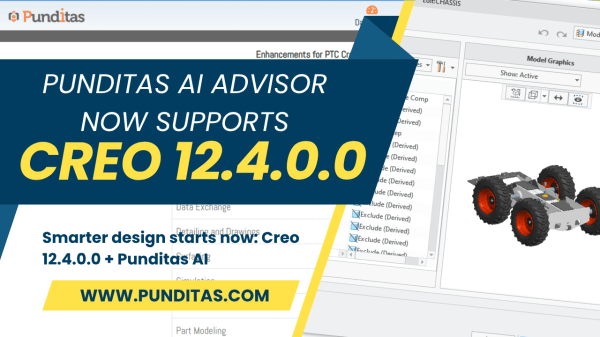
Released on June 4, 2025, Creo 12.4.0.0 represents more than just another version update. It’s PTC’s latest answer to a question every engineering leader is wrestling with: "How can we accelerate design without sacrificing depth, detail, or downstream accuracy?" The answer lies in smarter design workflows—streamlined, intuitive, and informed at every step. That’s where Creo... Continue Reading →
Stop wasting time—start designing smarter in Creo with Punditas AI
Design Engineers, Let’s Talk About Time… If you’re a Creo user, you already know the story. You're in the middle of building a complex model, and suddenly—you're stuck. You need to figure out how a specific feature works, troubleshoot a component, or find best practices for a function you barely use. So, what do you... Continue Reading →
Punditas AI Advisor now supports Creo 8.0.12.0
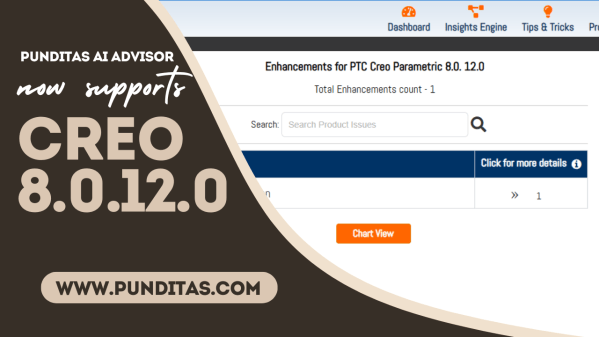
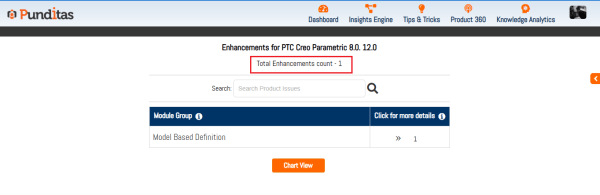
PTC released Creo 8.0.12.0 recently. Punditas AI Advisor now supports this latest version of Creo 8.0.12.0. Punditas AI allows users to learn more about “How”, What” and “Why” of these enhancements through Product 360 module. The picture below shows the Module groups and the corresponding enhancements added within each group. To try this out, please... Continue Reading →
Punditas AI Advisor now supports Creo 8.0.12.0
PTC released Creo 8.0.12.0 recently. Punditas AI Advisor now supports this latest version of Creo 8.0.12.0. Punditas AI allows users to learn more about “How”, What” and “Why” of these enhancements through Product 360 module. The picture below shows the Module groups and the corresponding enhancements added within each group. To try this out, please... Continue Reading →
Punditas AI Advisor now supports Creo 9.0.10.0
PTC released Creo 9.0.10.0 recently. Punditas AI Advisor now supports this latest version of Creo 9.0.10.0. Punditas AI allows users to learn more about “How”, What” and “Why” of these enhancements through Product 360 module. The picture below shows the Module groups and the corresponding enhancements added within each group. To try this out, please... Continue Reading →
Enhance data effectiveness with Punditas AI’s insights
Understanding data usage is crucial for organizations to ensure their efforts are not wasted. With Punditas AI, Admin users can transform Creo data management into a strategic advantage through powerful insights. Discover the Benefits of Punditas AI's Statistics Feature Comprehensive Data Insights: Gain detailed visibility into who accesses your data, when, and how long they... Continue Reading →
Optimize internal communication using Punditas AI’s announcement system
As organizations grow, effective communication becomes essential. Punditas AI offers a powerful solution with its built-in announcement system, designed to keep employees informed without disrupting their workflow. Key Features of Punditas AI's Announcement System Immediate Visibility: Important announcements are prominently displayed on users’ dashboards upon login. This ensures crucial information is immediately accessible to everyone,... Continue Reading →
Discover global Creo user trends with Punditas AI’s “users by country” insights
The "Users by Country" section provides a visual and tabular representation of Creo user distribution across various countries. This feature helps you quickly understand how many Creo users are in each country. Key Features Graphical Representation: A graph shows the number of Creo users in different countries. Countries are listed along one axis, with the... Continue Reading →