

Punditas AI systematically gathers validated Creo Parametric-related videos sourced from various platforms such as YouTube, Vimeo, and PTC Learning Connector. It also consolidates crucial help articles directly from the PTC Creo Help Center, as well as the latest enhancements documented in both the Help Center and PTC eSupport portal. The outcomes are presented cohesively through the Knowledge Graph in the “Product Perspective,” offering users a unified view of valuable information.
ollow the Steps and explore Product Perspective
Step 1:- Login to Punditas AI Advisor
Step 2:- Click on Insights Engine
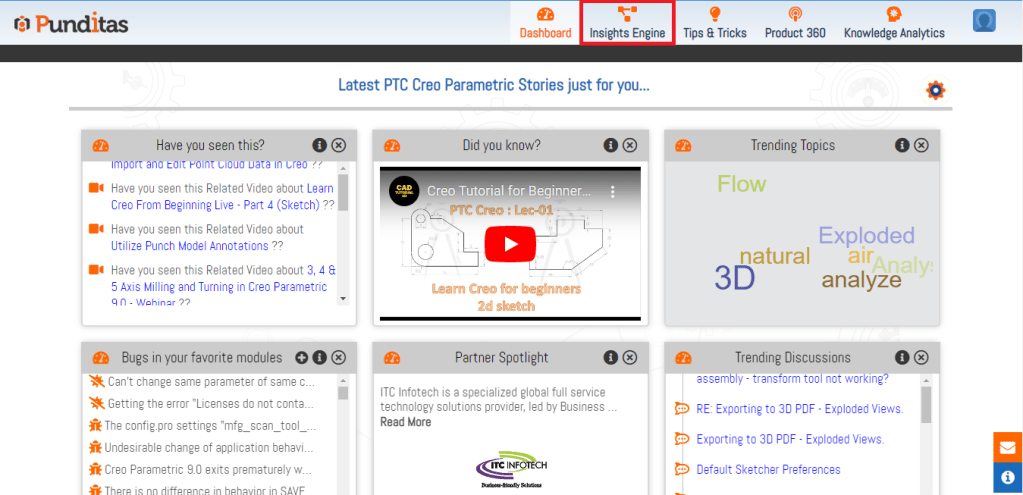
Step 3:- Select Product Perspective from the Dropdown

Step 4:- Insert your Creo Parametric Topic inside the Search box and Hit the Search button
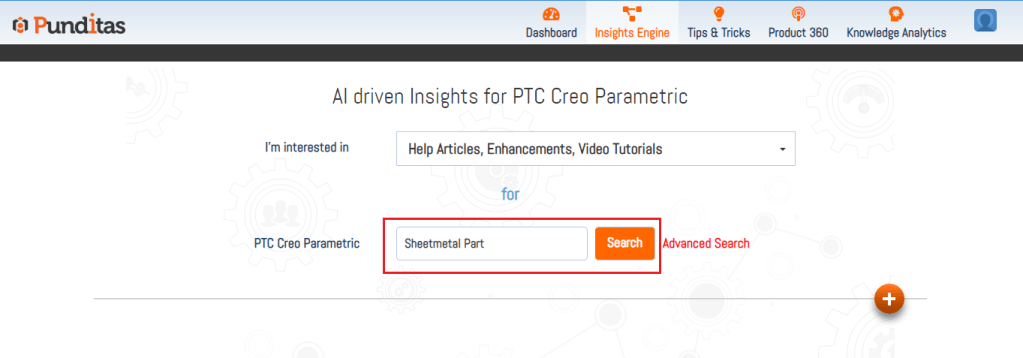
Step 5:- Explore each node available in Product Perspective, Following Image displays Knowledge graph in Product Perspective for Creo Parametric topic Sheetmetal Part. Product Perspective is showing total 296 search results where 244 Video Tutorials, 49 Help Articles and 3 Enhancements are available

What is Punditas AI Advisor?
Punditas AI Advisor provides real-time guidance as you work in the Creo environment. Information on “how to use” a feature in Creo or best practices for working with Creo are presented within context, removing the need to guess or search for such information. Punditas AI driven content helps you leverage Creo to create your designs faster and with confidence.
For more information about Punditas AI Advisor, visit our website at Punditas AI or contact us at contact@punditas.com
 Punditas
Leave a comment