

Creo’s official help documentation is a valuable resource—thorough, well-organized, and packed with details that many designers rely on daily. But even with extensive support available, it’s natural for engineers to sometimes spend extra time searching for information tailored to their specific situation. With modern design needs evolving quickly, finding precisely what’s relevant can be a real challenge.
How Creo help works for engineers
Creo help is designed to cover a wide range of topics, from fundamental concepts to deep dives into advanced features. Most engineers begin with the help center for clear guidance, definitions, and instructions. However, when faced with unique workflows or newer features, designers can find themselves navigating various articles, trying to pinpoint the right information for their Creo version, specific module, or latest update.

Making search easier with Punditas AI
Punditas AI builds on the foundation provided by Creo’s documentation by bringing together help documents and resources from trusted platforms like help.ptc.com. Rather than simply listing results, Punditas AI uses intelligent filtering and context awareness to connect designers with the content that best matches their needs—whether they’re working in Sheet Metal, Simulation, or exploring “What’s New” in the latest release.

Context-aware insights for faster learning
With its Insights Engine, Punditas AI analyzes the user’s query and surfaces the most relevant, up-to-date answers. Designers can quickly access tailored articles and tips directly related to their task, saving them from browsing multiple pages and allowing them to focus more on design work. This complements the rich help library that Creo already offers, streamlining the search process for everyday engineering challenges.

Visual navigation and authenticity
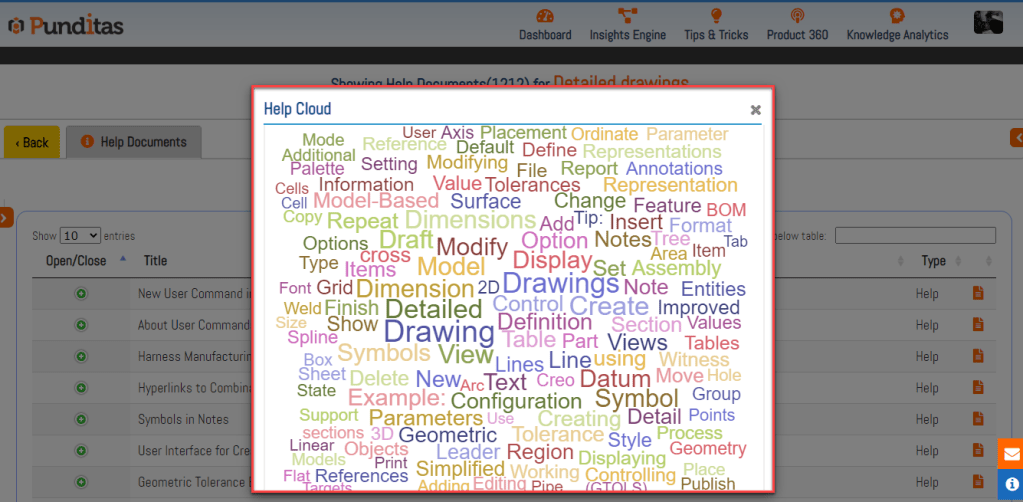
Punditas AI also introduces features like the Help Cloud—a visual map of keywords and topics—to make navigation intuitive. All document titles and descriptions are shown as originally published, and direct links to official sources give designers confidence in the accuracy and authenticity of what they find.
Powerful filters for personalized support
Engineers benefit from advanced filters: searching by module, version, or specific functionality is simple. This adds an extra layer of convenience, letting users get the most out of the extensive documentation Creo provides, while ensuring that their search experience feels smooth and efficient.
Why this matters
Efficient access to reliable help means more productive design sessions. With Punditas AI enhancing the search and filtering experience, Creo engineers have more time to innovate, knowing that trustworthy, context-aware support is always within reach.
Looking ahead
Creo’s help remains a cornerstone for learning and troubleshooting. By integrating intelligent tools like Punditas AI, engineers can make the most of these resources, transforming help documentation into an even more powerful aid for modern design workflows.
What is Punditas AI Advisor?
Punditas AI Advisor provides real-time guidance as you work in the Creo environment. Information on “how to use” a feature in Creo or best practices for working with Creo are presented within context, removing the need to guess or search for such information. Punditas AI driven content helps you leverage Creo to create your designs faster and with confidence.
For more information about Punditas AI Advisor, visit our website at Punditas AI or contact us at contact@punditas.com
 Punditas
Leave a comment