With this enhancements, you can decide if you want to include or exclude embedded components from their repeat region tables. This allows you to control exclusion of embedded components in the repeat region BOMs. It is useful if you have converted some models to be inseparable assemblies or embedded components and want to list them... Continue Reading →
New construction mode in Creo 8.0
The new construction mode in Creo 8.0 allows you to sketch reference geometry with phantom lines, before you create the final geometry. This mode supports construction lines, arcs, rectangles, etc. This enhancement increases the variety of construction mode geometries. In addition, there is a new shortcut menu option that allows you to toggle the already... Continue Reading →
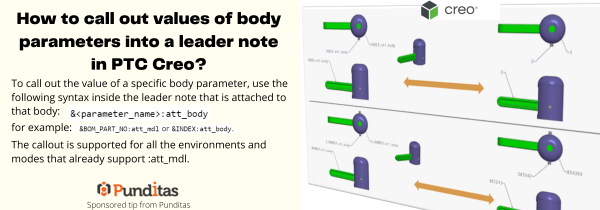
How to call out values of body parameters into a leader note in PTC Creo?
To call out the value of a specific body parameter, use the following syntax inside the leader note that is attached to that body: &<parameter_name>:att_body for example: &BOM_PART_NO: att_mdl or &INDEX: att_body The callout is supported for all the environments and modes that already support :att_mdl. ptccreo.punditas.com
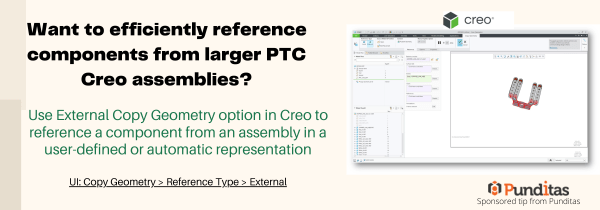
Want to efficiently reference components from larger PTC Creo assemblies?
Use External Copy Geometry option in Creo to reference a component from an assembly in a user-defined or automatic representation UI: Copy Geometry > Reference Type > External ptccreo.punditas.com
How to easily add Standard text symbols in PTC Creo?
With Creo 8.0, text symbol pallet is easily accessible for datum feature symbol (DFS) annotations. This allows you to add standard text symbols to a datum feature symbol annotations UI: Annotate -> Datum Feature Symbol ->place DFS -> Select DFS-> activate text field ->Symbols ptccreo.punditas.com
Punditas AI Advisor now supports Creo 6.0.6.0
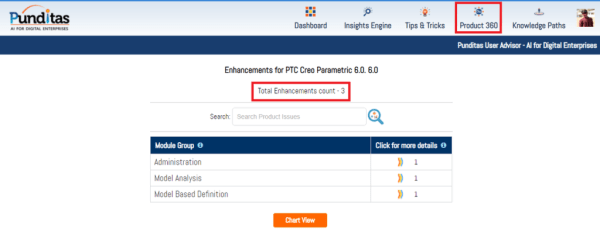
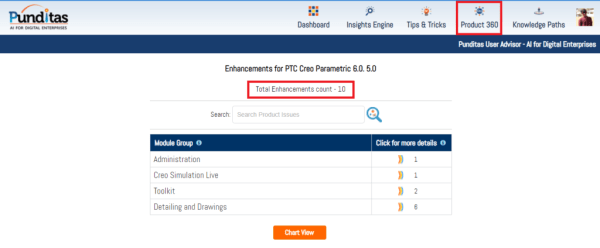
PTC released Creo 6.0.6.0 recently. Punditas AI Advisor now supports this latest version of Creo 6.0.6.0. Punditas AI allows users to learn more about “How”, What” and “Why” of these enhancements through Product 360 module. The picture below shows the Module groups and the corresponding enhancements added within each group. To try this out, please... Continue Reading →
Punditas AI Advisor now supports Creo 7.0.3.0
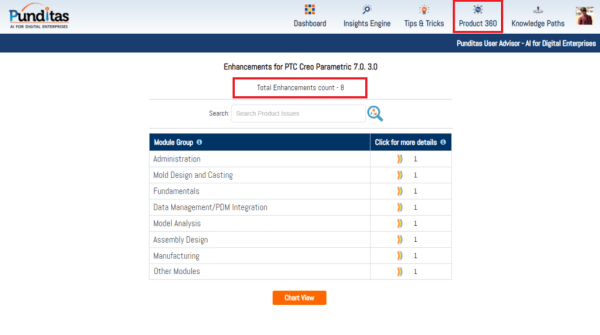
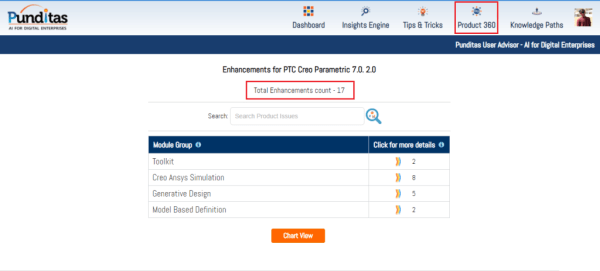
PTC released Creo 7.0.3.0 recently. Punditas AI Advisor now supports this latest version of Creo 7.0.3.0 . Punditas AI allows users to learn more about “How”, What” and “Why” of these enhancements through Product 360 module. The picture below shows the Module groups and the corresponding enhancements added within each group. To try this out,... Continue Reading →
Punditas AI Advisor now supports Creo 7.0.2.0
PTC released Creo 7.0.2.0 recently. Punditas AI Advisor now supports this latest version of Creo 7.0.2.0 . Punditas AI allows users to learn more about “How”, What” and “Why” of these enhancements through Product 360 module. The picture below shows the Module groups and the corresponding enhancements added within each group. To try this out,... Continue Reading →
Punditas AI Advisor now supports Creo 6.0.5.0
PTC released Creo 6.0.5.0 recently. Punditas AI Advisor now supports this latest version of Creo 6.0.5.0. Punditas AI allows users to learn more about “How”, What” and “Why” of these enhancements through Product 360 module. The picture below shows the Module groups and the corresponding enhancements added within each group. To try this out, please... Continue Reading →
Have you tried any of these 3 MBD enhancements in Creo?
The following are 6 MBD related enhancements in Creo 7.0 - Control gap between a GTOL frame and Indicator frame If you have a drawing that is designed against the 2012 version of ISO 1101, and you need to make it compliant with the 2017 version , you can use this detail option to help... Continue Reading →