Creo’s official help documentation is a valuable resource—thorough, well-organized, and packed with details that many designers rely on daily. But even with extensive support available, it’s natural for engineers to sometimes spend extra time searching for information tailored to their specific situation. With modern design needs evolving quickly, finding precisely what’s relevant can be a... Continue Reading →
How Creo designers find information today — and how AI is changing the game
Creo designers face a familiar challenge: when a roadblock pops up, tracking down the right answer can be as tough as designing the part itself. The hunt for good information is often a detour—sometimes taking longer than the actual problem solving. Here’s a look at how Creo users typically get help today, and how new... Continue Reading →
A smarter way to learn Creo: how Punditas AI transforms video learning
Creo engineers often turn to YouTube as their first stop for help with tricky features, hoping to find quick tutorials and walkthroughs that solve their problems. There’s no denying YouTube’s popularity or usefulness—it’s packed with content, and engineers know their way around the platform. But sometimes that search can be a time-sink: trending shorts, unrelated... Continue Reading →
Lost in grid settings? Instantly find your way in Creo with Punditas AI
If you’ve ever opened up the Sketcher module in PTC Creo Parametric for the first time, you probably know the feeling: excitement quickly turning into challenge. Even something as simple as setting up the grid can feel like a challenge when you’re just starting out. Imagine this—on your first day learning Creo, you don’t even... Continue Reading →
Turn Creo roadblocks into breakthroughs with Punditas AI
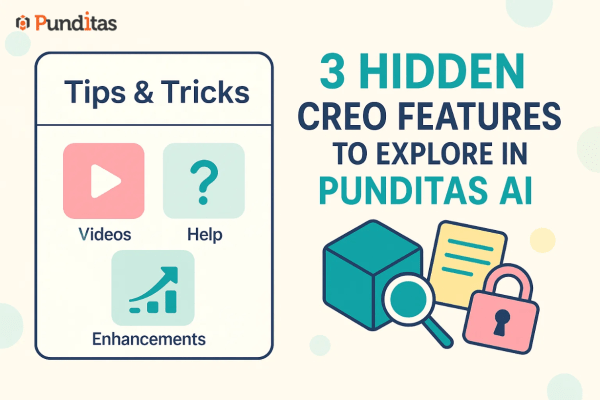
Stop switching between apps to learn your CAD and PLM tools. The Tips & Tricks module in Punditas AI puts expert guidance right where you're already working. Whether you're using Creo Parametric, ThingWorx, SolidWorks, Onshape, or Windchill, you'll find current, actionable insights waiting in the Tips & Tricks module. No hunting through endless documentation. No... Continue Reading →
From hours to seconds: find the right Creo features with Punditas AI
Ever spent hours searching for the right feature in Creo? If so, you’re definitely not alone. Running into a stubborn error or hunting for that one elusive command, all while your deadline looms. The truth is, digging through menus, help files, and forums doesn’t just slow you down—it takes valuable time away from real design... Continue Reading →
Tired of watching the wrong tutorials? This changes everything
When Creo users run into a problem — maybe a modeling error, a complex feature, or something just not working right — their natural instinct is to look for help online. And for most users, the go-to destination is YouTube. It’s fast, it’s free, and it’s full of content. But here’s the question: Is YouTube... Continue Reading →
From invisible to invaluable: how Punditas AI makes your Creo data work smarter
In today’s data-driven world, sharing knowledge isn’t the problem—knowing whether that knowledge is being used is. Engineering teams working in PTC Creo create a tremendous amount of internal content—training documents, onboarding guides, enhancement overviews, modeling best practices, simulation case studies, and more. But across large or even medium-sized organizations, a familiar question looms: “Is anyone... Continue Reading →
Unlocking collective intelligence: How Punditas AI’s knowledge needs module helps Creo teams learn smarter
In today’s fast-paced engineering and product development world, knowledge is not just power—it’s performance. Especially for Creo users working in collaborative teams, knowing what to learn, when to learn it, and how others are learning can dramatically shape the success of design projects. This is where Punditas AI’s Knowledge Needs module steps in—a powerful capability... Continue Reading →
What if learning Creo was as smart as designing in Creo?
In today’s fast-paced engineering environment, knowing where to start and what to learn can be just as critical as knowing how to design. Whether you're onboarding a new intern, upskilling a mid-level engineer, or enabling enterprise-wide knowledge continuity, one thing is certain: unstructured learning leads to lost time and productivity. That’s where the Create/Edit Paths... Continue Reading →