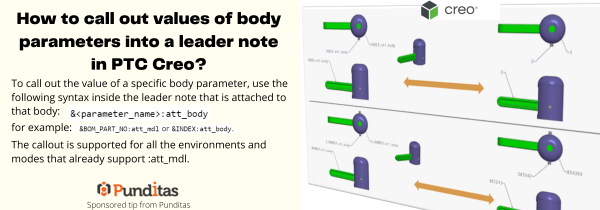
To call out the value of a specific body parameter, use the following syntax inside the leader note that is attached to that body: &<parameter_name>:att_body for example: &BOM_PART_NO: att_mdl or &INDEX: att_body The callout is supported for all the environments and modes that already support :att_mdl. ptccreo.punditas.com
How to easily add Standard text symbols in PTC Creo?
With Creo 8.0, text symbol pallet is easily accessible for datum feature symbol (DFS) annotations. This allows you to add standard text symbols to a datum feature symbol annotations UI: Annotate -> Datum Feature Symbol ->place DFS -> Select DFS-> activate text field ->Symbols ptccreo.punditas.com
Punditas AI Advisor now supports Creo 7.0.4.0
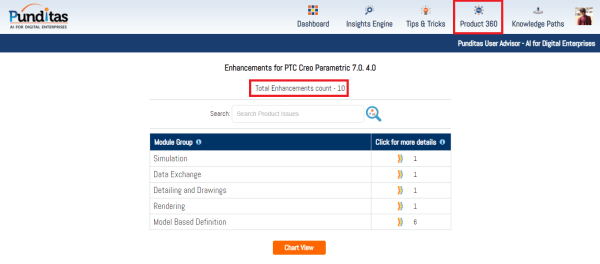
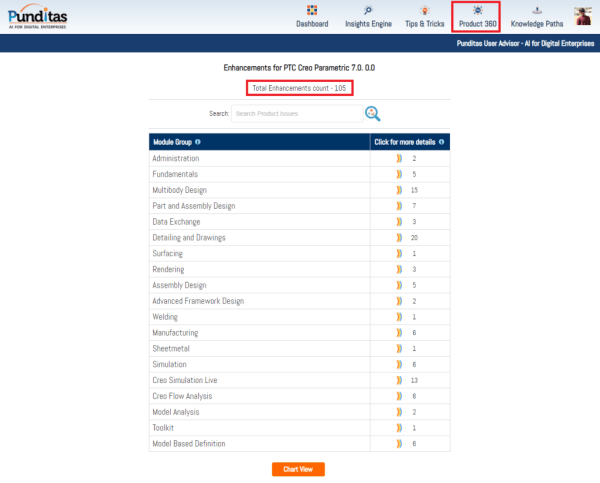
PTC released Creo 7.0.4.0 recently. Punditas AI Advisor now supports this latest version of Creo 7.0.4.0 . Punditas AI allows users to learn more about “How”, What” and “Why” of these enhancements through Product 360 module. The picture below shows the Module groups and the corresponding enhancements added within each group. To try this out,... Continue Reading →
Punditas AI Advisor now supports Creo 8.0.0.0
PTC released Creo 8.0.0.0 recently. Punditas AI Advisor now supports this latest version of Creo 8.0.0.0 . Punditas AI allows users to learn more about “How”, What” and “Why” of these enhancements through Product 360 module. The picture below shows the Module groups and the corresponding enhancements added within each group. To try this out,... Continue Reading →
Punditas AI Advisor now supports Creo 6.0.6.0
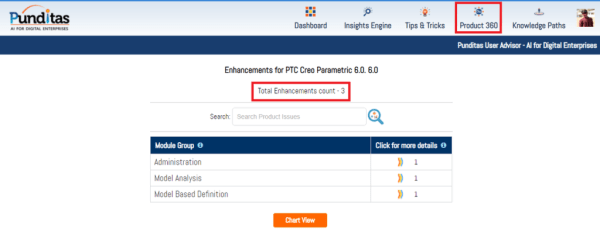
PTC released Creo 6.0.6.0 recently. Punditas AI Advisor now supports this latest version of Creo 6.0.6.0. Punditas AI allows users to learn more about “How”, What” and “Why” of these enhancements through Product 360 module. The picture below shows the Module groups and the corresponding enhancements added within each group. To try this out, please... Continue Reading →
Punditas AI Advisor now supports Creo 7.0.2.0
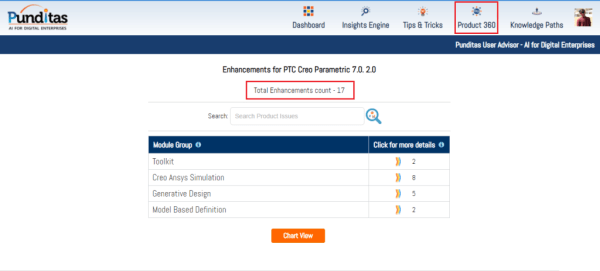
PTC released Creo 7.0.2.0 recently. Punditas AI Advisor now supports this latest version of Creo 7.0.2.0 . Punditas AI allows users to learn more about “How”, What” and “Why” of these enhancements through Product 360 module. The picture below shows the Module groups and the corresponding enhancements added within each group. To try this out,... Continue Reading →
Punditas AI Advisor now supports Creo 4.0 M140
PTC released Creo 4.0 M140 recently. Punditas AI Advisor now supports this latest version of Creo 4.0 M140. Punditas AI allows users to learn more about “How”, What” and “Why” of these enhancements through Product 360 module. The picture below shows the Module groups and the corresponding enhancements added within each group. To try this... Continue Reading →
Punditas AI Advisor now supports Creo 7.0.0.0
PTC released Creo 7.0.0.0 recently. Punditas AI Advisor now supports this latest version of Creo 7.0.0.0 . Punditas AI allows users to learn more about “How”, What” and “Why” of these enhancements through Product 360 module. The picture below shows the Module groups and the corresponding enhancements added within each group. To try this out,... Continue Reading →
Did you know you cannot drag surface finishes off the model surfaces that are created flat to screen in Creo?
That's correct. Flat to screen surface finishes do not have a directional annotation plane and do not support an extension line. You cannot drag surface finishes off the model surfaces that are created flat to screen. In Creo, if the placement surface is planar, then you can drag surface finishes in the XY direction beyond... Continue Reading →
How do you drag surface finishes beyond placement surface in Creo?
In Creo, if the placement surface is planar, then you can drag surface finishes in the XY direction beyond the placement surface. An extension line is created in the XY-direction when you drag the surface finish off the reference surface as shown below You can drag the surface finish in the Z-direction even when it... Continue Reading →