In Creo, if the placement surface is planar, then you can drag surface finishes in the XY direction beyond the placement surface. An extension line is created in the XY-direction when you drag the surface finish off the reference surface as shown below You can drag the surface finish in the Z-direction even when it... Continue Reading →
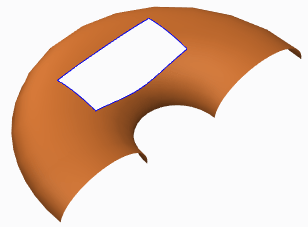
How to trim a quilt in Creo using curves?
Quilts in Creo can be trimmed in a few ways (see below). Adding a cut or slot as you do to remove material from solid featuresTrimming the quilt at its intersection with another quilt or to its own silhouette edge as it appears in a certain viewFilleting corners of the quiltTrimming along a datum curve... Continue Reading →
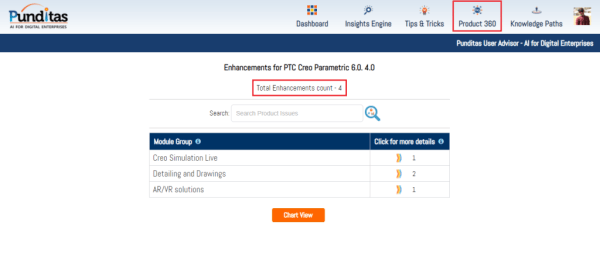
Punditas AI Advisor now supports Creo 6.0.4.0
PTC released Creo 6.0.4.0 recently. Punditas AI Advisor now supports this latest version of Creo 6.0.4.0. Punditas AI allows users to learn more about “How”, What” and “Why” of these enhancements through Product 360 module. The picture below shows the Module groups and the corresponding enhancements added within each group. To try this out, please... Continue Reading →
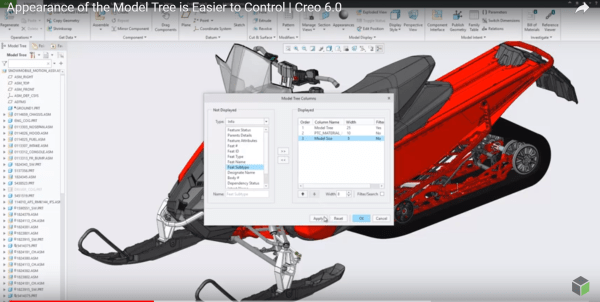
Did you know that you can now control the appearance of Model Tree in Creo?
I think this is a neat enhancement in Creo. With Creo 6.0 release, the Model Tree appearance can be controlled and configured by users Setting Up the Model Tree You can define the width of the model tree - add columns and keep the Model Tree column at the default width or the width you... Continue Reading →
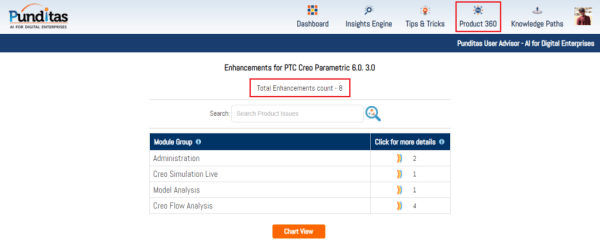
Punditas AI Advisor now supports Creo 6.0.3.0
PTC released Creo 6.0.3.0 recently. Punditas AI Advisor now supports this latest version of Creo 6.0.3.0. Punditas AI allows users to learn more about “How”, What” and “Why” of these enhancements through Product 360 module. The picture below shows the Module groups and the corresponding enhancements added within each group. To try this out, please... Continue Reading →
Punditas AI Advisor now supports Creo 4.0 M100
Punditas AI Advisor supports Creo 4.0 M100. Punditas AI allows users to learn more about “How”, What” and “Why” of these enhancements through Product 360 module. The picture below shows the Module groups and the corresponding enhancements added within each group. To try this out, please signup for a FREE trial at Punditas AI Modules and... Continue Reading →
Punditas AI Advisor now supports Creo 4.0 M090
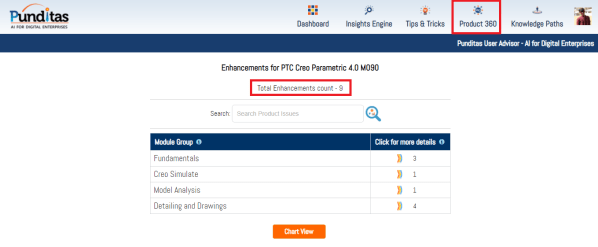
Punditas AI Advisor supports Creo 4.0 M090.Punditas AI allows users to learn more about “How”, What” and “Why” of these enhancements through Product 360 module. The picture below shows the Module groups and the corresponding enhancements added within each group. To try this out, please signup for a FREE trial at Punditas AI Modules and Enhancements... Continue Reading →
Punditas AI Advisor now supports Creo 6.0.0.0
PTC released Creo 6.0.0.0 recently. Punditas AI Advisor now supports this latest version of Creo 6.0.0.0. Punditas AI allows users to learn more about “How”, What” and “Why” of these enhancements through Product 360 module. The picture below shows the Module groups and the corresponding enhancements added within each group. To try this out, please... Continue Reading →
Punditas AI Advisor now supports Creo 4.0 M080
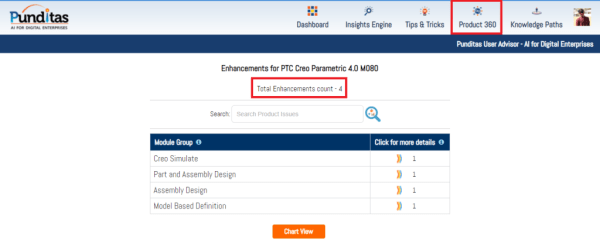
Punditas AI Advisor supports Creo 4.0 M080.Punditas AI allows users to learn more about “How”, What” and “Why” of these enhancements through Product 360 module. The picture below shows the Module groups and the corresponding enhancements added within each group. To try this out, please signup for a FREE trial at Punditas AI Modules and Enhancements... Continue Reading →
Punditas AI Advisor now supports Creo 5.0.3.0
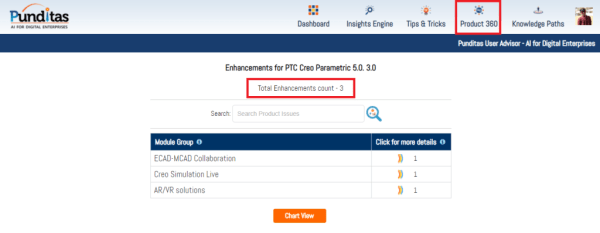
PTC released Creo 5.0.3.0 recently. Punditas AI Advisor now supports this latest version of Creo 5.0.3.0. Punditas AI allows users to learn more about “How”, What” and “Why” of these enhancements through Product 360 module. The picture below shows the Module groups and the corresponding enhancements added within each group. To try this out, please... Continue Reading →