

If you’re a Creo user, you know how challenging it can be to find the right help documents when you need them. With so many modules and topics to navigate, it’s easy to waste valuable time searching for the information you need. That’s Punditas AI developed a feature that provides module-wise help documents for searched Creo topics
The Help Documents node has modules that include information about the search input that was provided. The Filter Feature offered inside the Help Documents node allows you to simply find the Help documents
Punditas AI differentiates help documents depending on their modules. This approach simplifies the search process by allowing users to quickly find the information they need within a specific module, rather than sorting through all available help documents. This improves productivity and ensures that users can quickly return to their workflow with the knowledge they need
Following are the steps to access the Filter feature inside Help Documents node
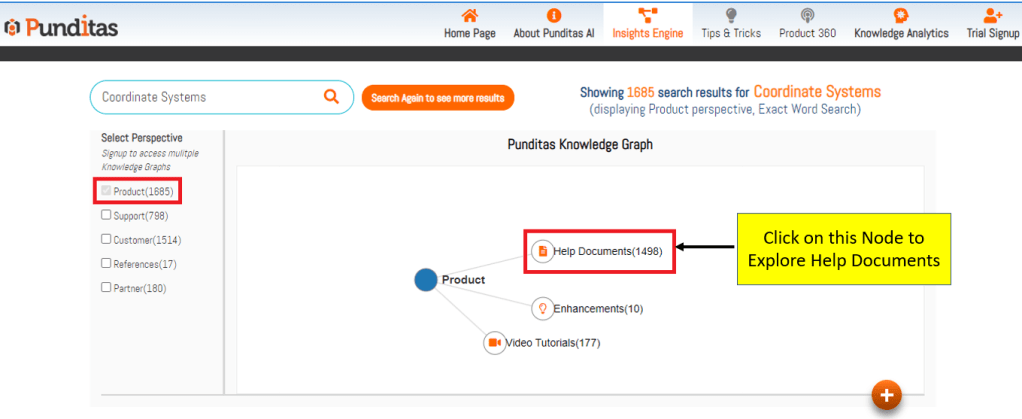
Step 1 :- Search for the Creo topic, select Product perspective and click on Help Documents node as displayed below in the image
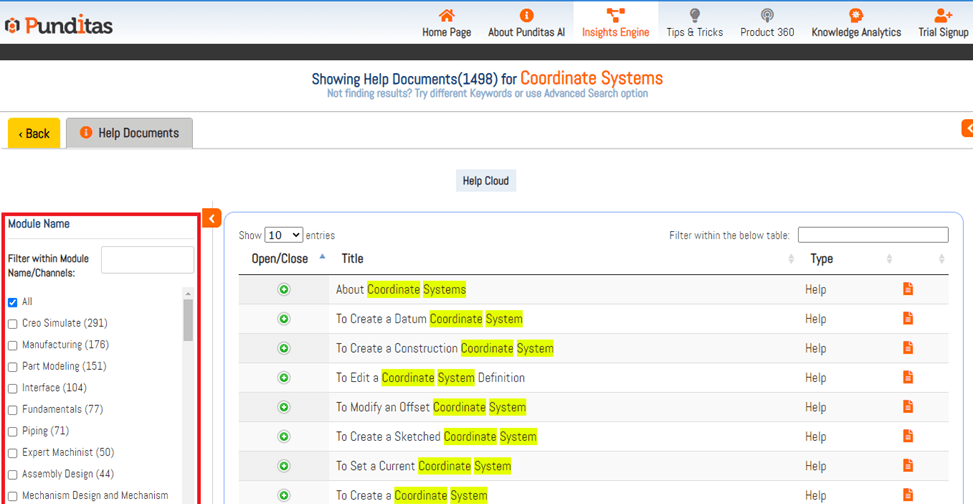
Step 2 :- Click on Arrow button and expand the panel as shown below in the image

Step 3 :- All the modules related to Creo Parametric can be seen in the Filter panel as shown below with the number of results in it for the given search input
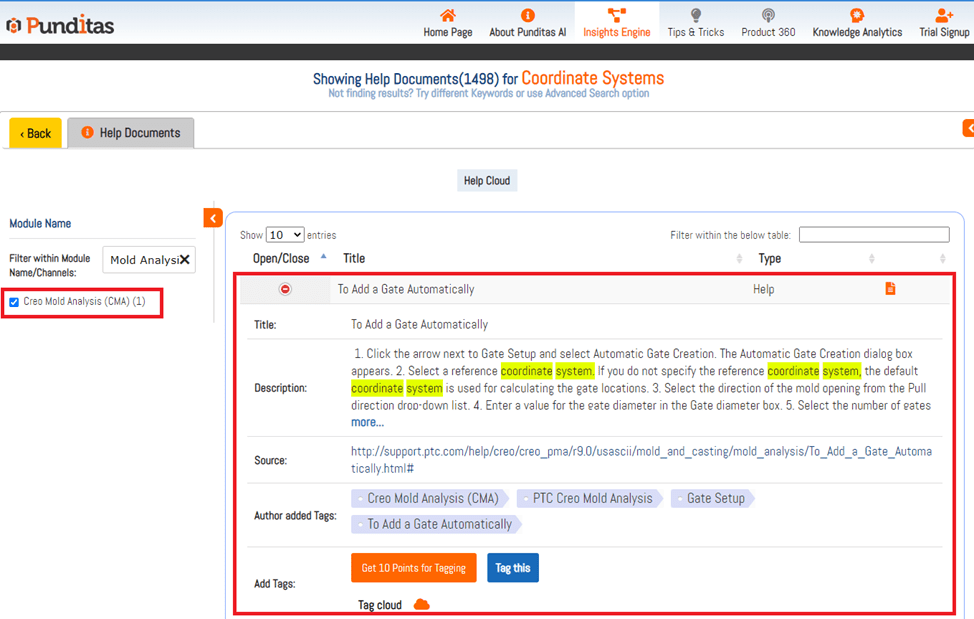
Step 4 :- Specify the module name inside the box, and if it is listed, it will display

Step 5 :- By clicking on Checkbox, Related result will appear in the table
What is Punditas AI Advisor?
Punditas AI Advisor provides real-time guidance as you work in the Creo environment. Information on “how to use” a feature in Creo or best practices for working with Creo are presented within context, removing the need to guess or search for such information. Punditas AI driven content helps you leverage Creo to create your designs faster and with confidence.
For more information about Punditas AI Advisor, visit our website at Punditas AI or contact us at contact@punditas.com
 Punditas
Leave a comment