

For CAD designers working with PTC Creo Parametric, learning about the latest enhancements and features is crucial for staying up-to-date and improving their skills. And while the Help module provides a wealth of information, finding the right information can be a daunting task. This is where Punditas AI’s Filter feature comes in.
With Punditas AI’s Filter feature, users can easily filter through the Help modules to find the information they need. Whether it’s a specific topic, feature, or enhancement, the Filter feature allows users to quickly locate and access the relevant help documents. This saves time and effort, allowing users to learn more efficiently and effectively.
Punditas AI provides easy access to module-wise help documents. This means that users can quickly navigate to the specific Help module they need and access all the related documents in one place. This makes it easier to find the information they need and ensures that users are getting the most out of the Help module.
Overall, Punditas AI’s Filter feature and module-wise help documents provide CAD designers with an efficient and effective way to learn about the latest enhancements and features in PTC Creo Parametric. With these tools at their disposal, designers can stay up-to-date with the latest developments and improve their skills, all while saving time and effort.
Follow the steps and explore Filter feature
Step 1:- Login to Punditas AI
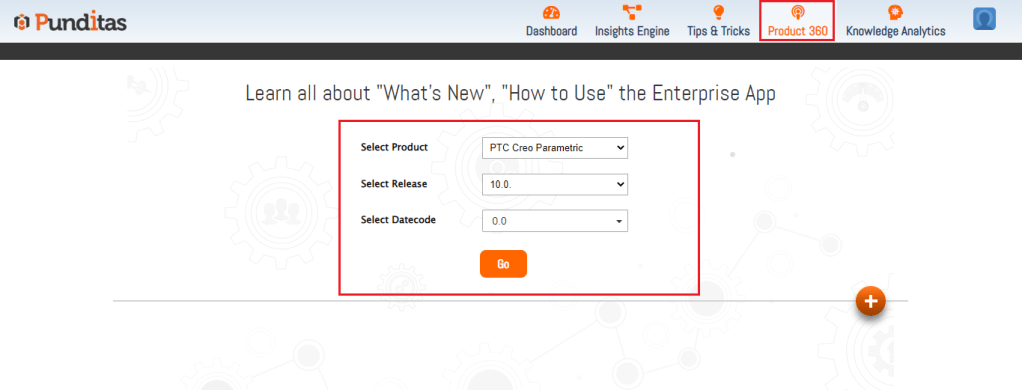
Step 2 :- Go to Product 360 module, select Product, release, datecode and click on Go button as displayed below in the Image
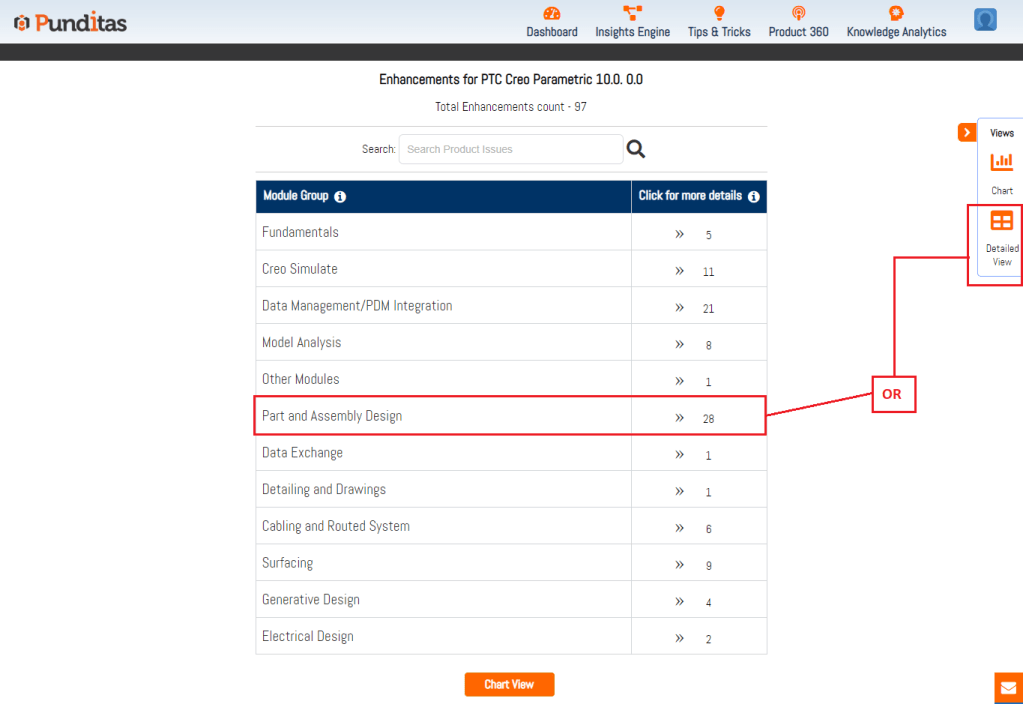
Step 3 :- Select the Specific module or for all the modules click on Detailed view button available as described below in the Image
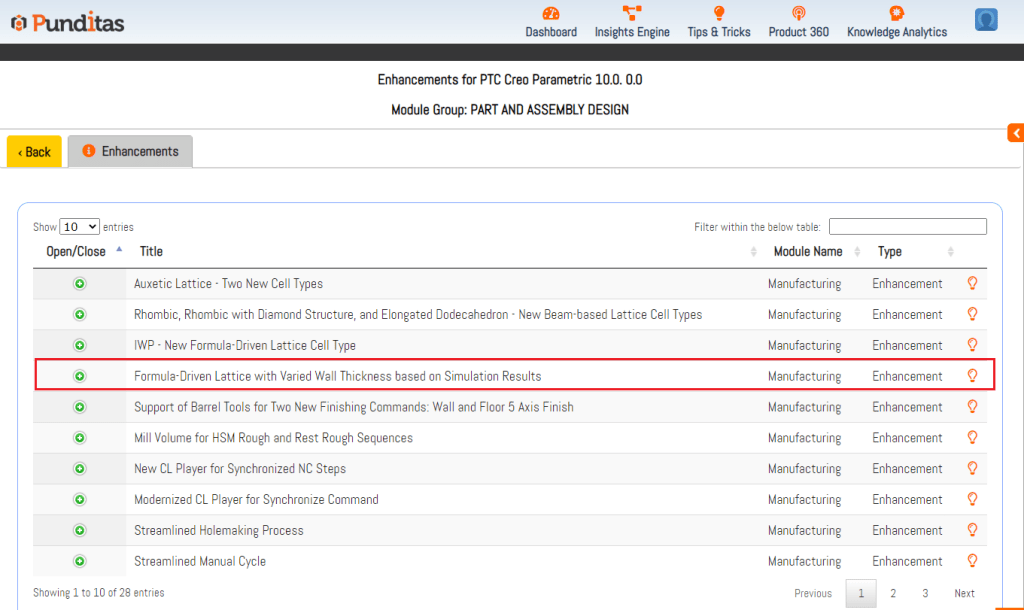
Step 4:- Click on the Enhancement
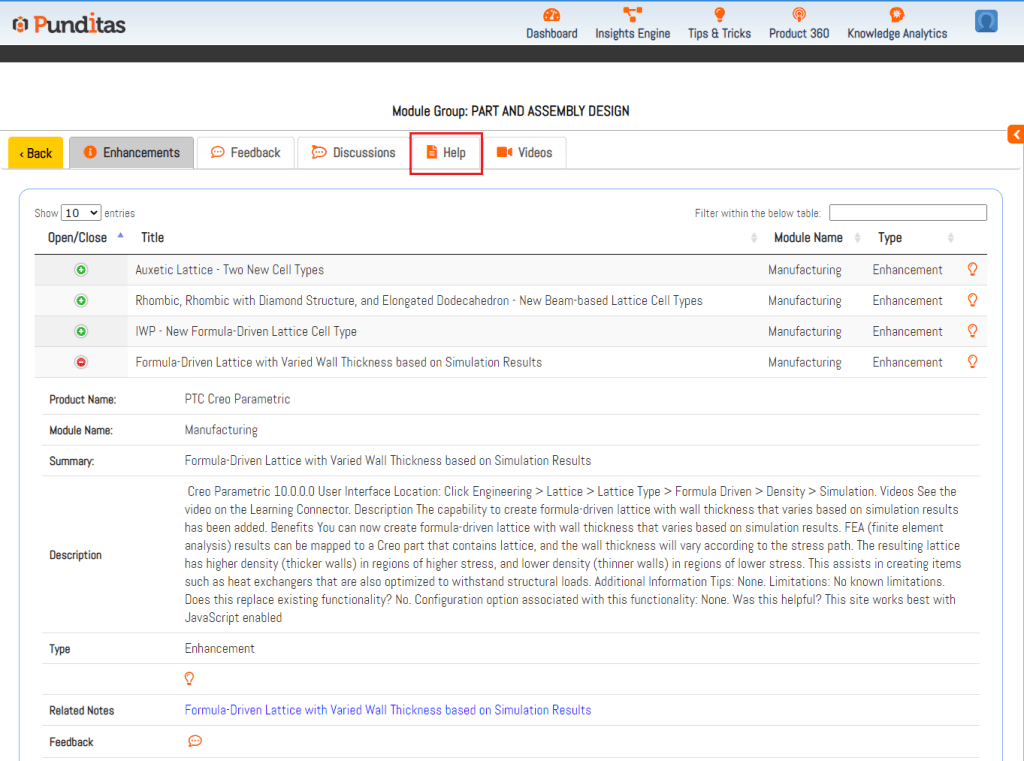
Step 5:- Click on the Help tab
Step 6:- Click on Filter button
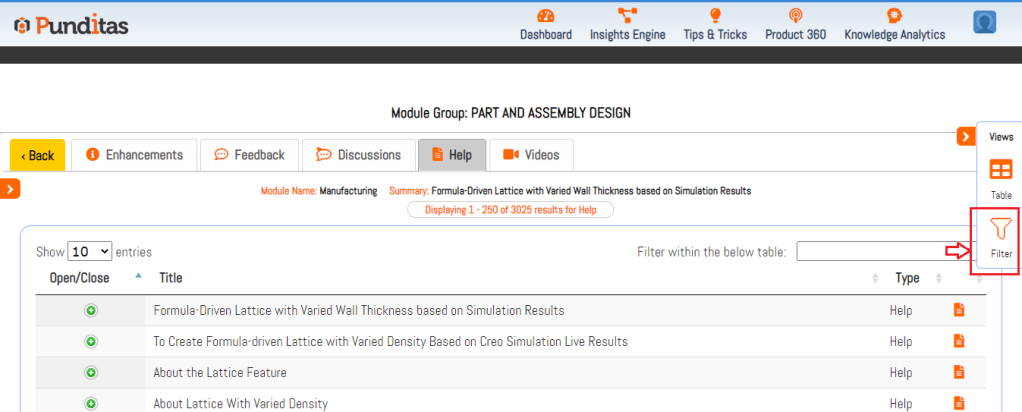
Step 7:- Explore the modules here and get useful help documents for selected enhancement
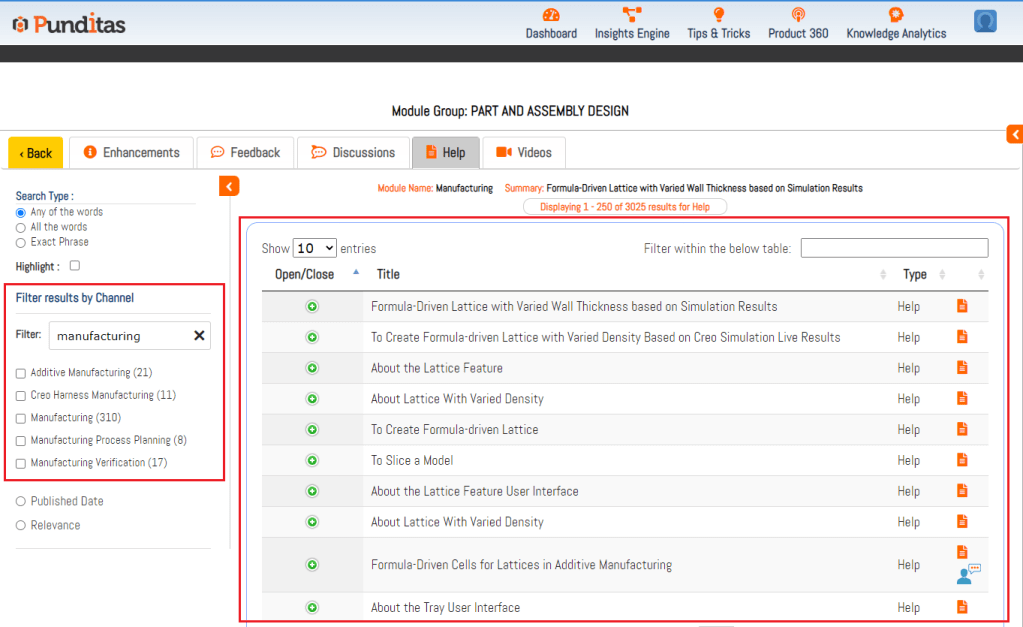
Explore more enhancements and learn Creo Parametric easily with Punditas AI
What is Punditas AI Advisor?
Punditas AI Advisor provides real-time guidance as you work in the Creo environment. Information on “how to use” a feature in Creo or best practices for working with Creo are presented within context, removing the need to guess or search for such information. Punditas AI driven content helps you leverage Creo to create your designs faster and with confidence.
For more information about Punditas AI Advisor, visit our website at Punditas AI or contact us at contact@punditas.com
 Punditas
Leave a comment