

In the realm of software development and support, effectively managing closed bugs is crucial for maintaining a seamless user experience. The Closed Bugs Cloud is an invaluable tool that revolutionizes the way users navigate and extract insights from resolved issues. By providing a visual representation of the most popular words associated with closed bugs, this powerful tool saves time, enhances the user’s overall experience, and enables efficient exploration of vast amounts of information.
Imagine a virtual landscape where words materialize, forming a cloud that visually captures the essence of closed bug reports. The Closed Bugs Cloud harnesses the power of data visualization, creating an immersive representation that highlights the most relevant and useful concepts. By visually identifying the popular keywords, users can easily pinpoint the key areas of focus and delve deeper into specific closed bug reports that match their needs.
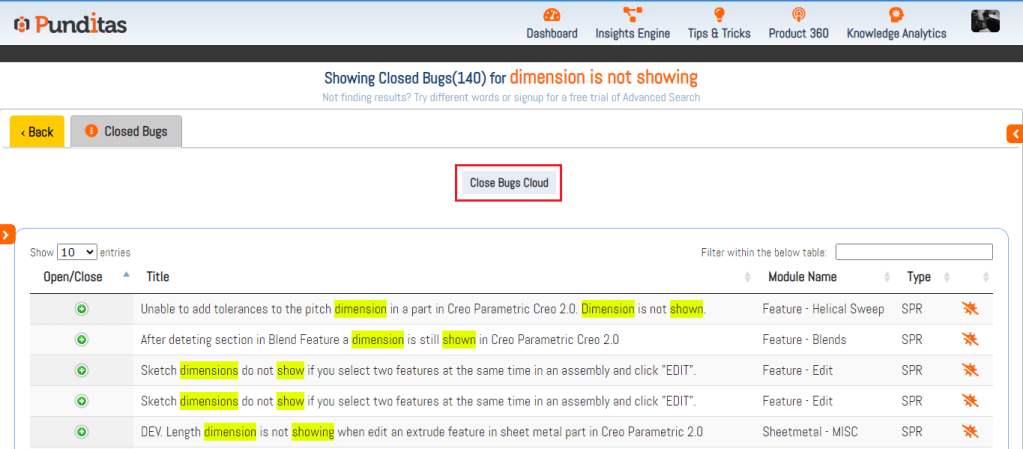
One of the key advantages of the Closed Bugs Cloud lies in its ability to enhance the user experience. By providing a visually intuitive and organized representation of closed bugs, users can quickly grasp the main topics and uncover valuable insights. This eliminates the need for arduous manual searches or sifting through extensive lists of resolved issues. With the Closed Bugs Cloud, valuable information and actionable solutions are presented in a visually appealing manner, enabling users to efficiently navigate through a complex landscape of issue resolution.
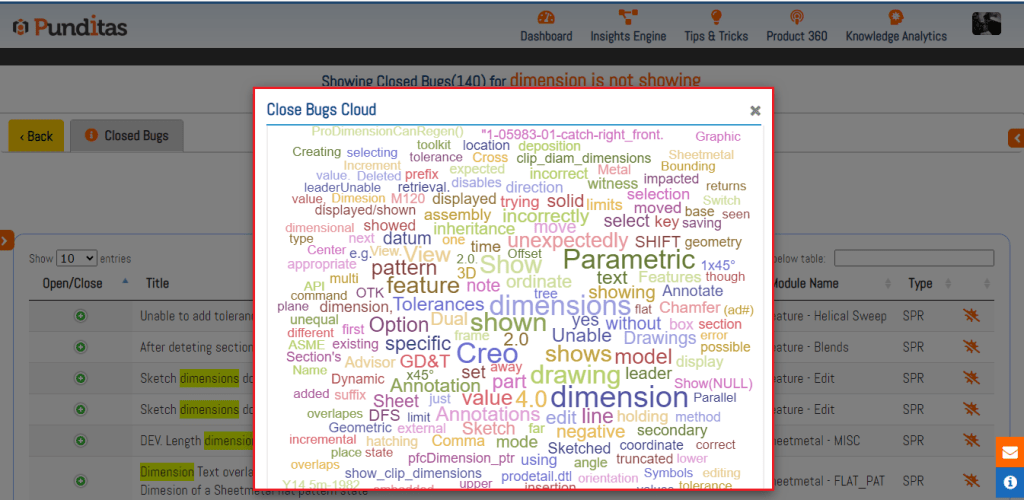
The Closed Bugs Cloud is a game-changing tool that transforms the way we access and utilize insights from resolved issues. By harnessing the visual representation of popular words, users can effortlessly navigate vast amounts of information, save time, and identify relevant insights quickly. With its user-friendly interface and real-time updates, the Closed Bugs Cloud serves as an invaluable resource for staying informed, making informed decisions, and optimizing issue resolution in the dynamic landscape of software development and support.
What is Punditas AI Advisor?
Punditas AI Advisor provides real-time guidance as you work in the Creo environment. Information on “how to use” a feature in Creo or best practices for working with Creo are presented within context, removing the need to guess or search for such information. Punditas AI driven content helps you leverage Creo to create your designs faster and with confidence.
For more information about Punditas AI Advisor, visit our website at Punditas AI or contact us at contact@punditas.com
 Punditas
Leave a comment