

Punditas AI provides an extensive Tips & Tricks feature intended to offer users valuable insights and advice concerning their chosen product within the Current Environment section. This feature comprises three informative tabs, each with its own distinct purpose aimed at enriching the user’s interaction.
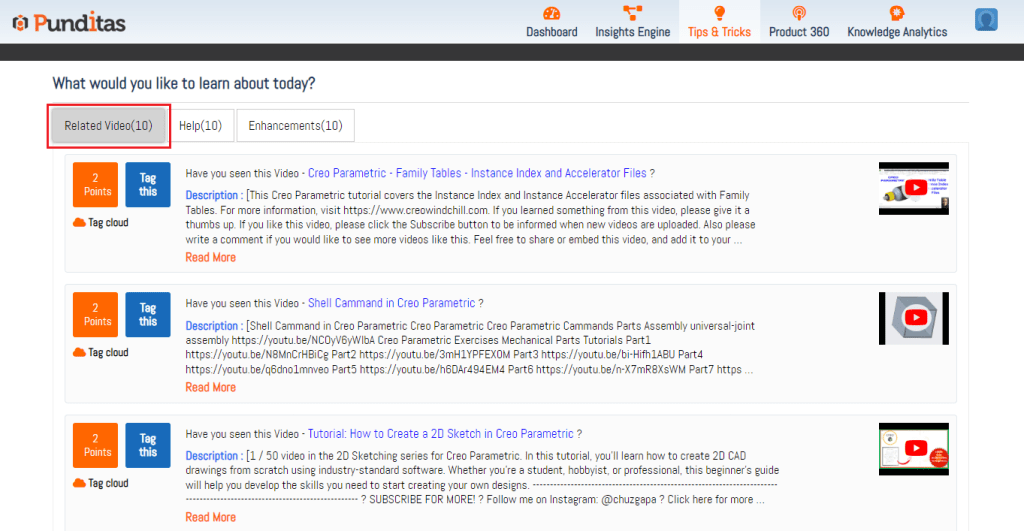
Related Videos: Within this tab, Punditas AI compiles the most recent and pertinent video content related to the chosen product (e.g., Creo Parametric, ThingWorx, Solidworks, Onshape, Windchill, etc.). These videos are thoughtfully selected to guarantee users have access to current and popular visual materials. Whether they’re seeking tutorials, demonstrations, or product summaries, this tab serves as a valuable repository of informative videos.
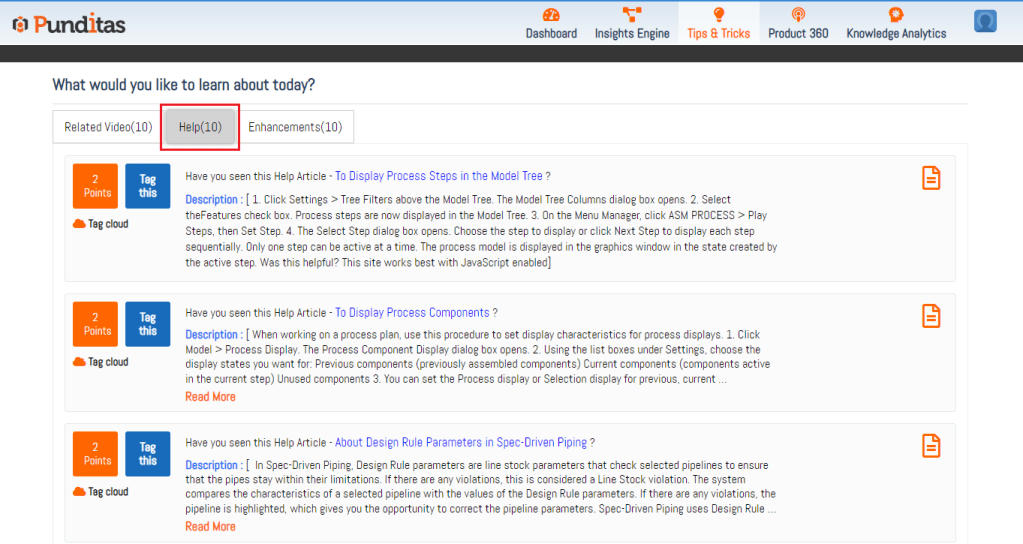
Help: The Help tab serves as a valuable hub that connects users to a vast array of support and information resources. It offers users a thoughtfully selected compilation of help articles and product-specific documentation. This segment is designed to equip users with in-depth knowledge and comprehensive, step-by-step guides, simplifying the process of problem-solving and troubleshooting.
Enhancements: The Enhancements tab serves as your portal for keeping abreast of the most recent product enhancements and updates. Punditas AI assembles a roster of enhancements and new features linked to the chosen product. By routinely consulting this tab, users can stay well-informed about product progress and maximize their overall experience.

What is Punditas AI Advisor?
Punditas AI Advisor provides real-time guidance as you work in the Creo environment. Information on “how to use” a feature in Creo or best practices for working with Creo are presented within context, removing the need to guess or search for such information. Punditas AI driven content helps you leverage Creo to create your designs faster and with confidence.
For more information about Punditas AI Advisor, visit our website at Punditas AI or contact us at contact@punditas.com
 Punditas
Leave a comment