

Punditas AI’s Product 360 incorporates an engaging feature that prominently showcases three informative banners within its interface. These banners dynamically update to offer users swift access to the latest tools and features, ensuring that every visit to the platform is an opportunity to stay well-informed about recent developments and enhancements.
Follow the steps and view Banners
Step 1:- Click on + button as mentioned below

Step 2:- Three banners will be displayed after clicking on + button
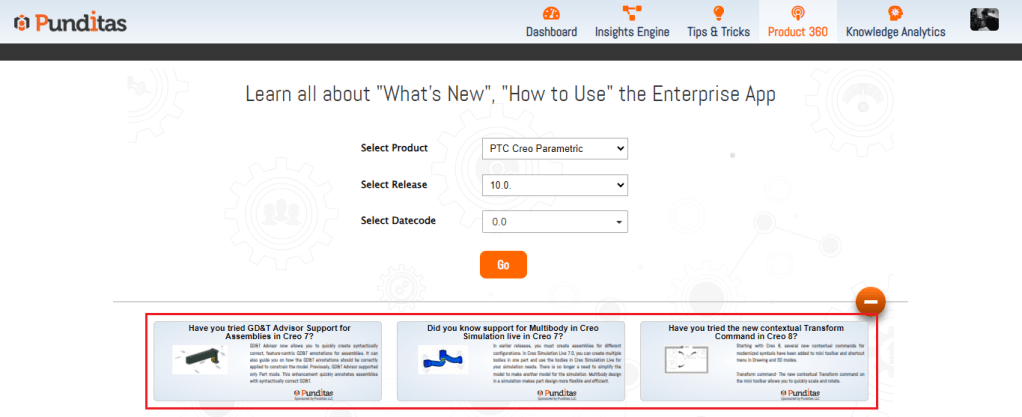
Step 3:- Click on any of the banner and maximize the banner

Step 4:- Get further information you can click on banner, and it will redirect you to the source platform
What is Punditas AI Advisor?
Punditas AI Advisor provides real-time guidance as you work in the Creo environment. Information on “how to use” a feature in Creo or best practices for working with Creo are presented within context, removing the need to guess or search for such information. Punditas AI driven content helps you leverage Creo to create your designs faster and with confidence.
For more information about Punditas AI Advisor, visit our website at Punditas AI or contact us at contact@punditas.com
 Punditas
Leave a comment