

Punditas AI offers a comprehensive list of enhancements, new features, and capabilities related to Creo Parametric and other enterprise software. Punditas AI’s Product 360 module has the capability to present improvements in Creo Parametric’s Assembly Design, tailored to the specific Creo version.
Follow the below steps to review all Enhancements pertaining to the Detailed Drawings
Step 1:- Select Creo Parametric from the Product Drop-down

Step 2:- Select Creo version
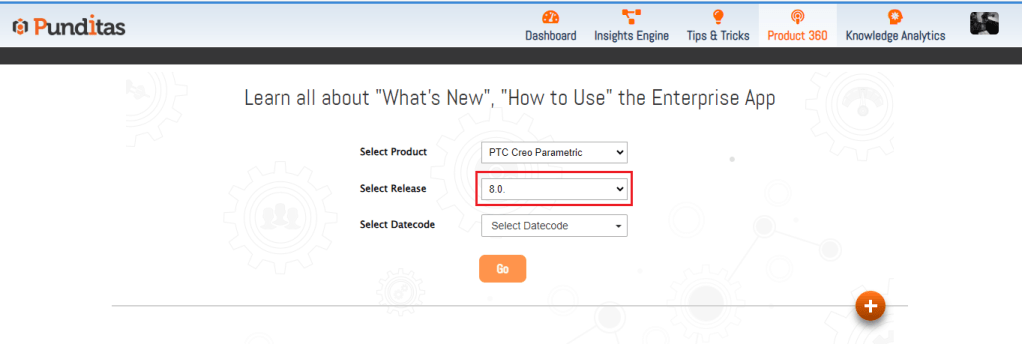
Step 3:- Select Creo Datecode

Step 4:- Click on Go button
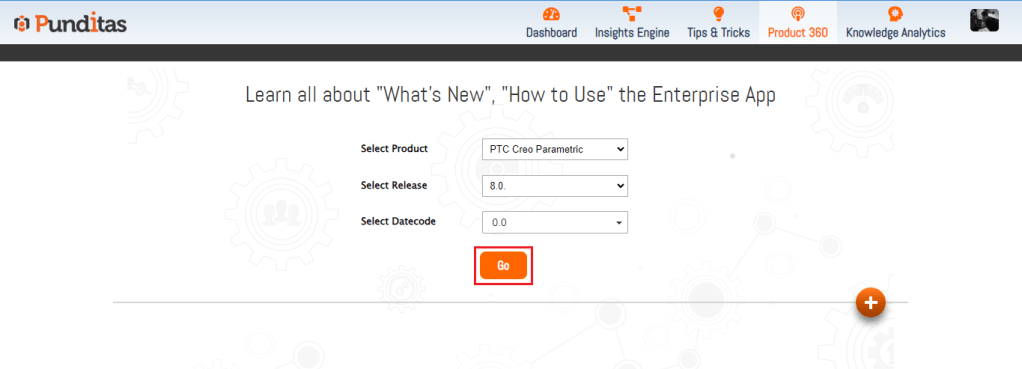
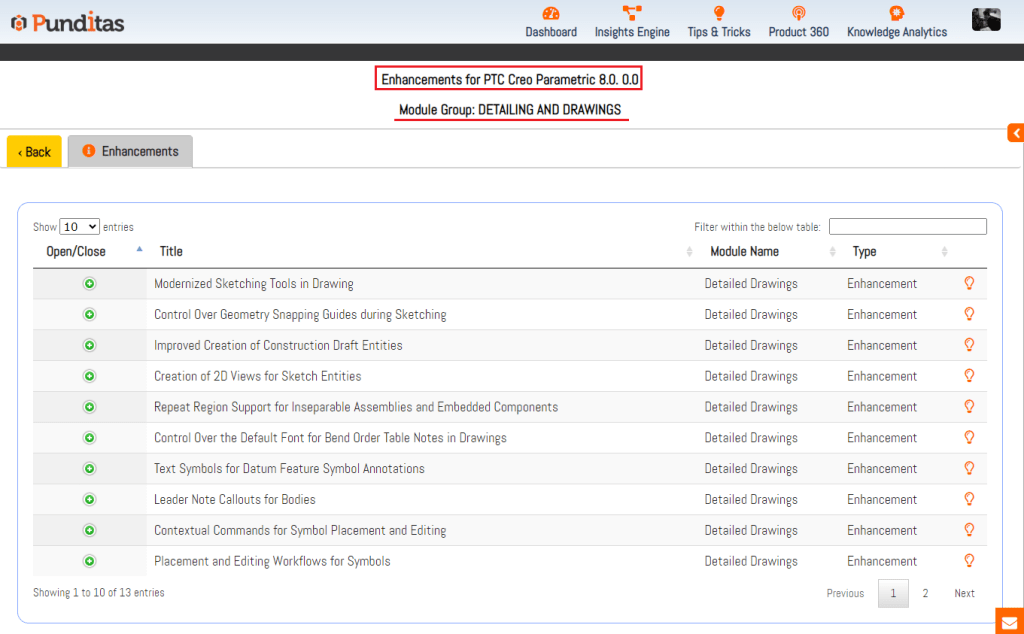
Step 5:- Click on Detailed Drawings Module and get all knowledge about Detailed drawings regarding latest enhancements with Video Tutorials, Help Articles and Community Discussions.

The Below image shows Detailed Drawings related enhancements for Creo 8.0.0.0
What is Punditas AI Advisor?
Punditas AI Advisor provides real-time guidance as you work in the Creo environment. Information on “how to use” a feature in Creo or best practices for working with Creo are presented within context, removing the need to guess or search for such information. Punditas AI driven content helps you leverage Creo to create your designs faster and with confidence.
For more information about Punditas AI Advisor, visit our website at Punditas AI or contact us at contact@punditas.com
 Punditas
Leave a comment