

In an increasingly digital world, the significance of upskilling and reskilling has surged, becoming more vital than ever before. Yet, the quest for suitable learning resources can often be a daunting endeavor, particularly when navigating through a multitude of platforms and materials.
Enter Punditas AI’s View Paths—an indispensable solution to this predicament. This robust module serves as a centralized hub for all your learning requirements, simplifying the process of discovering and accessing the resources essential for advancing your skill set.
The View Paths module, a creation of Punditas AI, functions as a centralized learning repository, bringing together learning paths generated by users, shared by enterprise administrators, or provided by colleagues. It also presents ongoing events and training opportunities related to PTC Creo Parametric. View Paths are organized into four distinct tabs: Personal, Company, Shared, and Partner. This thoughtful design empowers users to personalize their learning journey, foster collaboration with colleagues, and stay well-informed about industry trends.

The Personal Tab in View Paths shows the Knowledge Paths that you have created, and these paths are not visible to anyone else within or outside of your organization
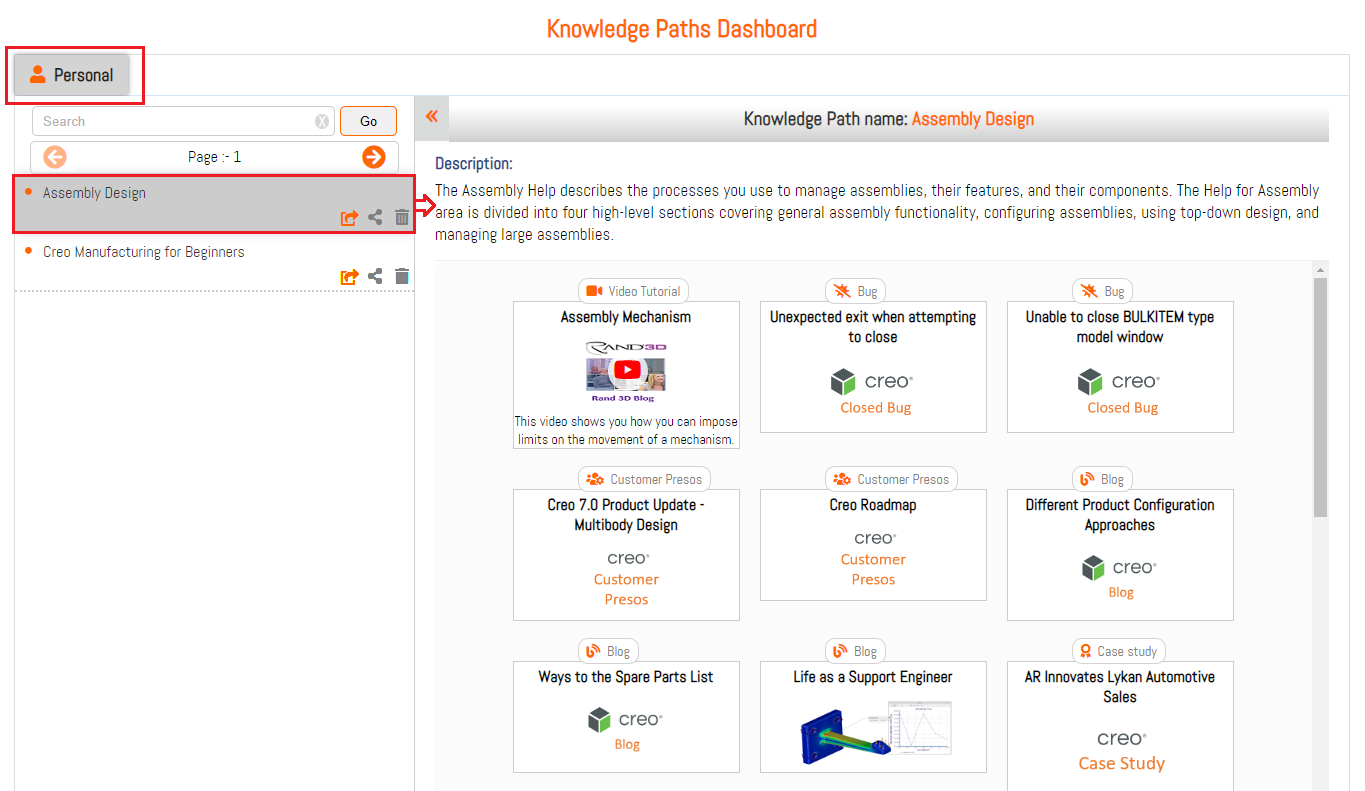
The Company Tab in View Paths showcases Knowledge Paths that have been shared by an Admin User within your organization. These Knowledge Paths are viewable by regular users, but they cannot be modified or removed unless an Admin User makes changes.

The Shared Tab in View Paths displays Knowledge Paths that are shared between Users in a company and These Knowledge Paths are visible to the creator and the people shared with.

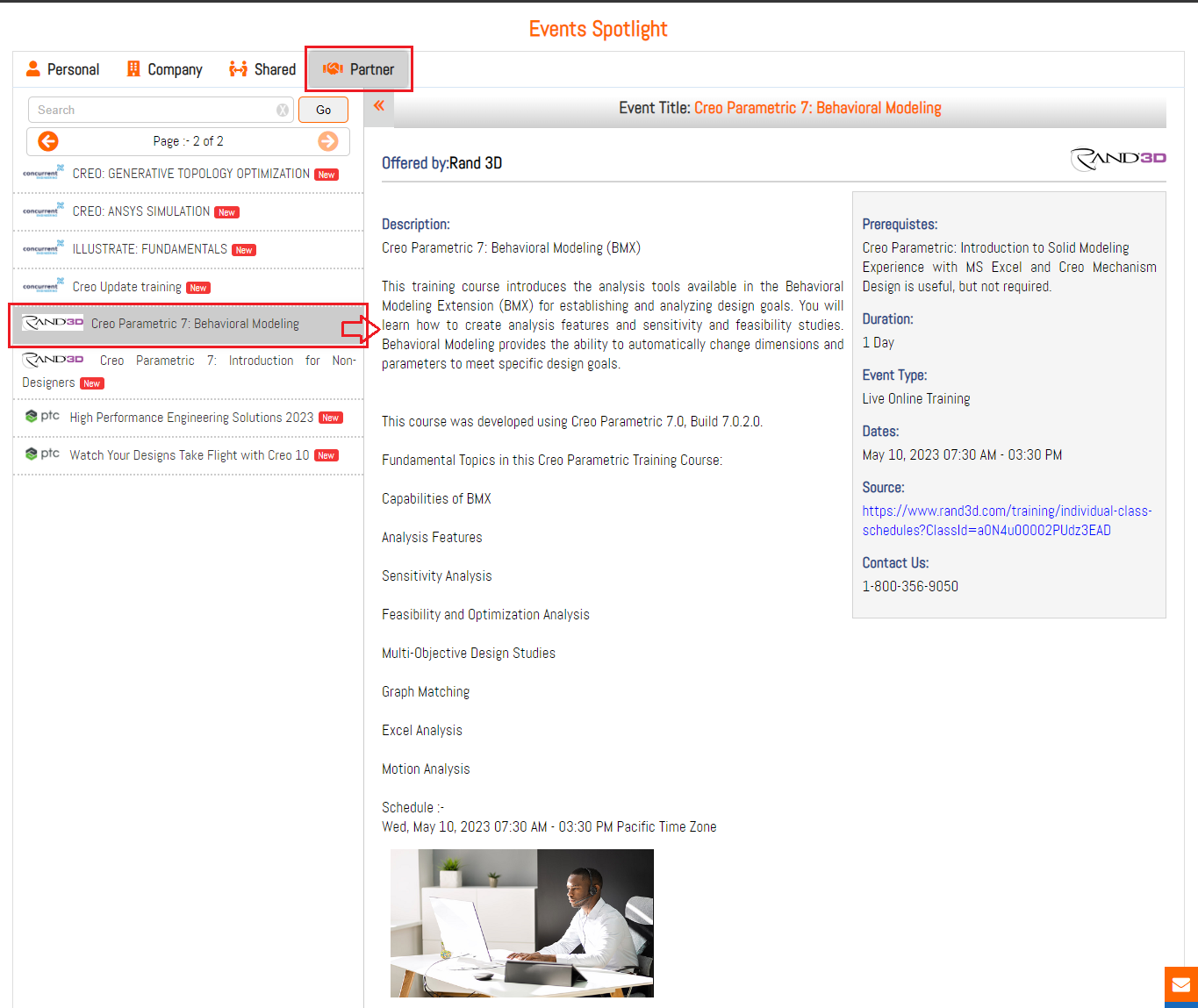
The Partner Tab in View Paths displays Guided Pathways that showcase Training Courses, Webinars, etc. offered by PTC Partner community and These events are visible to all users of Punditas AI across the globe
What is Punditas AI Advisor?
Punditas AI Advisor provides real-time guidance as you work in the Creo environment. Information on “how to use” a feature in Creo or best practices for working with Creo are presented within context, removing the need to guess or search for such information. Punditas AI driven content helps you leverage Creo to create your designs faster and with confidence.
For more information about Punditas AI Advisor, visit our website at Punditas AI or contact us at contact@punditas.com
 Punditas
Leave a comment