

In the ever-evolving field of Computer-Aided Design (CAD), staying abreast of the latest enhancements is paramount for design engineers. Punditas AI serves as the beacon of knowledge, offering a wealth of information ranging from video tutorials to case studies. Today, our spotlight is on Creo 10.0.1.0 and its groundbreaking introduction of the “Rolling Ball” option in the Offset feature. This innovative addition is set to redefine how design engineers approach offsetting surfaces, particularly in scenarios requiring geometric topology changes or involving surfaces with high curvature areas.
The Rolling Ball Option: Creo 10.0.1.0 brings forth a notable enhancement—the “Rolling Ball” option in the Offset feature. This option is poised to be a game-changer, offering a new dimension of precision in surface offsetting. Let’s delve into the specific scenarios where this feature shines:
Geometric Topology Changes: The Rolling Ball option becomes instrumental in situations where the offset result necessitates geometric topology changes. Design engineers often encounter challenges when attempting to offset surfaces that demand alterations in their geometric structure. The Rolling Ball option provides a dynamic solution, enhancing the success rate of offset operations in such scenarios.
High Curvature Areas: Surfaces with high curvature areas present a unique set of challenges in the CAD landscape. Creo 10.0.1.0 recognizes this and introduces the Rolling Ball option to specifically address situations involving intricate curvature. By incorporating this option, design engineers gain a powerful tool to navigate and offset surfaces with high curvature, ensuring precision and accuracy in their designs.
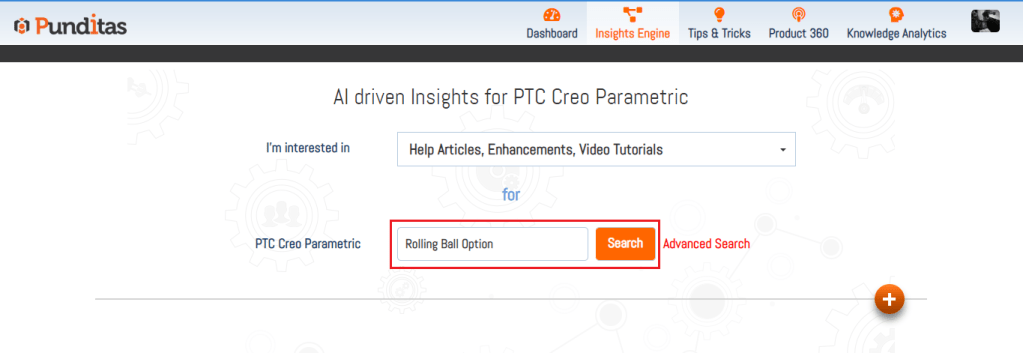
As part of our commitment to empowering design engineers, Punditas AI provides an exhaustive array of resources tailored to facilitate knowledge acquisition:
Video Tutorials: Step-by-step visual guides on leveraging the Rolling Ball option for surface offsetting.
Help Articles: In-depth insights into the mechanics of Creo 10.0.1.0’s Offset feature and the advantages of the Rolling Ball option.
Enhancements or What’s New: Stay informed about the latest updates and features, with a spotlight on Creo 10.0.1.0’s game-changing addition.
Bug Reports: Access information on any potential challenges or bugs related to the new feature.
Workarounds: Practical solutions for overcoming any hurdles in utilizing the Rolling Ball option effectively.

Creo 10.0.1.0’s introduction of the “Rolling Ball” option in the Offset feature represents a leap forward in precision and adaptability for design engineers. Punditas AI stands as your comprehensive guide, ensuring you unlock the full potential of this innovative addition. Stay tuned for a journey into the intricate world of surface offsetting, where precision meets efficiency, guided by Punditas AI’s commitment to knowledge and empowerment.
What is Punditas AI Advisor?
Punditas AI Advisor provides real-time guidance as you work in the Creo environment. Information on “how to use” a feature in Creo or best practices for working with Creo are presented within context, removing the need to guess or search for such information. Punditas AI driven content helps you leverage Creo to create your designs faster and with confidence.
For more information about Punditas AI Advisor, visit our website at Punditas AI or contact us at contact@punditas.com
 Punditas
Leave a comment