

Being a PTC Creo user, you understand the significance of having convenient access to pertinent information. Amidst the vast volume of available data, the challenge lies in locating the necessary information precisely when it’s needed. This is where Punditas AI’s Knowledge Tags feature becomes invaluable. This robust tool systematically and intuitively arranges your data, simplifying the process of finding the required information at the right moment.
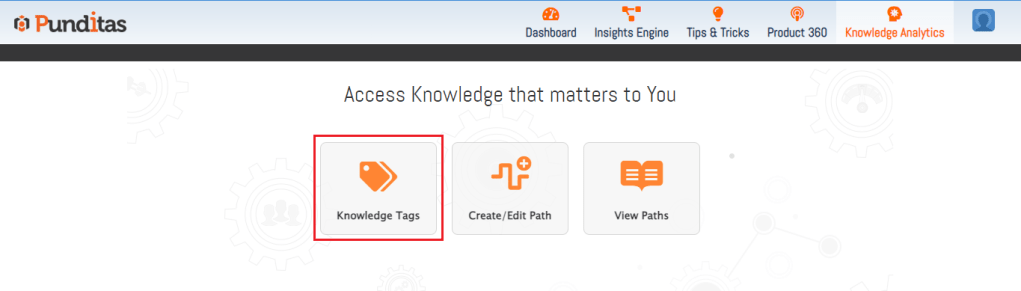
The Knowledge Tags feature offers a distinctive method for structuring and classifying PTC Creo data within Punditas AI. Essentially, it operates in a manner akin to bookmarks, providing swift access to crucial information. Yet, unlike conventional bookmarks, these Tags are systematically organized, ensuring a straightforward process of retrieving the desired data.
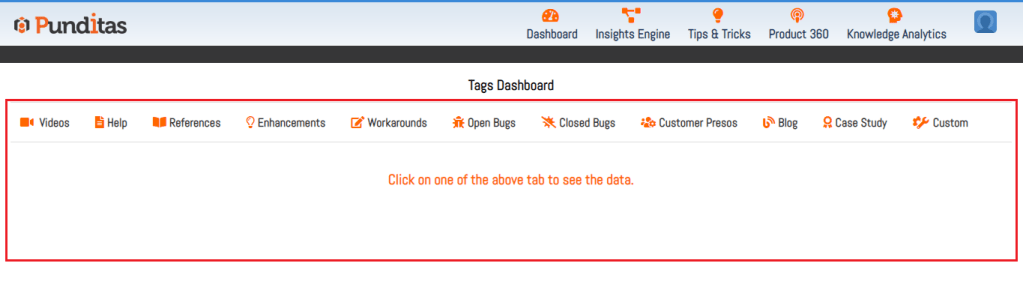
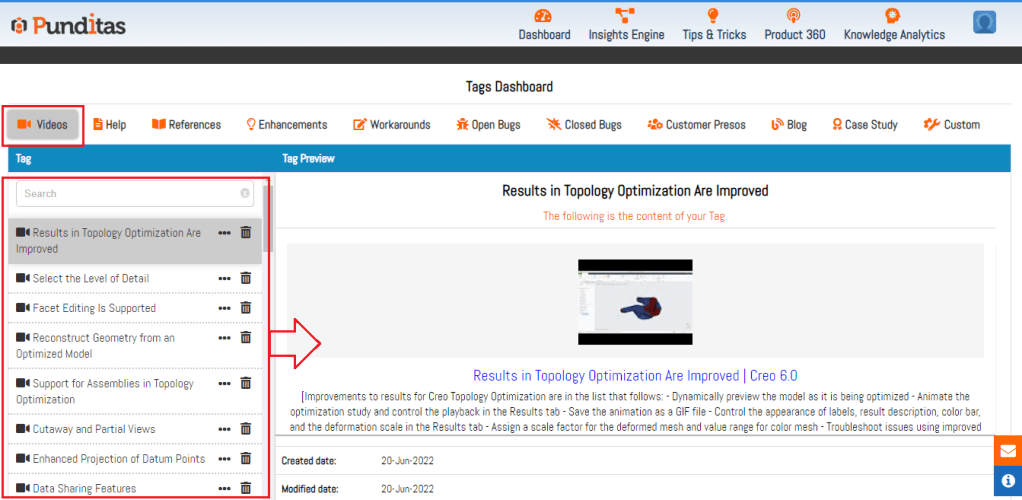
Punditas AI is allowing users to create tags for different types of Creo data, such as video tutorials, help articles, bugs, CS articles, blogs, case studies etc. When a tag is created, it is saved in the appropriate tab, making it easy to find later. For example, if you create a tag for a PTC Creo video tutorial, it will be saved in the Video Tutorial tab, alongside other video tutorial tags. You can also search for tags, making it even easier to find
What are the benefits of Knowledge Tags?
There are several benefits to using Knowledge Tags. First and foremost, Knowledge Tags module help you save time by allowing you to quickly find the information you need. Additionally, they help you stay organized and ensure that important information doesn’t get lost in the shuffle. Finally, because Tags can be renamed and deleted, they are customizable to your needs, making them a truly powerful tool for managing data.
In conclusion, Punditas AI’s Knowledge Tags feature is a powerful and intuitive way to organize your data. By allowing you to create tags for different types of Creo information, it makes it easy to find what you need when you need it. Whether you’re a PTC Creo expert or just starting out, Knowledge Tags feature is an essential tool for staying organized and efficient
What is Punditas AI Advisor?
Punditas AI Advisor provides real-time guidance as you work in the Creo environment. Information on “how to use” a feature in Creo or best practices for working with Creo are presented within context, removing the need to guess or search for such information. Punditas AI driven content helps you leverage Creo to create your designs faster and with confidence.
For more information about Punditas AI Advisor, visit our website at Punditas AI or contact us at contact@punditas.com
 Punditas
Leave a comment