

In the ever-evolving landscape of design tools, PTC Creo continues to refine and enhance its features to meet the diverse needs of users. One such improvement in the latest release focuses on ordinate dimensions, offering greater control and flexibility in alignment according to ANSI standards.
Ordinate dimensions are a critical aspect of creating precise models and drawings, and PTC Creo recognizes the importance of providing users with control over their placement. Traditionally, ANSI standards aligned these dimensions with the baseline, but now, users have the power to tailor this behavior to better suit their preferences.
PTC Creo introduces a new detail option, default_ansi_ord_dim_aligned, to empower users with more control over ordinate dimensions. By setting this option to ‘yes,’ users can maintain the current baseline-aligned behavior. Alternatively, setting it to ‘no’ ensures that the Ordinate dimension remains next to the pointer until placed, offering a more flexible and user-friendly experience. This added detail option not only enhances control but also contributes to improved productivity in the design process.
The ability to customize ordinate dimension placement is a smart design choice introduced by PTC Creo. This feature caters to the preferences and workflow requirements of users, providing an adaptable solution for varying design scenarios. By offering flexibility in dimension alignment, PTC Creo empowers users to streamline their design processes and achieve higher levels of precision.
In the realm of information access, challenges often arise when using alternative browsers or applications. This is particularly true when seeking specific information about composite design and manufacturing. Punditas AI steps in as a user-friendly solution, revolutionizing the search experience with its perspective-based system.
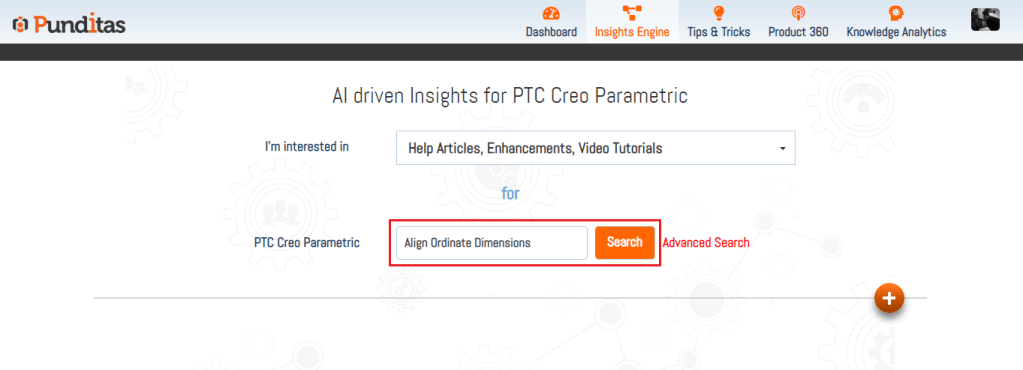
Punditas AI systematically gathers data from reputable sources, organizing Creo-related information into distinct categories such as video tutorials, help documents, enhancements, bug reports, workarounds, presentations, discussions, blogs, case studies, and more. This structured approach ensures that users can easily navigate and access the information they need, contributing to a more efficient and productive design process.

What is Punditas AI Advisor?
Punditas AI Advisor provides real-time guidance as you work in the Creo environment. Information on “how to use” a feature in Creo or best practices for working with Creo are presented within context, removing the need to guess or search for such information. Punditas AI driven content helps you leverage Creo to create your designs faster and with confidence.
For more information about Punditas AI Advisor, visit our website at Punditas AI or contact us at contact@punditas.com
 Punditas
Leave a comment