

Punditas AI enables users to categorize essential data types, including videos, help articles, enhancements, workarounds, bugs, reference documents, blogs, case studies, customer presentations, and more. This functionality allows for the convenient organization and saving of Creo-related information for future use.
ollowing are the steps to Tag creo content in Punditas AI
Step 1 :- Search for the Creo topic, Select important content and click on Tag This button
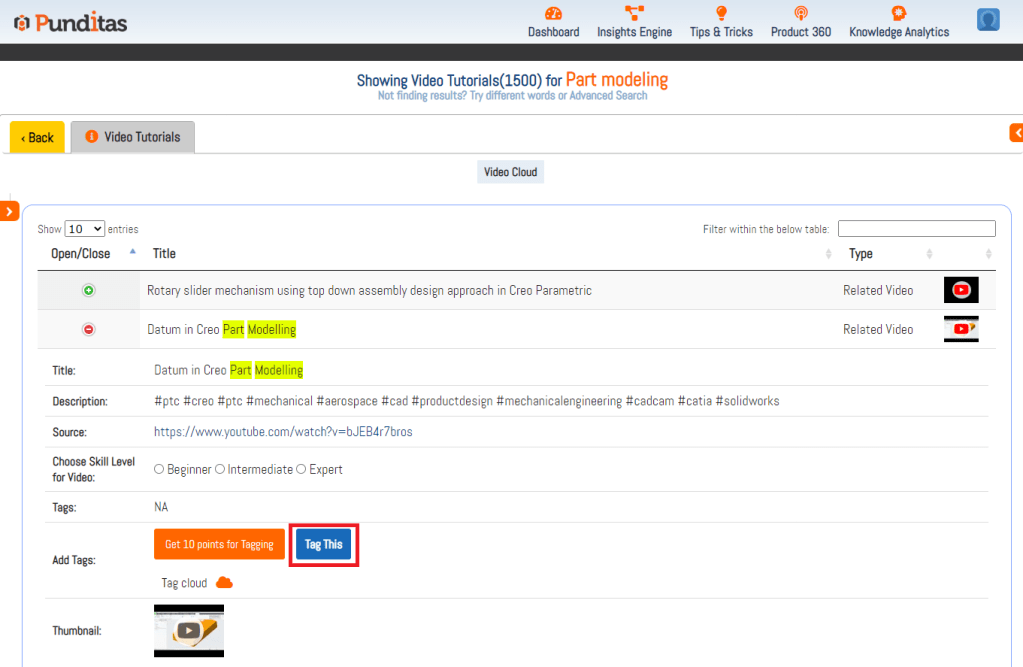
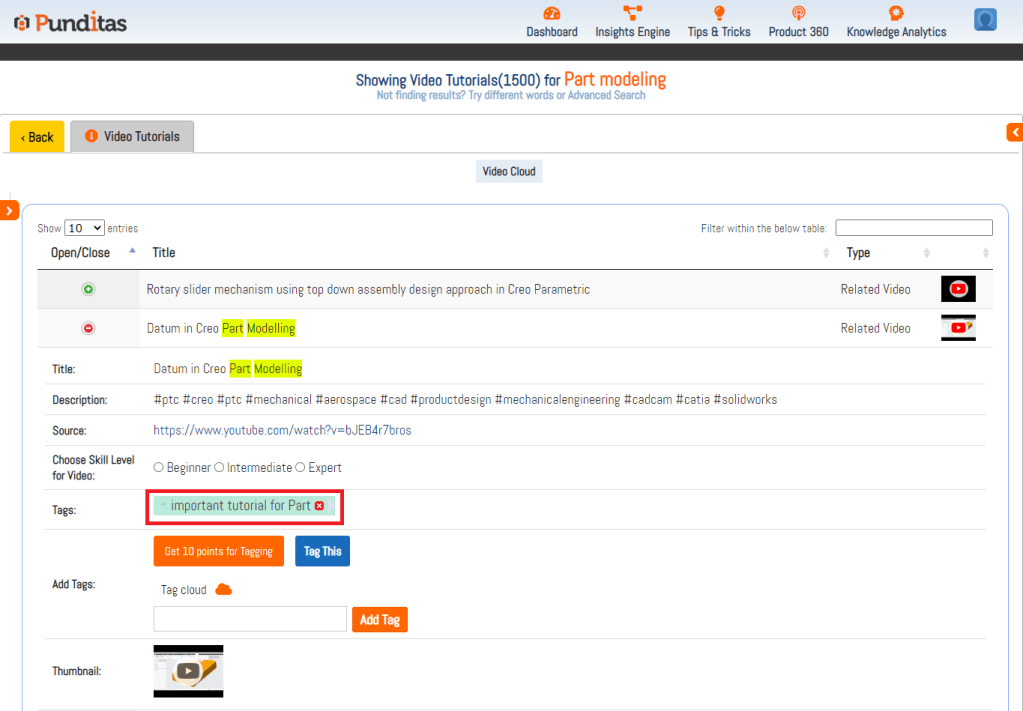
Step 2 :- Provide desired Tag name and hit the Add Tag button

Step 3 :- Tag added successfully as displayed below
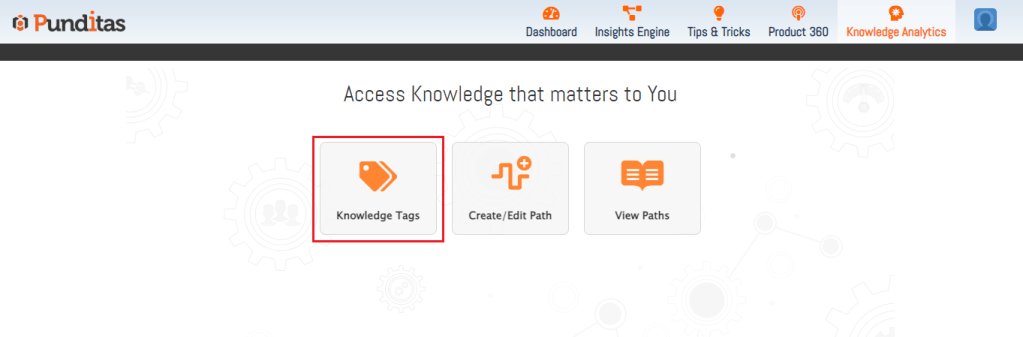
Step 4 :- Go to “Knowledge Analytics” and click on Knowledge Tags and check this Tagged information whenever required
The below image displays Tag Preview for added tag

What is Punditas AI Advisor?
Punditas AI Advisor provides real-time guidance as you work in the Creo environment. Information on “how to use” a feature in Creo or best practices for working with Creo are presented within context, removing the need to guess or search for such information. Punditas AI driven content helps you leverage Creo to create your designs faster and with confidence.
For more information about Punditas AI Advisor, visit our website at Punditas AI or contact us at contact@punditas.com
 Punditas
Leave a comment