
Punditas AI streamlines the discovery of top-notch blogs and case studies associated with Creo Parametric through automated collection and curation. This innovative approach allows CAD users to effortlessly access valuable resources, enhancing their skills without the need for extensive searching. By programmatically gathering and organizing content, Punditas AI ensures that users receive the most pertinent results aligned with their search topics, ultimately providing them with the essential information needed for success.
Follow the steps and explore Case Studies as well as Blogs in Punditas AI
Step 1:- Login to Punditas AI Advisor
Step 2:- Click on Insights Engine

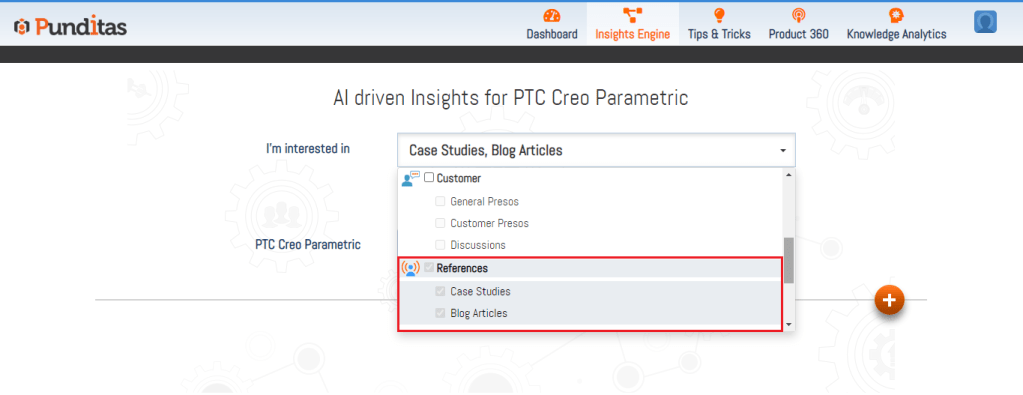
Step 3:- Select References Perspective from the Dropdown
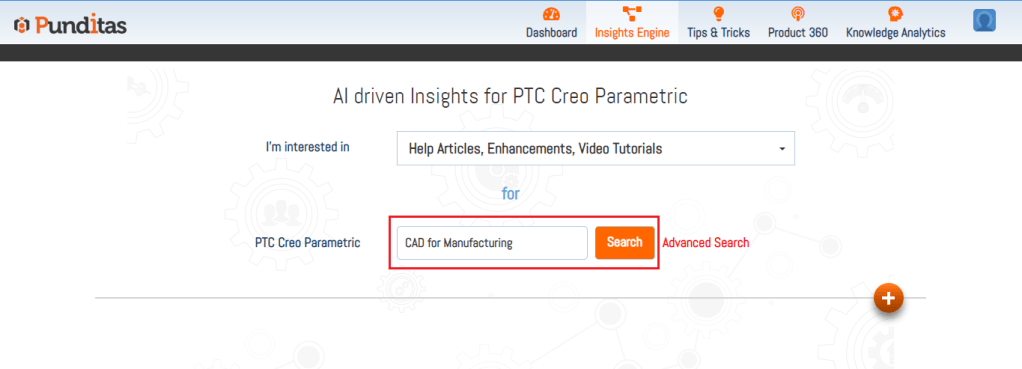
Step 4:- Insert your Creo Parametric Topic inside the Search box and Hit the Search button
Step 5:- Explore each node available in References Perspective, Following Image displays Knowledge graph in References Perspective for Creo Parametric topic CAD for Manufacturing. References Perspective is showing total 84 search results where 74 Blog Articles and 10 Case Studies are available

What is Punditas AI Advisor?
Punditas AI Advisor provides real-time guidance as you work in the Creo environment. Information on “how to use” a feature in Creo or best practices for working with Creo are presented within context, removing the need to guess or search for such information. Punditas AI driven content helps you leverage Creo to create your designs faster and with confidence.
For more information about Punditas AI Advisor, visit our website at Punditas AI or contact us at contact@punditas.com
 Punditas
Leave a comment