

For both seasoned professionals and beginners in the CAD industry, staying abreast of the latest enhancements and features is paramount. Enter Punditas AI’s Filter feature. Tailored for users of PTC Creo Parametric, this functionality simplifies the process of filtering channels for video tutorials, training, and courses based on specific modules or enhancement topics.
With Punditas AI, a diverse array of channels provides users with updated insights into the newest enhancements and features. The Filter feature empowers users to navigate through channels efficiently, pinpointing content that aligns with their specific needs. Whether one is a novice or a seasoned pro, Punditas AI’s Filter feature ensures seamless access to information, facilitating a continuous edge in the field.
This feature proves particularly advantageous for individuals seeking specific information or aiming to enhance their expertise in particular areas. By eliminating irrelevant information through filtering, users can concentrate on resources that directly align with their requirements. The filtered content is consistently updated, guaranteeing users access to the most recent information.
In essence, the filtering system within Punditas AI’s Product 360 module becomes an invaluable tool, aiding CAD designers in staying informed about the latest developments and consistently honing their skills.
Follow the steps and explore Filter feature
Step 1:- Login to Punditas AI
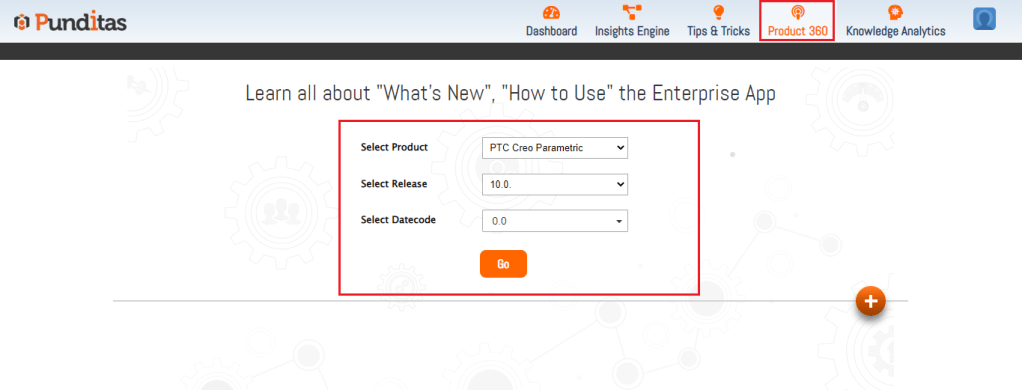
Step 2 :- Go to Product 360 module, select Product, release, datecode and click on Go button as displayed below in the Image
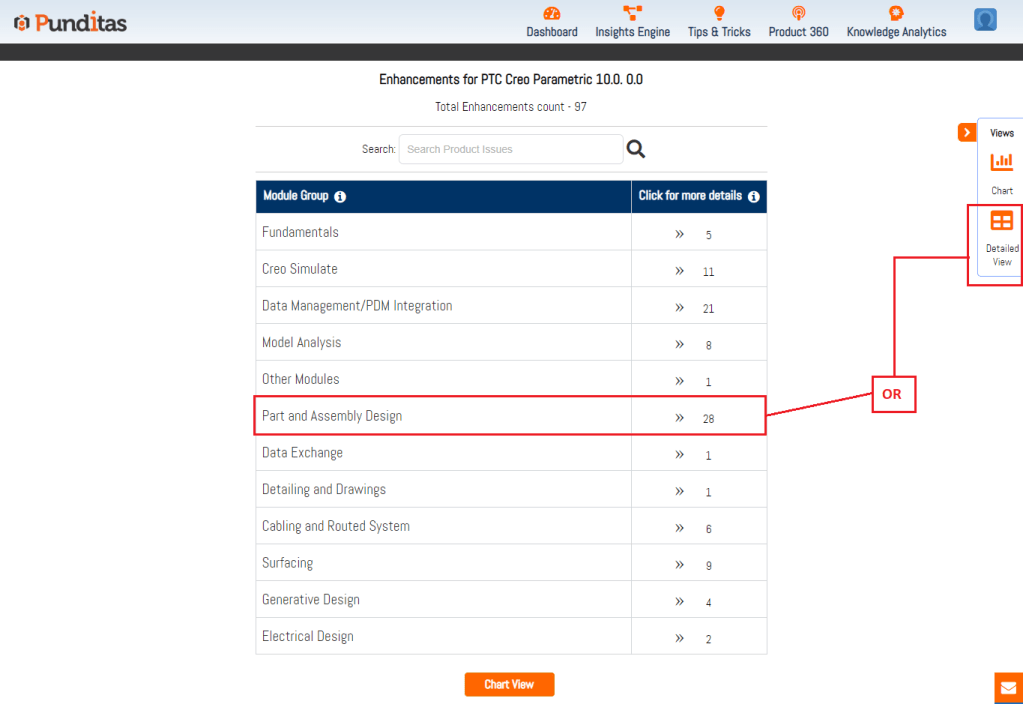
Step 3 :- Select the Specific module or for all the modules click on Detailed view button available as described below in the Image
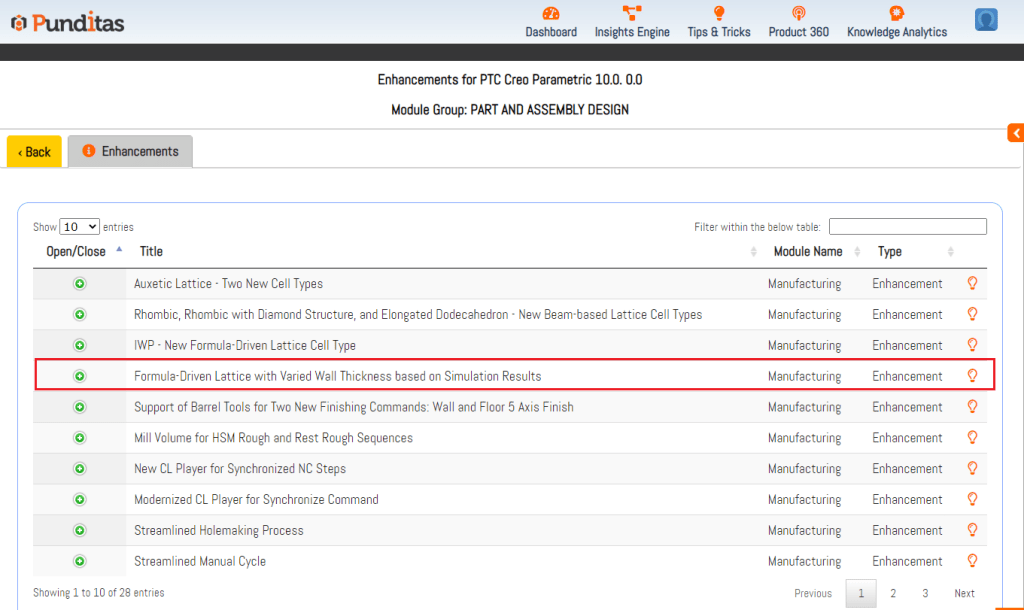
Step 4:- Click on the Enhancement
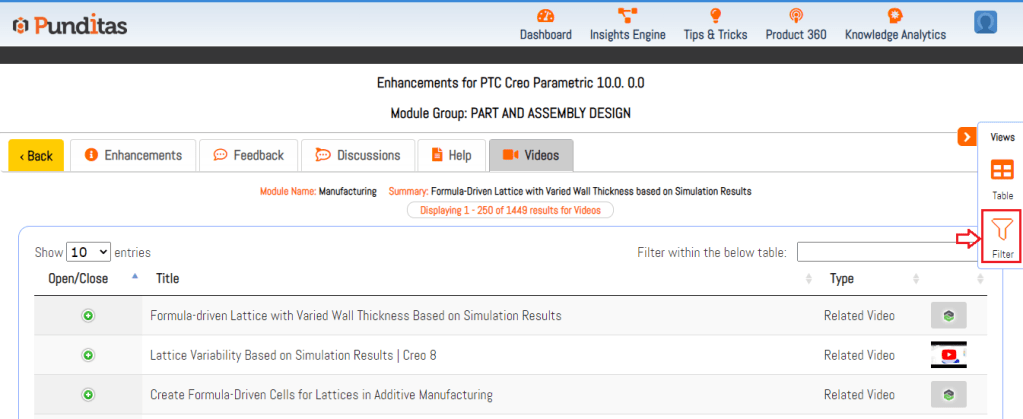
Step 5:- Click on the Videos tab

Step 6:- Click on Filter button
Step 7:- Search the channel you like the most or the channel from which you want to learn Creo Parametric enhancements

Explore more enhancements and learn Creo Parametric easily with Punditas AI
What is Punditas AI Advisor?
Punditas AI Advisor provides real-time guidance as you work in the Creo environment. Information on “how to use” a feature in Creo or best practices for working with Creo are presented within context, removing the need to guess or search for such information. Punditas AI driven content helps you leverage Creo to create your designs faster and with confidence.
For more information about Punditas AI Advisor, visit our website at Punditas AI or contact us at contact@punditas.com
 Punditas
Leave a comment