

Have you ever found yourself in a situation where you shared information with colleagues or team members, only to later discover that some of it was incorrect or incomplete? Maybe you accidentally included something in the shared knowledge path that shouldn’t have been there, leading to confusion. Editing or updating shared information can be a challenging task, but with Punditas AI’s latest feature, the process becomes seamless. This innovative feature allows senders to effortlessly make corrections to the shared information, ensuring that everyone stays current and well-informed.
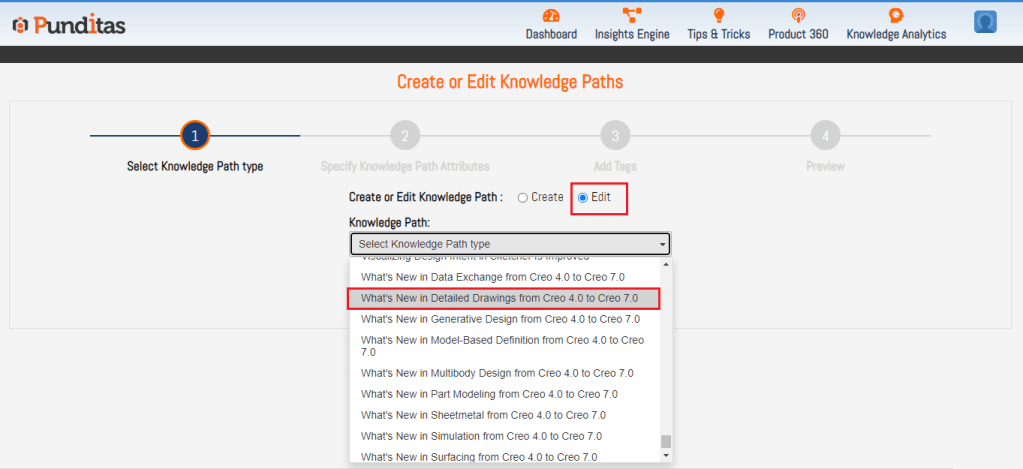
Sharing information is a common practice in the CAD design world, whether with colleagues, friends, or employees. However, maintaining accuracy and making updates to shared information can be a daunting task. Punditas AI addresses this challenge with its distinctive feature that enables the sender to update or edit shared Knowledge Paths effortlessly. This not only saves time but also guarantees that the correct and up-to-date information is consistently shared within the team.

The below Image displays that you can Add or Remove Tags from the Shared Knowledge Path

Click on Update button and this action will update Shared Knowledge Path, All the colleagues or employees or trainees will be able to see that change

What is Punditas AI Advisor?
Punditas AI Advisor provides real-time guidance as you work in the Creo environment. Information on “how to use” a feature in Creo or best practices for working with Creo are presented within context, removing the need to guess or search for such information. Punditas AI driven content helps you leverage Creo to create your designs faster and with confidence.
For more information about Punditas AI Advisor, visit our website at Punditas AI or contact us at contact@punditas.com
 Punditas
Leave a comment