

In the fast-paced realm of information sharing, the urgency to disseminate content swiftly can sometimes result in inaccuracies. Recognizing the significance of precise information sharing, especially in the context of PTC Creo Parametric, Punditas AI introduces a Preview feature.
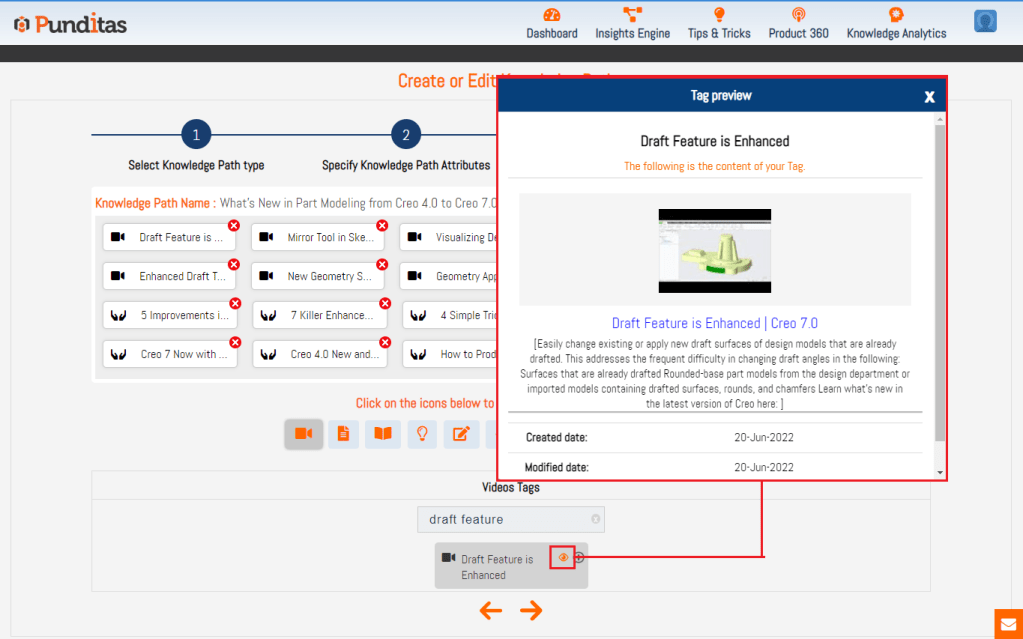
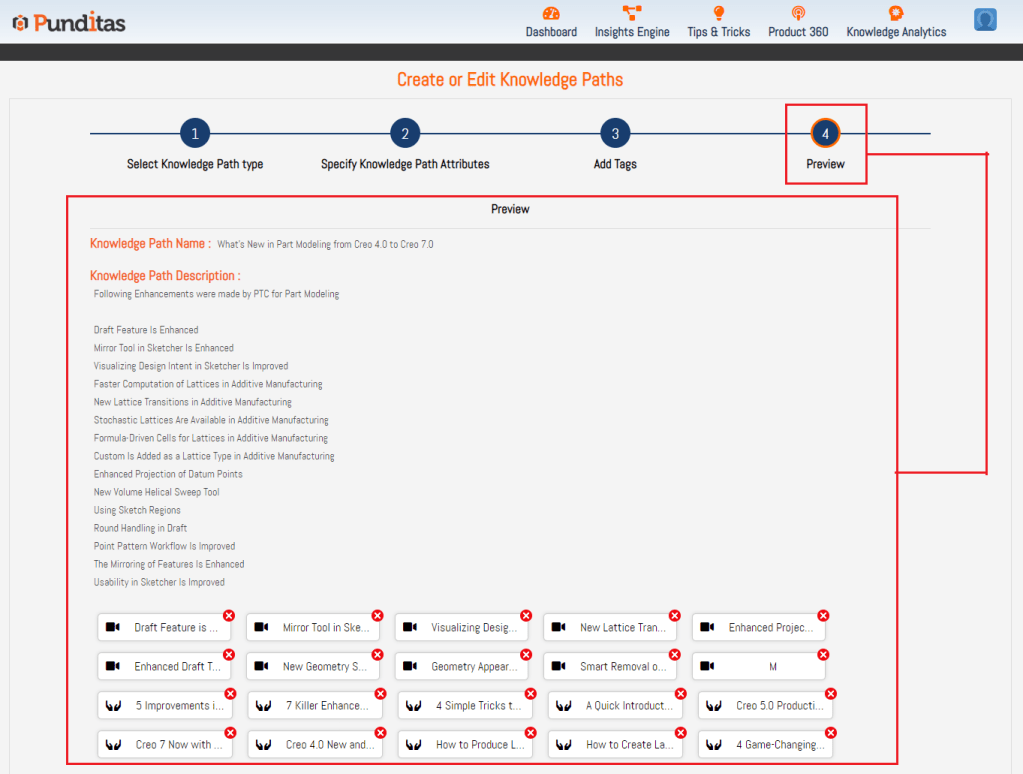
With the Preview feature, users now have the capability to preview their tags and knowledge paths before sharing them. This functionality enables users to spot and rectify potential errors or inconsistencies in their content, guaranteeing that the final output is accurate and dependable. By integrating the Preview feature, Punditas AI empowers users to share their knowledge with confidence, alleviating concerns about misinformation.
In essence, the Preview feature stands as an invaluable tool for Creo Parametric users seeking to impart their knowledge and expertise. By identifying errors before publication, users can save time, uphold their credibility, and ensure that their content is genuinely beneficial to others.
What is Punditas AI Advisor?
Punditas AI Advisor provides real-time guidance as you work in the Creo environment. Information on “how to use” a feature in Creo or best practices for working with Creo are presented within context, removing the need to guess or search for such information. Punditas AI driven content helps you leverage Creo to create your designs faster and with confidence.
For more information about Punditas AI Advisor, visit our website at Punditas AI or contact us at contact@punditas.com
 Punditas
Leave a comment