

For CAD designers immersed in PTC Creo Parametric, staying abreast of the latest enhancements and features is paramount for skill enhancement. While the Help module offers a treasure trove of information, pinpointing the right details can be a formidable challenge. Enter Punditas AI’s Filter feature.
With Punditas AI’s Filter feature, users gain the ability to seamlessly sift through Help modules to locate the precise information they seek. Whether it’s a specific topic, feature, or enhancement, this feature expedites the process of finding and accessing pertinent help documents. This streamlined approach not only saves time but also enhances the efficiency of the learning process.
Punditas AI ensures convenient access to module-wise help documents, allowing users to effortlessly navigate to the specific Help module they require and access all related documents in one consolidated space. This user-friendly interface simplifies the search for information, guaranteeing that users can extract maximum value from the Help module.
In summary, Punditas AI’s Filter feature and module-wise help documents offer CAD designers a streamlined and effective avenue to delve into the latest enhancements and features in PTC Creo Parametric. With these tools in their toolkit, designers can keep pace with the latest developments, elevate their skills, and do so with increased efficiency.
Follow the steps and explore Filter feature
Step 1:- Login to Punditas AI
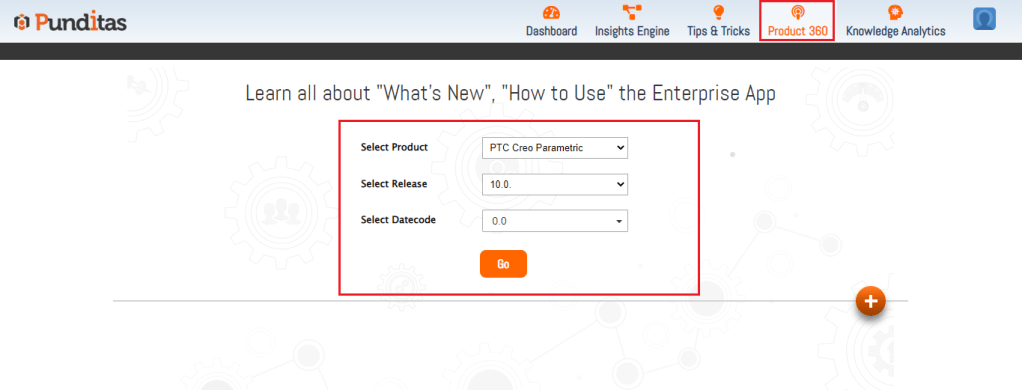
Step 2 :- Go to Product 360 module, select Product, release, datecode and click on Go button as displayed below in the Image
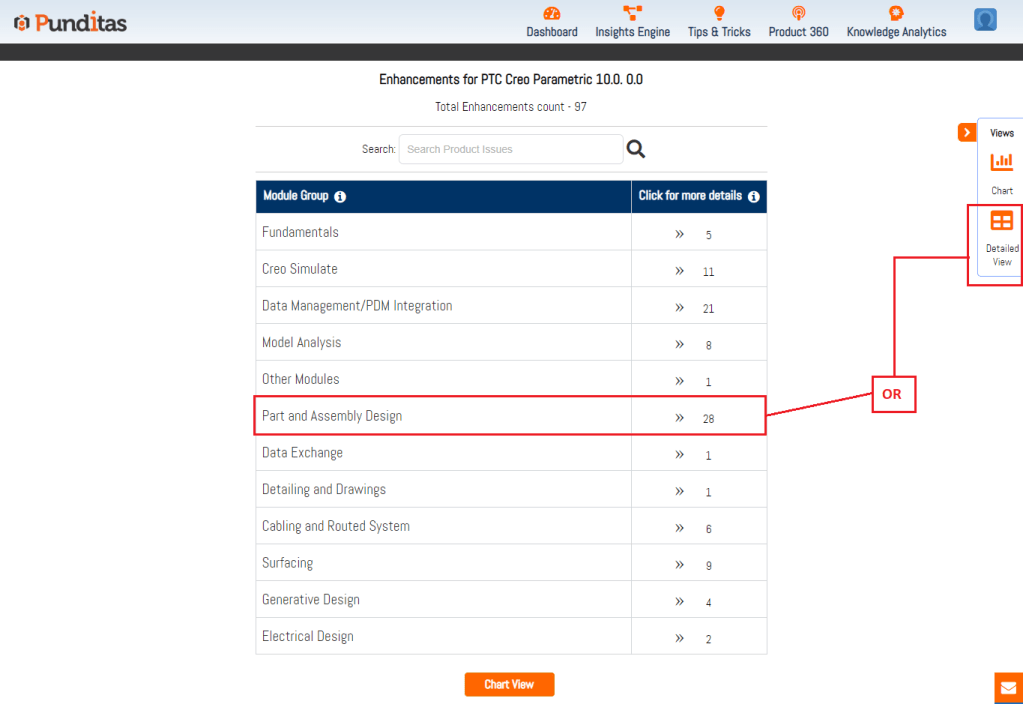
Step 3 :- Select the Specific module or for all the modules click on Detailed view button available as described below in the Image
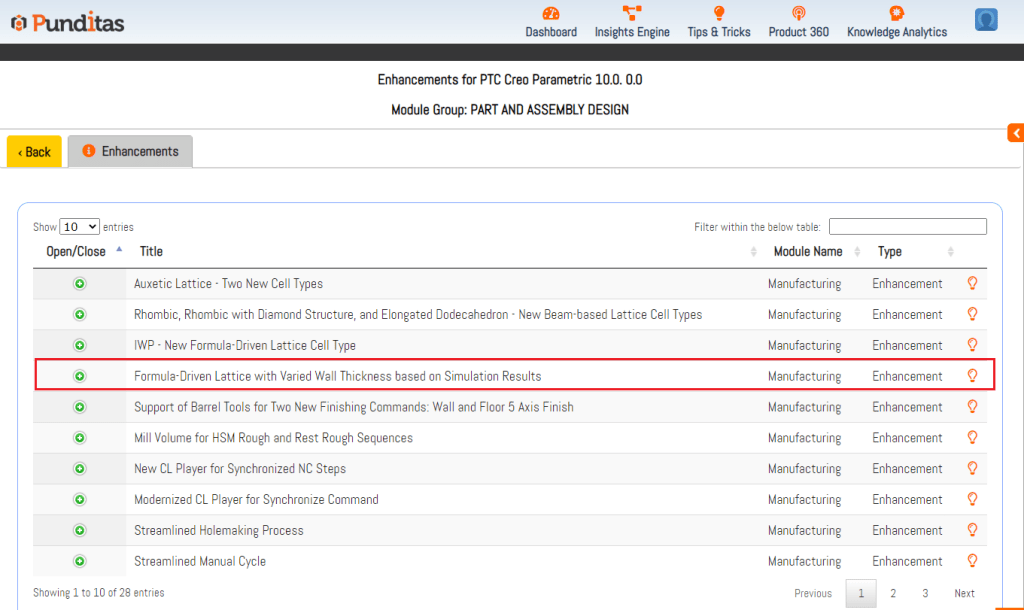
Step 4:- Click on the Enhancement
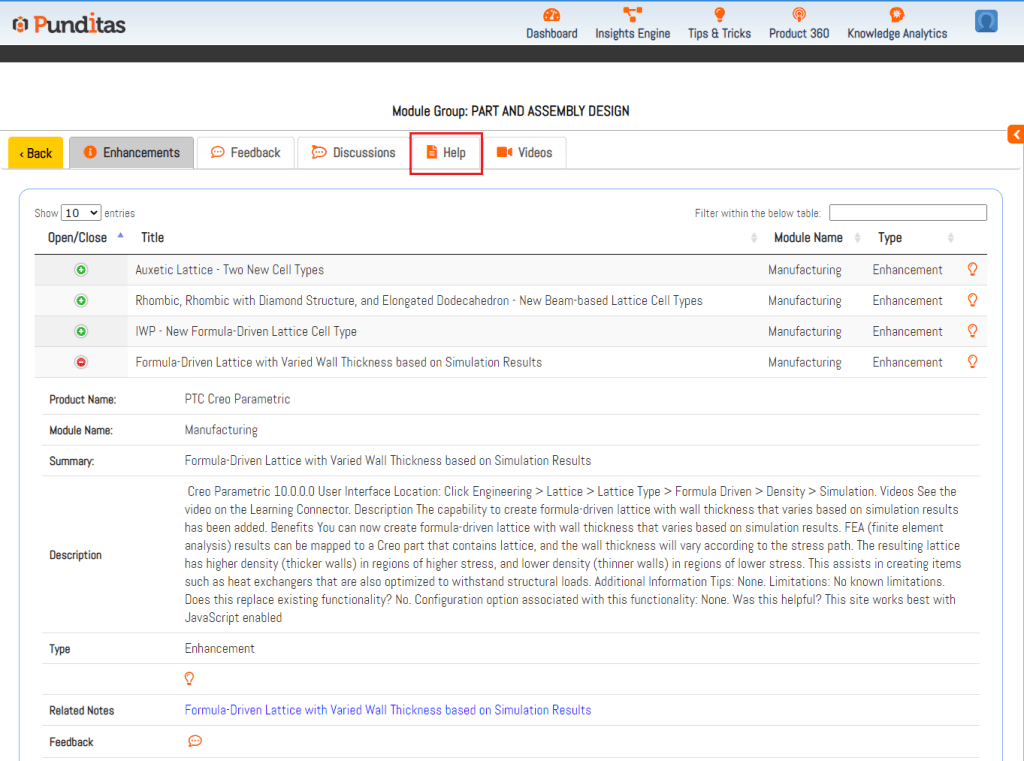
Step 5:- Click on the Help tab
Step 6:- Click on Filter button
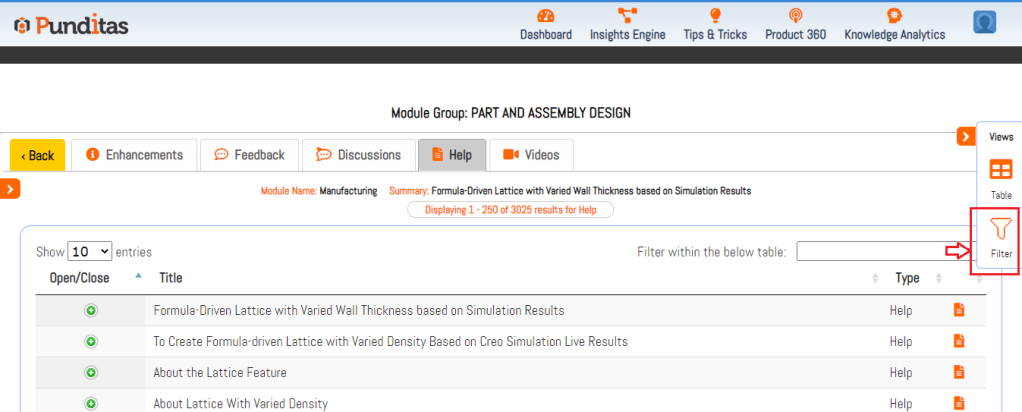
Step 7:- Explore the modules here and get useful help documents for selected enhancement
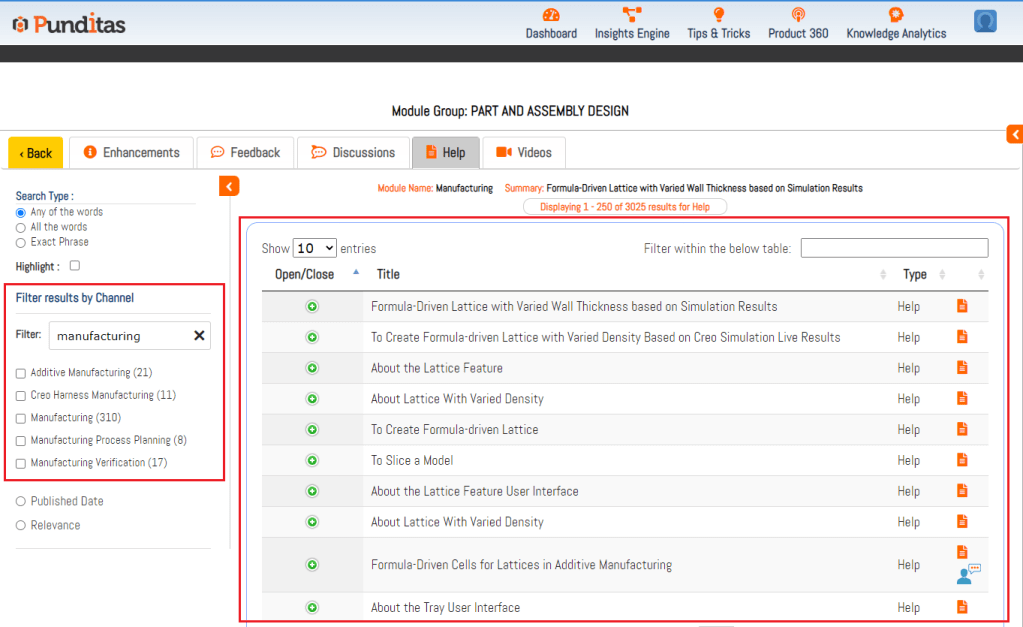
Explore more enhancements and learn Creo Parametric easily with Punditas AI
What is Punditas AI Advisor?
Punditas AI Advisor provides real-time guidance as you work in the Creo environment. Information on “how to use” a feature in Creo or best practices for working with Creo are presented within context, removing the need to guess or search for such information. Punditas AI driven content helps you leverage Creo to create your designs faster and with confidence.
For more information about Punditas AI Advisor, visit our website at Punditas AI or contact us at contact@punditas.com
 Punditas
Leave a comment