

Creo 11.0.0.0: Launched on April 17, 2024
The much-anticipated launch of Creo 11.0.0.0 on April 17, 2024, brought an exciting array of new features and improvements, making it a game-changer for the engineering and design community. PTC has introduced enhancements across nearly every module in Creo, but one standout is the Composite Design module, which boasts a remarkable 22 upgrades—making it the most enhanced module in this release.
Punditas AI Now Supports Creo 11.0.0.0
For users eager to explore everything Creo 11 has to offer, Punditas AI is here to help. With the latest updates, Punditas AI’s Product 360 module now fully supports Creo 11.0.0.0, offering a comprehensive resource to search for and access detailed information on each new feature. From enhancements to video tutorials, help articles, and discussions, Punditas AI provides a single, accessible hub for staying up-to-date on Creo 11’s latest advancements.
Effortless Access to Information with Product 360
The Product 360 module in Punditas AI is designed to empower users to quickly find answers to their questions and explore what’s new in Creo 11. With a simple search, users can uncover insights into specific enhancements, learn from video tutorials, and engage with discussions on industry best practices. Whether you’re an experienced Creo user or just starting out, Product 360 makes it easy to discover and leverage the newest capabilities of Creo 11, right at your fingertips.
Stay Ahead of the Curve with Punditas AI
In the fast-evolving world of CAD software, keeping up with the latest releases can be a challenge. Punditas AI is here to help you stay ahead of the curve. With its intuitive interface and powerful search capabilities, Punditas AI makes it simple to stay informed about all of Creo 11’s updates, allowing you to dive deep into specific areas of interest and unlock the full potential of these enhancements.
Punditas AI is more than just a tool for understanding Creo 11.0.0.0; it’s a platform that helps you grow and optimize your design process. No matter your level of expertise, Punditas AI ensures you’re fully prepared to take advantage of the latest features, empowering you to work smarter and faster with Creo.
Ready to Explore the Possibilities of Creo 11?
With Punditas AI, accessing the latest information about Creo 11 has never been easier. From exploring new features in the Composite Design module to discovering improvements in other core modules, Punditas AI’s Product 360 module is your go-to resource. Gain insight, enhance your skills, and stay competitive in your field—all with the support of Punditas AI.
Whether you’re enhancing existing designs or tackling new challenges, Creo 11.0.0.0 offers a wealth of possibilities. With Punditas AI, you’ll have the tools you need to stay informed and get the most out of each new release. Dive into the world of Creo 11 today and let Punditas AI guide you to greater productivity and innovation.
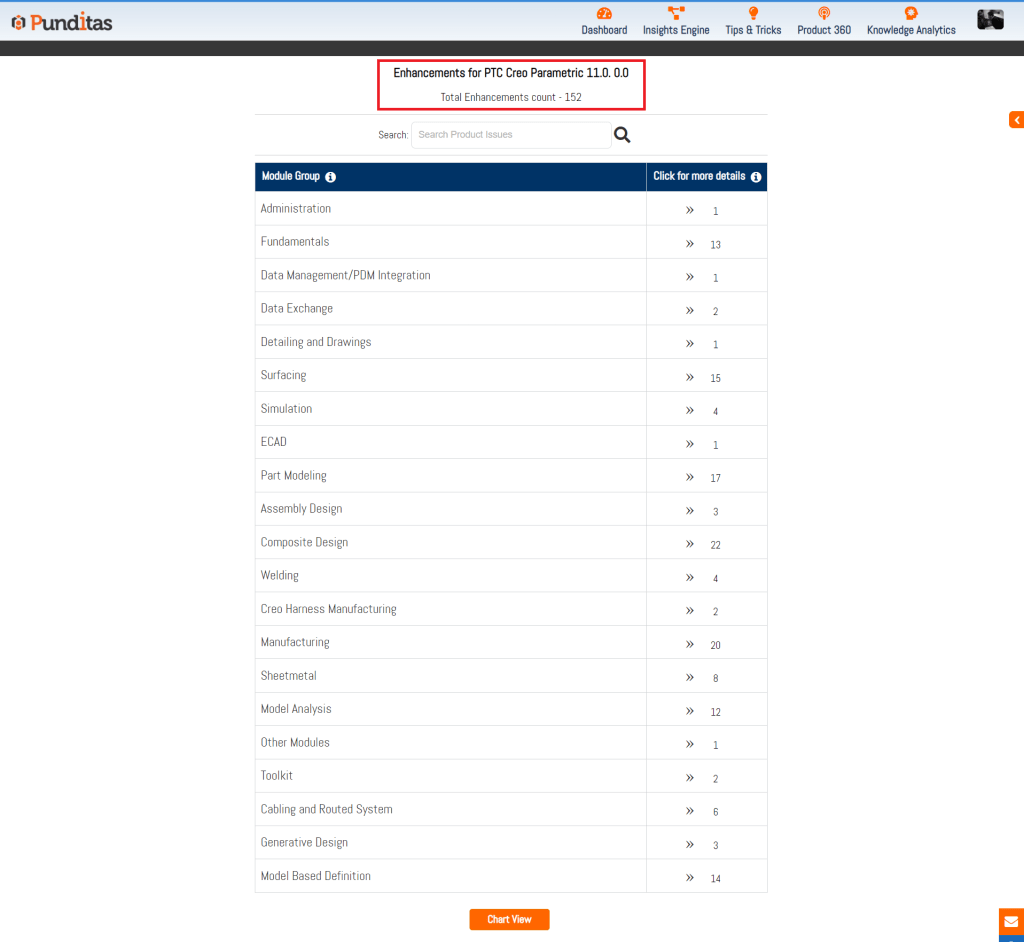
The following modules of Creo Parametric are enhanced in Creo 11.0. The picture below shows the number of enhancements in each module
- Administration (1 enhancement)
- Fundamentals (13 enhancements)
- Data Management/PDM Integration (1 enhancement)
- Data Exchange (2 enhancements)
- Detailing and Drawings (1 enhancement)
- Surfacing (15 enhancements)
- Simulation (4 enhancements)
- ECAD (1 enhancement)
- Part Modeling (17 enhancements)
- Assembly Design (3 enhancements)
- Composite Design (22 enhancements)
- Welding (4 enhancements)
- Creo Harness Manufacturing (2 enhancements)
- Manufacturing (20 enhancements)
- Sheetmetal (8 enhancements)
- Model Analysis (12 enhancements)
- Other Modules (1 enhancement)
- Toolkit (2 enhancements)
- Cabling and Routed System (6 enhancements)
- Generative Design (3 enhancements)
- Model Based Definition (14 enhancements)
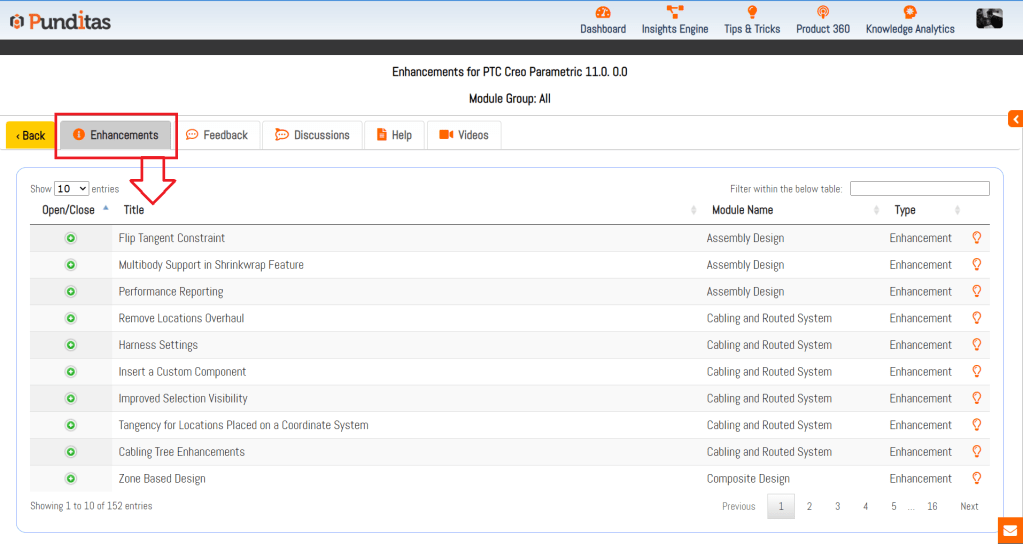
The Detailed View option in Punditas AI allows Creo Users to explore each enhancement in greater detail. The picture below shows the details of every enhancement in Creo 11.0.0.0. Not only is the list of enhancements displayed but also the associated Video tutorials, Online Help documentation (provided by PTC) as well as community discussions around this topic
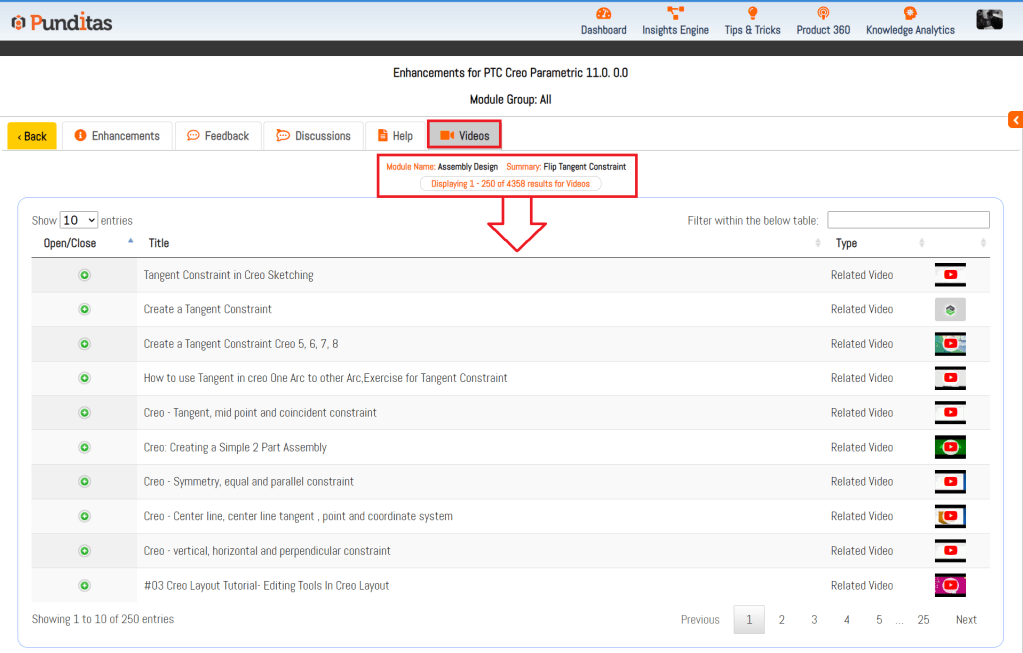
Punditas AI Advisor also offers Video Tutorials for every enhancement to help Users learn how to use the feature in Creo Parametric software. The image below shows the related videos for “Assembly Design” that has been updated in Creo 11.0.0.0. These Videos are extracted and curated by Punditas AI engine from 10’s of repositories including PTC’s Learning Connector, YouTube, Vimeo, etc.
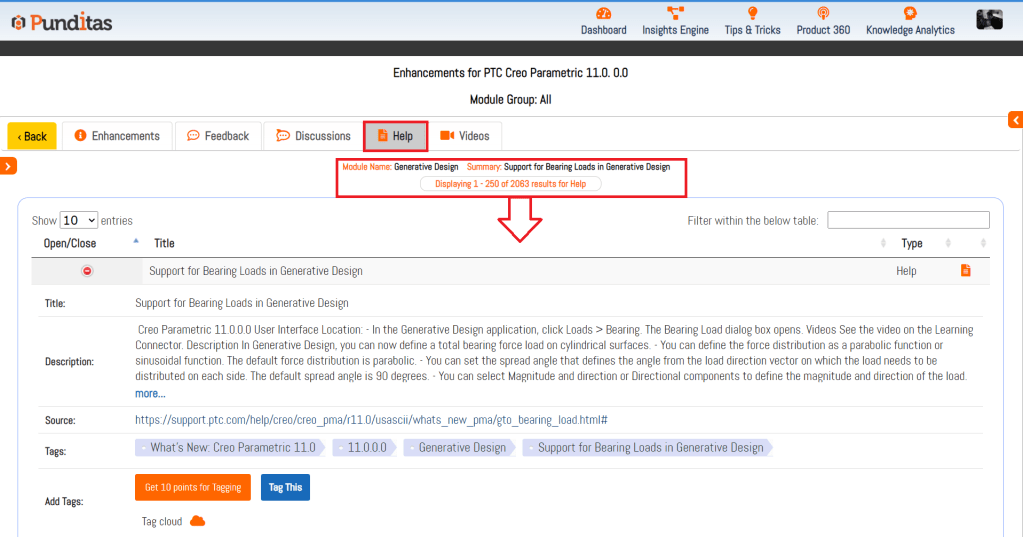
Punditas AI Advisor displays Help documentation for every enhancement as described by PTC in their Online Help. The image below shows Help articles that are relevant to “Generative Design” enhancement added to Creo 11.0.0.0
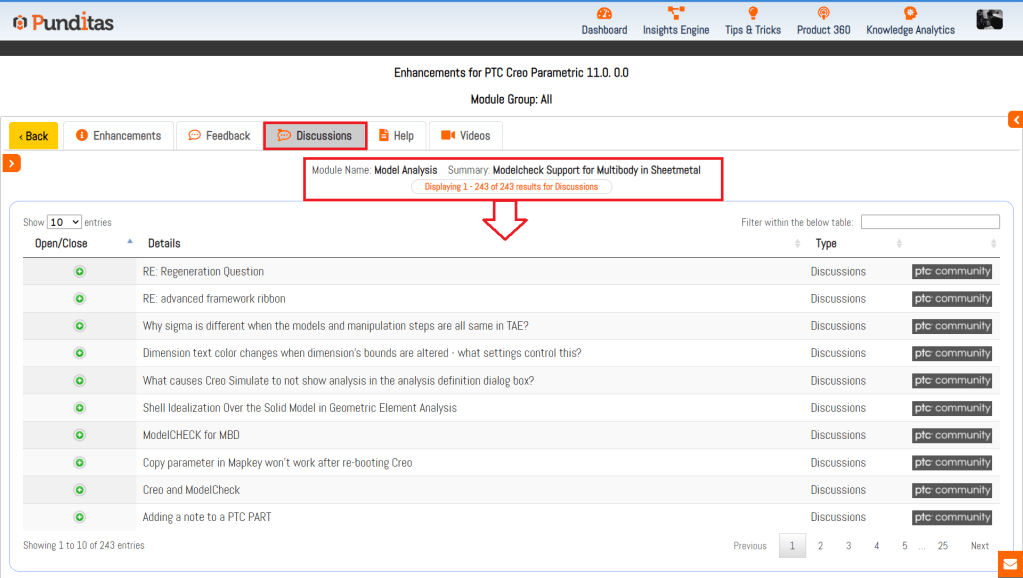
Punditas AI Advisor is a powerful platform as Users can access a single source of community chatter (discussions, opinions, suggestions) from both PTC and non-PTC sources. The image below shows discussions from PTC community related to “Model Analysis” enhancement in Creo 11.0.0.0
What is Punditas AI Advisor?
Punditas AI Advisor provides real-time guidance as you work in the Creo environment. Information on “how to use” a feature in Creo or best practices for working with Creo are presented within context, removing the need to guess or search for such information. Punditas AI driven content helps you leverage Creo to create your designs faster and with confidence.
For more information about Punditas AI Advisor, visit our website at Punditas AI or contact us at contact@punditas.com
 Punditas
Leave a comment