
In today’s fast-paced work environment, where efficiency and expertise are paramount, onboarding new employees and continuously training existing staff can be a daunting task. Enter Punditas AI’s Create/Edit Path module—a dynamic solution designed to streamline and enhance the Creo learning journey within your organization. Whether you are onboarding new trainees, enhancing the skills of your existing team, or fostering a culture of continuous learning, this module is your go-to platform for creating customized, engaging learning paths.
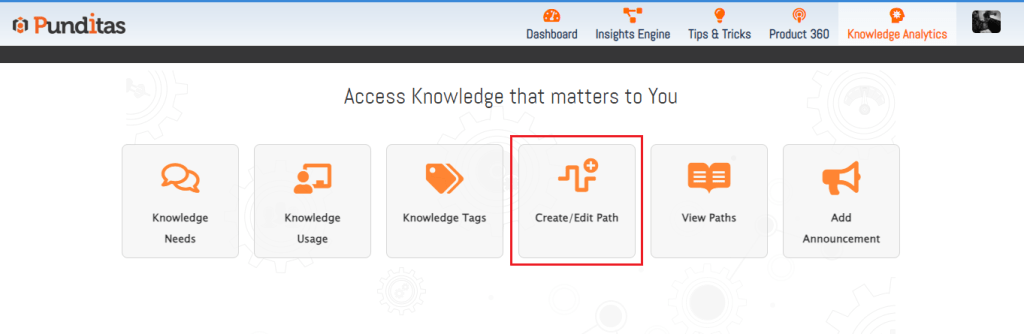
What is the Create/Edit Path Module?
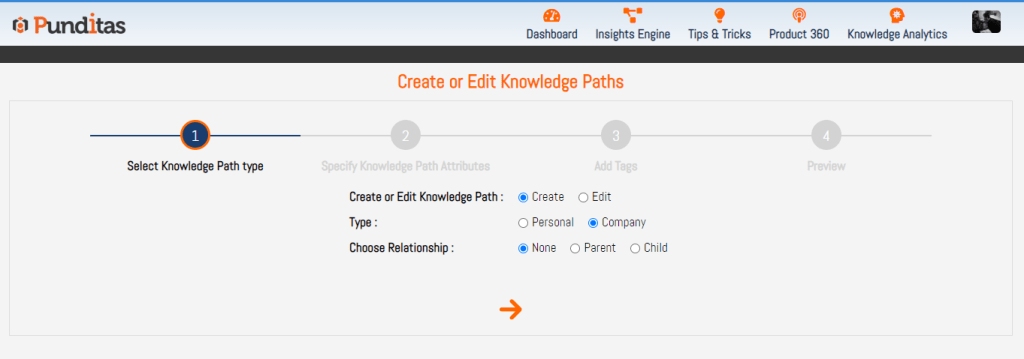
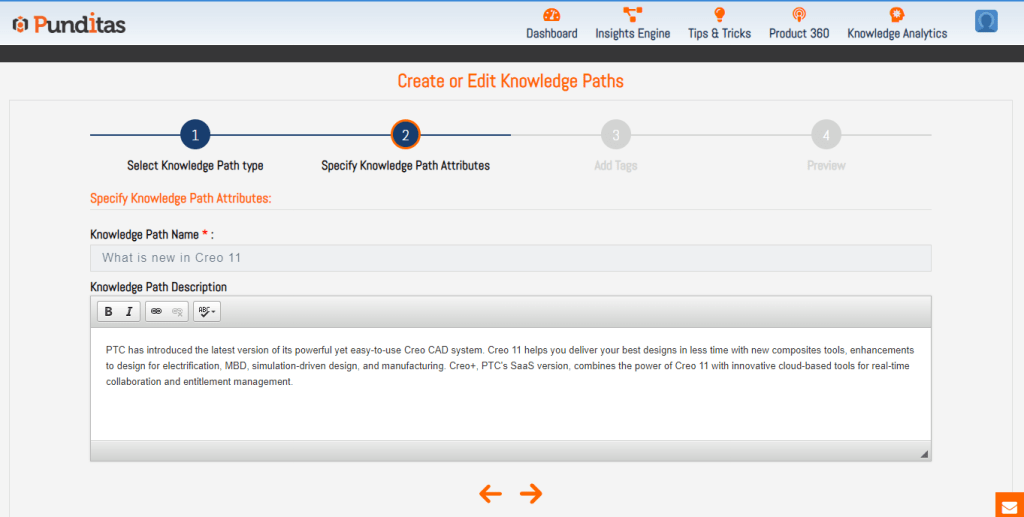
The Create/Edit Path module is a powerful tool that allows you to design personalized Creo learning paths tailored to the specific needs and roles of your company’s users. Imagine having the ability to curate a comprehensive Creo training program for new hires, interns, or any team members needing upskilling. This module enables you to preemptively prepare and organize a wealth of training resources, including Creo video tutorials, Creo helpful articles, Creo reference documentation, and feature Creo enhancements. It’s like having a personal guidebook that leads your team members through their Creo learning journey without the constant need for direct supervision or assistance.
Why Punditas AI?
Punditas AI stands out as a leader in enhancing workplace learning and collaboration for several compelling reasons:
- Intuitive Design: The Create/Edit Path module is designed with user experience in mind, making it easy for anyone within the company to create, edit, and share Creo learning paths.
- Customization at Its Core: Tailor learning paths to fit the unique needs of your trainees, interns, or experienced professionals. Customize content, structure, and pace to match diverse learning styles and preferences.
- Collaborative Learning: Foster a culture of knowledge sharing where employees can collaborate, contribute, and learn from each other’s experiences and expertise.
When Punditas AI can be helpful
The Create/Edit Path module is invaluable in numerous scenarios:
- Onboarding New Employees: Streamline the onboarding process by providing new hires with structured, easy-to-follow learning paths. This helps them get up to speed quickly and efficiently.
- Upskilling and Reskilling: Keep your workforce competitive and proficient by offering continuous training opportunities. Whether it’s learning new things about Creo, understanding complex technologies, or mastering new tools, the module facilitates ongoing professional development.
- Project-Specific Training: Tailor learning paths to specific projects or tasks, ensuring that team members have the necessary knowledge and skills to succeed in their roles.
- Collaborative Knowledge Sharing: Enable experts within your organization to create and share their own knowledge paths, promoting a collaborative learning environment where everyone benefits from shared expertise.

Advantages of Punditas AI’s Create/Edit Path Module
- Streamlined Onboarding: Reduce onboarding time and enhance the experience for new employees with pre-built, customized learning paths.
- Enhanced Learning Experience: Cater to different learning styles and preferences with a variety of content types, ensuring that learning is engaging and effective.
- Faster Proficiency: Help trainees and interns achieve proficiency more quickly, reducing the time to productivity and increasing overall efficiency.
- Boosted Collaboration: Encourage knowledge sharing and collaboration among employees, fostering a culture of continuous learning and improvement.
- Flexible and Scalable: Easily update and scale learning paths as your organization grows or as new tools and technologies are introduced.
The Create/Edit Path module by Punditas AI is more than just a learning tool; it’s a transformative platform that empowers your organization to create, share, and enhance knowledge in a structured, collaborative way. Whether you’re onboarding new staff, upskilling your team, or fostering a culture of continuous learning, this module equips you with the tools and resources needed to succeed.
What is Punditas AI Advisor?
Punditas AI Advisor provides real-time guidance as you work in the Creo environment. Information on “how to use” a feature in Creo or best practices for working with Creo are presented within context, removing the need to guess or search for such information. Punditas AI driven content helps you leverage Creo to create your designs faster and with confidence.
For more information about Punditas AI Advisor, visit our website at Punditas AI or contact us at contact@punditas.com
 Punditas
Leave a comment