
Stop switching between apps to learn your CAD and PLM tools.
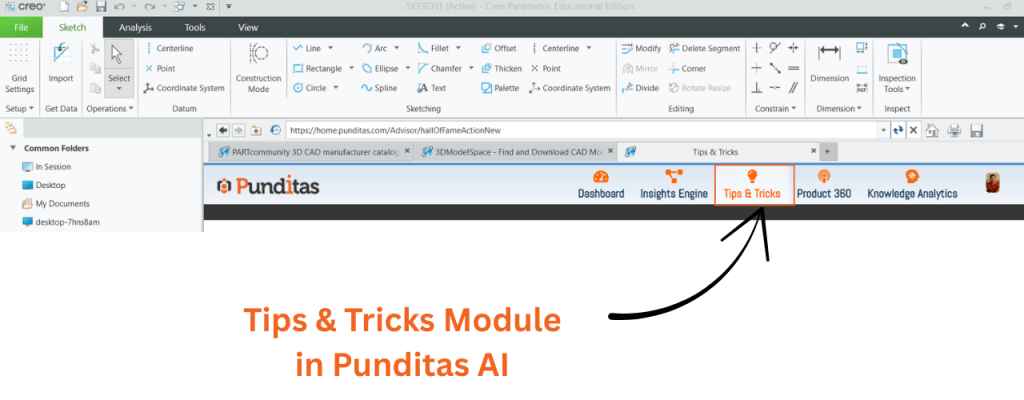
The Tips & Tricks module in Punditas AI puts expert guidance right where you’re already working. Whether you’re using Creo Parametric, ThingWorx, SolidWorks, Onshape, or Windchill, you’ll find current, actionable insights waiting in the Tips & Tricks module.
No hunting through endless documentation. No outdated tutorials. Just practical tips that actually help — delivered exactly when and where you need them.
Let’s be real—when it comes to learning a new feature, picking up a helpful trick, or quickly troubleshooting a problem, Video is often the best way to go.
But with so much content out there, how do you know:
- Which videos are still accurate?
- Which ones match your version of the PTC Creo?
- Which are actually worth your time?
That’s where Punditas AI comes in. It brings together a collection of well-chosen, up-to-date videos that are specifically relevant to the product you’re using. The Related Videos tab highlights popular, high-quality content, including:

- Step-by-step tutorials
- Walkthroughs for new features
- Practical design tips from real-world projects
Think of it as your own personalized suit—focused only on what matters for your workflow, without all the irrelevant distractions.
Cut through the clutter with real help
You know the feeling: you’re deep into a design or configuration project and suddenly, something goes wrong. Maybe a feature isn’t working right, or you run into some unexpected behavior.
What do you do? Start searching on Google? Scroll endlessly through forums? Or just call it a day and hope for better luck tomorrow?
Now, there’s a better way.
The Help tab puts a well-organized library of support articles, FAQs, and documentation right at your fingertips, all tailored to the product you’re using in the moment. Whether you’re dealing with a tricky Creo modeling issue or need guidance on Windchill configuration, the information you need is:
- Clearly organized
- Reliable
- Directly relevant
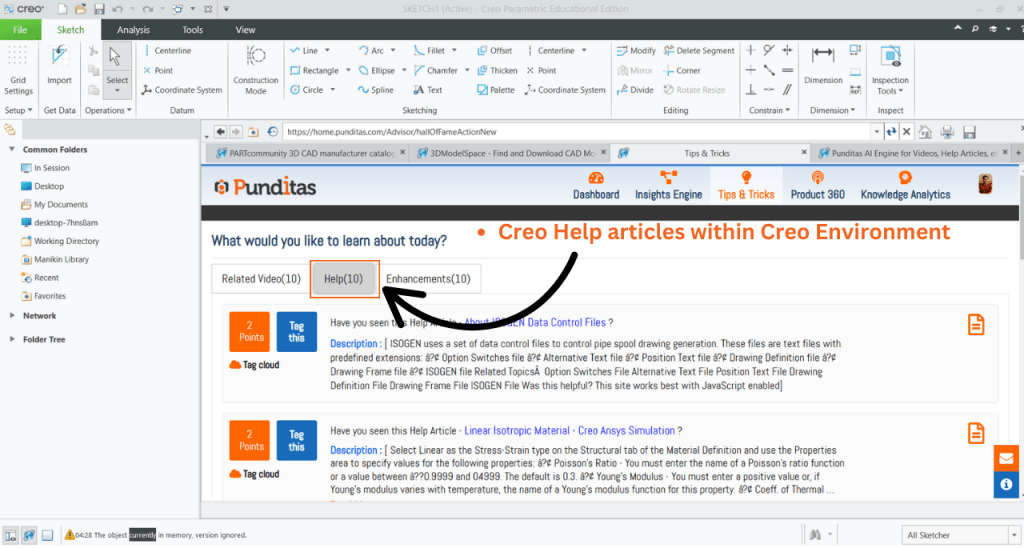
No more guessing, no more endless searching—just quick, practical answers when you need them most.
Stay Ahead with Creo Enhancements
Software is always moving forward—features evolve, interfaces get updates, and new shortcuts make life easier. It can be tough to keep up with what’s changed or improved.
That’s where the Enhancements tab comes in. It keeps you in the know about everything that’s new and noteworthy. Wondering if a pesky bug has finally been fixed? Looking to explore the latest features? Trying to decide if an upgrade is worth it?

This is your spot for:
- Official announcements about Creo updates
- New feature highlights as they’re released
- Clear summaries of key enhancements
Keep yourself updated, work smarter, and get the most from your tools by always knowing what’s new.
One Module. Three Powerful Tools. Unlimited Value.
The Tips & Tricks module in Punditas AI is more than just a convenient feature—it’s a genuine productivity enhancer built right into your everyday workflow.
No matter your role:
- Design faster with targeted tips for Creo users
- Discover new widgets and shortcuts as a ThingWorx explorer
- Stay on top of updates as a Windchill administrator
This module is designed to help you:
- Pick up useful techniques you didn’t know existed
- Quickly solve those frustrating roadblocks
- Get a firsthand look at the latest features
Seamlessly Integrated with Your Work
Forget about constantly switching between browser tabs, sifting through irrelevant videos, or hunting for answers in outdated PDFs and never-ending forum threads.
With Punditas AI, the information you need appears right where you need it—directly inside Creo. One click, and you’re ahead of the game.
What is Punditas AI Advisor?
Punditas AI Advisor provides real-time guidance as you work in the Creo environment. Information on “how to use” a feature in Creo or best practices for working with Creo are presented within context, removing the need to guess or search for such information. Punditas AI driven content helps you leverage Creo to create your designs faster and with confidence.
For more information about Punditas AI Advisor, visit our website at Punditas AI or contact us at contact@punditas.com
 Punditas
Leave a comment