

Staying on top of Creo’s latest features isn’t always easy. With every release, PTC introduces valuable updates that can help engineers design faster and smarter. But here’s the catch: most users don’t actually explore them.
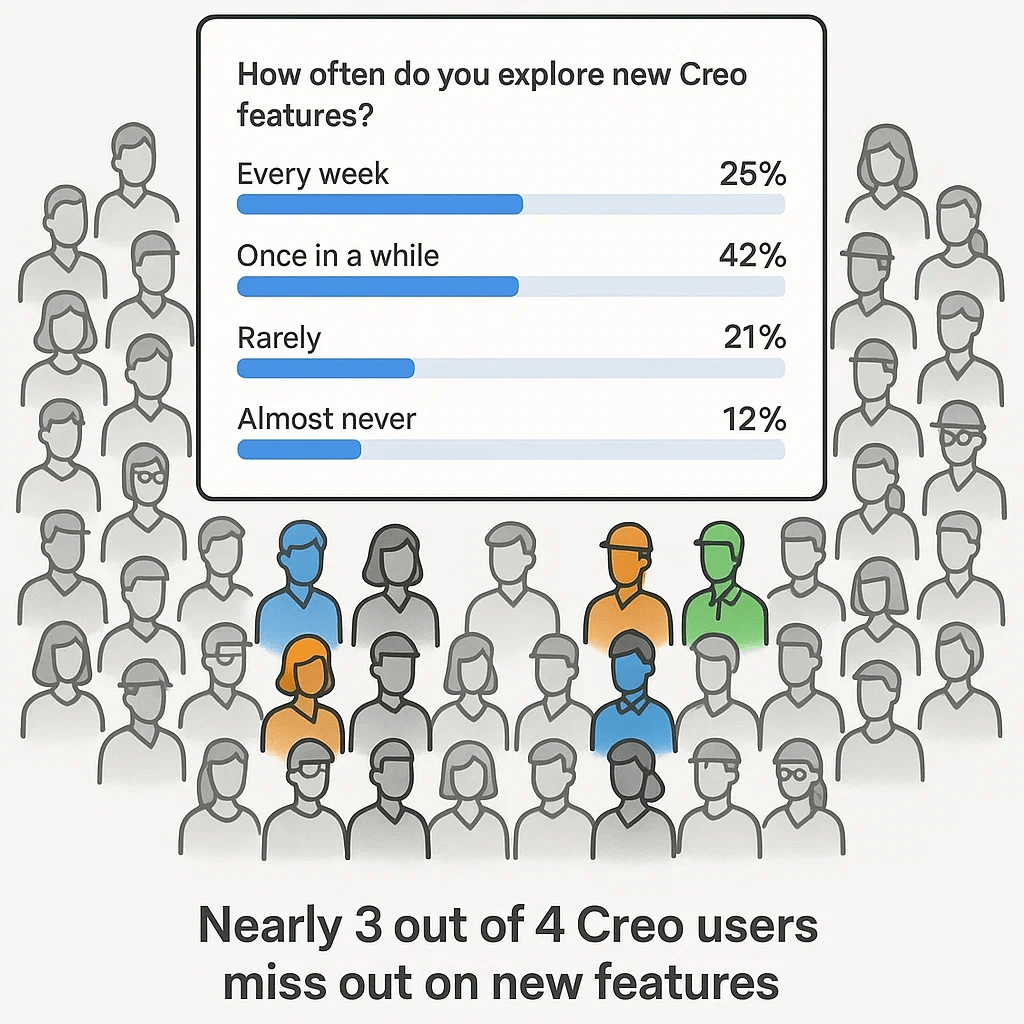
Recently, I ran a poll in a group of 45K+ Creo users with the question:
How often do you explore new Creo features?
- Every week → 25%
- Once in a while → 42%
- Rarely → 21%
- Almost never → 12%
📊 That means nearly three out of four Creo users are missing out on new features and enhancements. The reason? Lack of time and no single place to find the right resources.
This is where Punditas AI Product 360 comes in.
Discover Creo updates the easy way
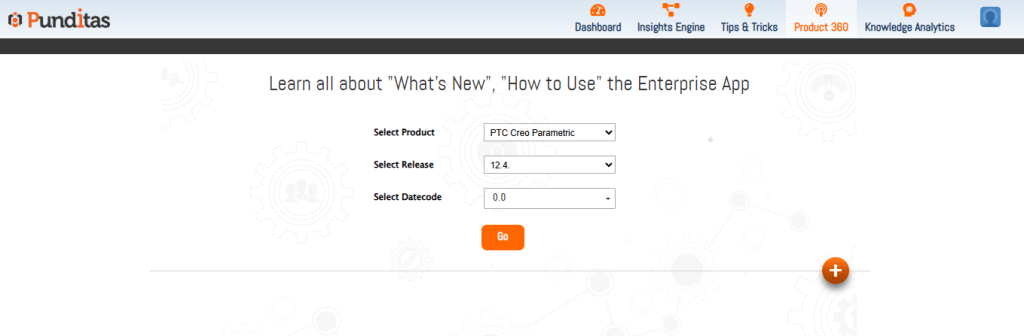
With the Product 360 module, Creo users can instantly see what’s new—without digging through endless documentation. All it takes is three quick steps:
- Select Product → Choose PTC Creo Parametric
- Select Release → e.g., 12.4
- Pick Date Code → e.g., 0.0
And you’re in. From here, Product 360 does the heavy lifting.
What you’ll see inside product 360
✅ Table View → A structured list of all enhancements and new features, organized by module.
✅ Chart View → A visual snapshot showing how many features or updates each module received.
✅ Module Insights → Click on any Creo module to dive deeper into the details.
✅ Feature Guidance → Select a feature and instantly get:
- Video tutorials
- Help articles
- Community discussions around that feature
✅ Tag for Later → Bookmark any information so it’s easy to access when you need it most.
Why it matters
Instead of wondering whether you’re missing out on new tools, Product 360 ensures you have clear, practical knowledge at your fingertips. Engineers can learn faster, teams can adopt updates quickly, and organizations can maximize their investment in Creo.
When real customers use Product 360, they’re not just staying updated—they’re using Creo updates effectively in their daily workflows.
👉 Are you making the most of Creo’s latest features?
Try the Product 360 module in Punditas AI and see how effortless staying updated can be.
What is Punditas AI Advisor?
Punditas AI Advisor provides real-time guidance as you work in the Creo environment. Information on “how to use” a feature in Creo or best practices for working with Creo are presented within context, removing the need to guess or search for such information. Punditas AI driven content helps you leverage Creo to create your designs faster and with confidence.
For more information about Punditas AI Advisor, visit our website at Punditas AI or contact us at contact@punditas.com
 Punditas
Leave a comment