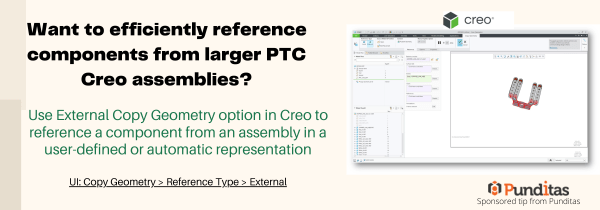
Use External Copy Geometry option in Creo to reference a component from an assembly in a user-defined or automatic representation UI: Copy Geometry > Reference Type > External ptccreo.punditas.com
How to easily add Standard text symbols in PTC Creo?
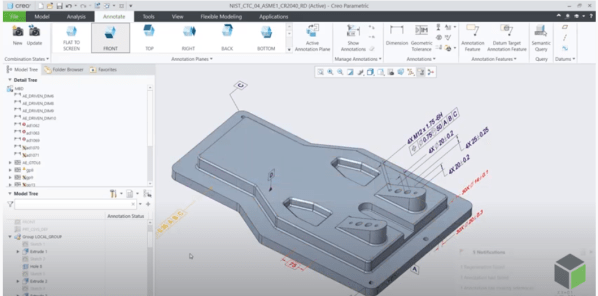
With Creo 8.0, text symbol pallet is easily accessible for datum feature symbol (DFS) annotations. This allows you to add standard text symbols to a datum feature symbol annotations UI: Annotate -> Datum Feature Symbol ->place DFS -> Select DFS-> activate text field ->Symbols ptccreo.punditas.com
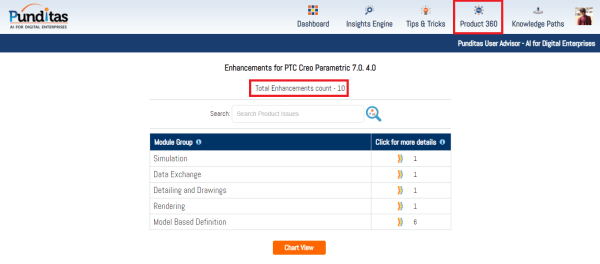
Punditas AI Advisor now supports Creo 7.0.4.0
PTC released Creo 7.0.4.0 recently. Punditas AI Advisor now supports this latest version of Creo 7.0.4.0 . Punditas AI allows users to learn more about “How”, What” and “Why” of these enhancements through Product 360 module. The picture below shows the Module groups and the corresponding enhancements added within each group. To try this out,... Continue Reading →
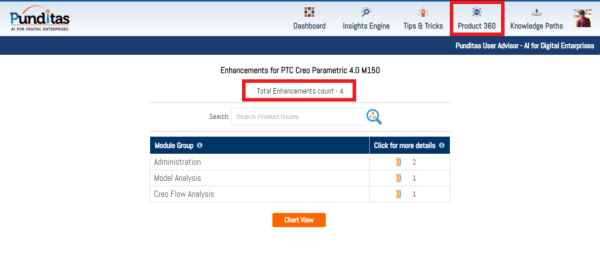
Punditas AI Advisor now supports Creo 4.0 M150
PTC released Creo 4.0 M150 recently. Punditas AI Advisor now supports this latest version of Creo 4.0 M150. Punditas AI allows users to learn more about “How”, What” and “Why” of these enhancements through Product 360 module. The picture below shows the Module groups and the corresponding enhancements added within each group. To try this... Continue Reading →
Punditas AI Advisor now supports Creo 8.0.0.0
PTC released Creo 8.0.0.0 recently. Punditas AI Advisor now supports this latest version of Creo 8.0.0.0 . Punditas AI allows users to learn more about “How”, What” and “Why” of these enhancements through Product 360 module. The picture below shows the Module groups and the corresponding enhancements added within each group. To try this out,... Continue Reading →
Did you know that Creo now uses absolute accuracy by default?
Starting with Creo 7.0, Creo Parametric uses absolute accuracy instead of relative accuracy. The default accuracy values are 0.00039 inches and .01 millimeters. The template files are also adjusted so that new empty models are created by default with absolute accuracy. Template files use the following naming schemes: Absolute accuracy uses the new template files by default.... Continue Reading →
Did you know that you can exclude child annotations based on the parent status in Creo 6.0?
Creo Parametric 6.0 added a very useful feature to start allowing us to exclude annotations from our design and graphics when their parent feature is no longer available. Child annotations can be excluded when the parent feature is not available in the following situations 1. Excluded by family table 2. Excluded by simplified representation or Family... Continue Reading →
Delaunay triangulation, Stochastic lattices and Additive Manufacturing in Creo
PTC introduced Stochastic lattices (random lattices) in Creo Parametric 6.0. This first implementation of the stochastic lattices used Voronoi diagram algorithm. Voronoi is a common algorithm when you want a lattice to conform to bionic shapes. However, starting with Creo Parametric 7.0.0.0, Delaunay triangulation was introduced. The Delaunay triangulation generates a set of triangles to use... Continue Reading →
Did you know that you can use Bodies as design tools for Multibody Part Design?
In Creo 7.0 we can now create and use bodies that are intended to act as modification tools to change geometry in other design bodies. Using these operations increases productivity by applying faster and easier design workflows and reducing the need to switch to surface or quilt-based workflows and tools. Geometry creation tools such as Extrude or Revolve... Continue Reading →
How to designate multiple Model Annotations as Control Characteristics
Starting with Creo Parametric 7.0.2.0, we can now select multiple annotations in the Model Tree, Detail Tree, or the Graphics Window, and designate all of them to Windchill with a new option called Designation on the shortcut menu. Two levels of designation are available: General designation Designation as control characteristics Select annotations and right-click to open the shortcut... Continue Reading →