Partner Spotlight tile in Punditas AI Advisor

- Published by Ananth The landing page of Punditas AI Advisor has four tiles such as Events Spotlight, Partner Spotlight, User Spotlight and Product Spotlight The Partner Spotlight tile showcases complementary Products and Services from the PTC Partner ecosystem.   These partners are discovered by Punditas AI Engine from numerous open sources including PTC Partner website... Continue Reading →

How to align Ordinate dimensions with a baseline in Creo?

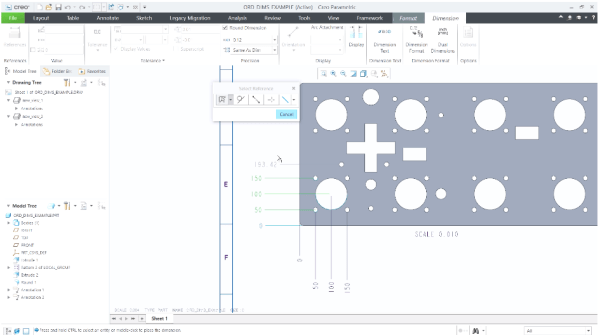
Starting with Creo 7.0, there's better control over the placement of ordinate dimensions that are created in models and drawings. Prior to this Creo 7.0 release, when creating ordinate dimensions per ANSI standards, these dimensions would get placed when they are aligned with the baseline. However, this can now be controlled using "default_ansi_ord_dim_aligned" config option.... Continue Reading →

Punditas AI Advisor now supports Creo 7.0.1.0

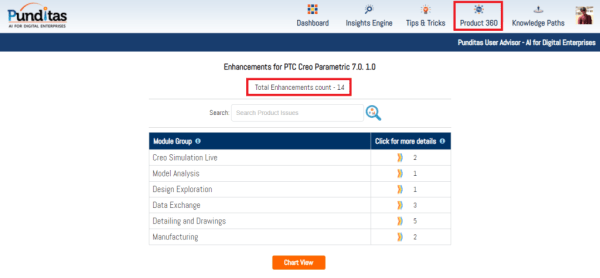
PTC released Creo 7.0.1.0 recently. Punditas AI Advisor now supports this latest version of Creo 7.0.1.0 . Punditas AI allows users to learn more about “How”, What” and “Why” of these enhancements through Product 360 module. The picture below shows the Module groups and the corresponding enhancements added within each group. To try this out,... Continue Reading →

Punditas AI Advisor now supports Creo 4.0 M130

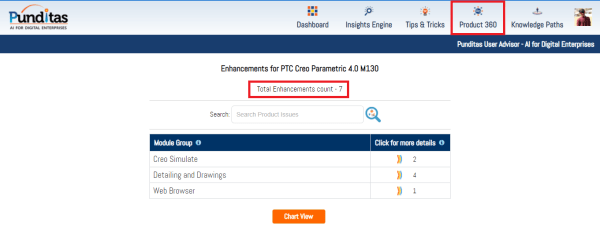
PTC released Creo 4.0 M130 recently. Punditas AI Advisor now supports this latest version of Creo 4.0 M130. Punditas AI allows users to learn more about “How”, What” and “Why” of these enhancements through Product 360 module. The picture below shows the Module groups and the corresponding enhancements added within each group. To try this... Continue Reading →

Punditas AI Advisor now supports Creo 7.0.0.0

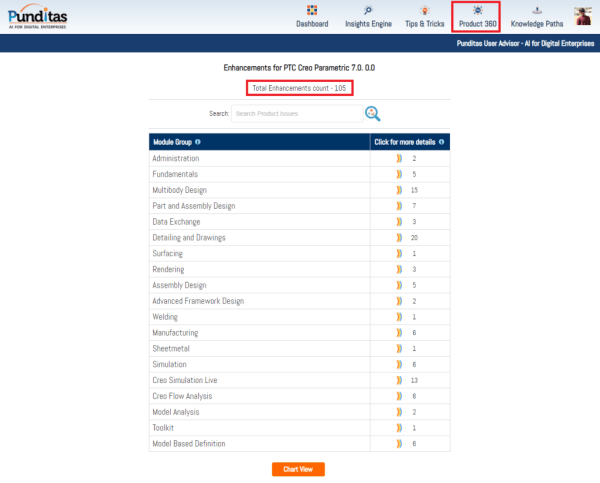
PTC released Creo 7.0.0.0 recently. Punditas AI Advisor now supports this latest version of Creo 7.0.0.0 . Punditas AI allows users to learn more about “How”, What” and “Why” of these enhancements through Product 360 module. The picture below shows the Module groups and the corresponding enhancements added within each group. To try this out,... Continue Reading →

Do you like the improved appearance of handles, text, dimensions, and lines in Creo?

Starting with Creo 5.0, the appearance of handles, text, dimensions, and lines (2D and 3D) displayed in the graphics area have improved visibility. In addition, Lines Anti-Aliasing and Text Anti-Aliasing can also be controlled. For example - you can set Lines Anti-Aliasing to On even if the Anti-Aliasing is set to Off. I think these are improvements are definitely useful. What are your thoughts?... Continue Reading →

Website Powered by WordPress.com.

Up ↑