While Using PTC Creo Parametric software, CAD users come across many difficulties and for that they do web search to get information like Video Tutorials, Help articles, Blogs, Presentations etc. However, after spending a significant amount of time searching for relevant data, users may still hesitate to click on links due to concerns about the... Continue Reading →
The Power of Multiple Perspectives: Punditas AI simplifies complex data and provides a simple way to access Useful information on PTC Creo Parametric topics
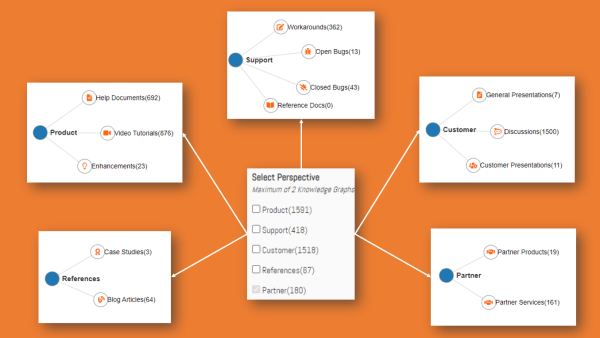
Punditas AI classifies a significant amount of data into a total of five perspectives, each with a variety of nodes. The user can access any perspective to find specific information Following are the Five Perspectives in Punditas AI Product Perspective Support Perspective Customer Perspective References Perspective Partner Perspective Product Perspective contains three nodes (1) Video... Continue Reading →
The Ultimate Guide to Search: How All, Any, and Exact Word searches can help you Find PTC Creo Information Faster in Punditas AI
There is a ton of information on PTC Creo parametric in Punditas AI, and In order to provide better search experience, it offers three different sorts of search options: "All word search," "Any word search," and "exact word search" Following are the steps to explore all three search options Step 1 :- Login to Punditas... Continue Reading →
Display your Profile in Punditas AI and get the attention of PTC Creo users worldwide
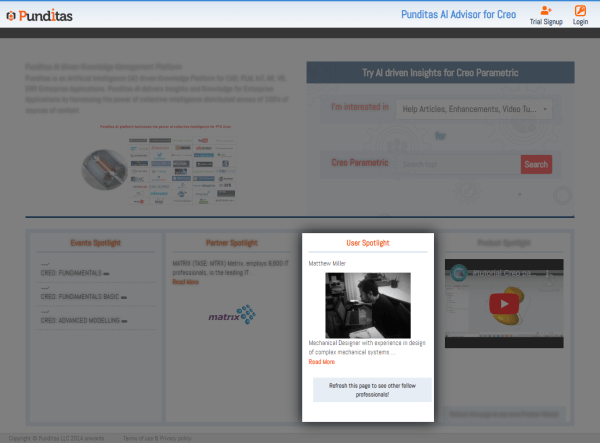
Punditas AI Advisor is supported in the embedded browser in Creo as well as all other browsers, Showcase your Profile in Punditas AI and get attention of all the PTC Creo Users around the world Following are the steps to Showcase your Profile Step 1 :- Sign Up for Punditas AI Advisor No Activation or Partner Code... Continue Reading →
Punditas AI Advisor now supports Creo 9.0.4.0
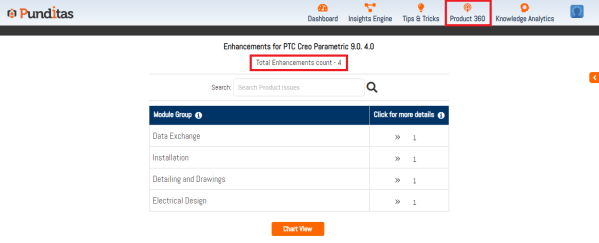
PTC released Creo 9.0.4.0 recently. Punditas AI Advisor now supports this latest version of Creo 9.0.4.0. Punditas AI allows users to learn more about “How”, What” and “Why” of these enhancements through Product 360 module. The picture below shows the Module groups and the corresponding enhancements added within each group. To try this out, please... Continue Reading →
You’re sharing useful information, but do you know if anyone is actually looking at it? Punditas AI provides statistics
In general, it is very difficult to determine who is viewing the data that you diligently produced and shared for good, but Punditas AI offers comprehensive statistics about your significant shared data Following are the Steps to explore Statistics in Punditas AI Step 1 :- Click on Knowledge Analytics Step 2:- Click on Knowledge Usage... Continue Reading →
Discover what areas your design team needs assistance and training for Creo Parametric with Punditas AI
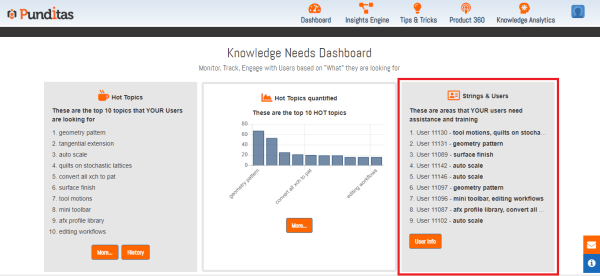
Punditas AI offers records of your design team, including information about who searched for what topics, and this will help your company learn which team members need training and assistance in which areas Following are the Steps to see Strings and Users Step 1 :- Click on Knowledge Analytics Step 2 :- Click on Knowledge... Continue Reading →
Keep eyes on your CAD team with Punditas AI: Find out Top 10 Hot Topics searched by team members
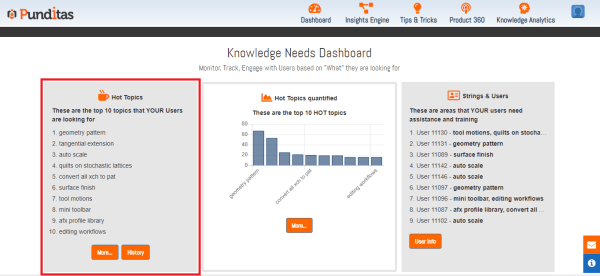
Punditas AI offers the ability to show the top 10 hot topics that your CAD team members have been searching for Following are the step to check Top 10 Hot Topics with Punditas AI Step 1 :- Click on Knowledge Analytics Step 2 :- Click on Knowledge Needs Step 3 :- Check the top 10... Continue Reading →
Explore Latest PTC Creo Parametric Stories with Punditas AI
Punditas AI offers a Dashboard with all the most recent stories regarding Creo. Dashboard features the most recent Creo Video tutorials or courses, trending discussions, bugs with your favorite modules, trending topics, ongoing events and webinars, among other things. Following are the tiles of Punditas AI Dashboard Have you seen this? tile displays multiple creo... Continue Reading →
Build Creo Knowledge Paths with Punditas AI and share your insightful knowledge with coworkers, interns, and newcomers
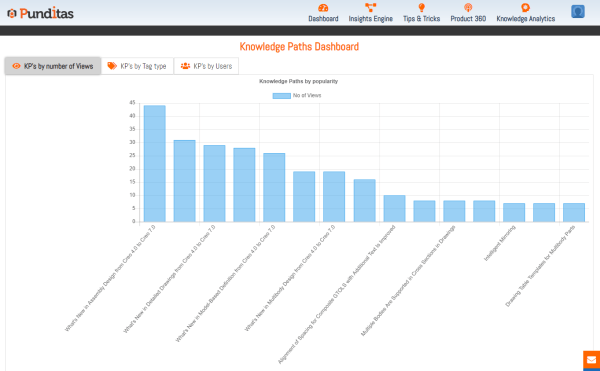
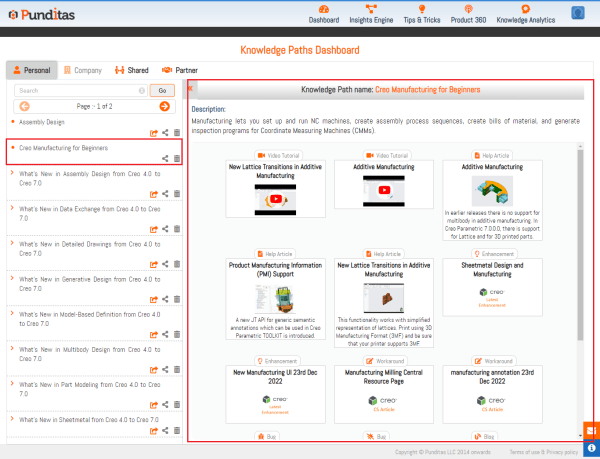
Punditas AI provides facility to create knowledge paths using tags from all the categories such as Video, Help, Enhancements tags etc. and share it with coworkers, interns, and newcomers Following are the steps to Create Knowledge Paths with Punditas AI Step 1:- Go to "Knowledge Analytics" , Click on Create/Edit Paths Step 2 :- Click... Continue Reading →