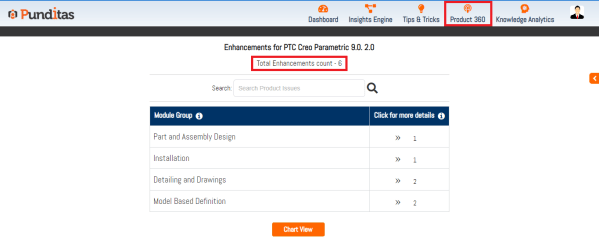
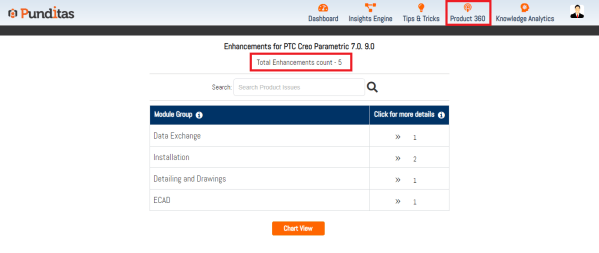
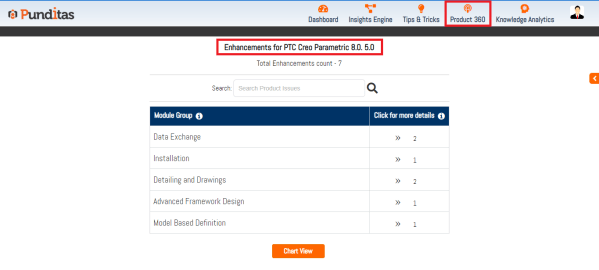
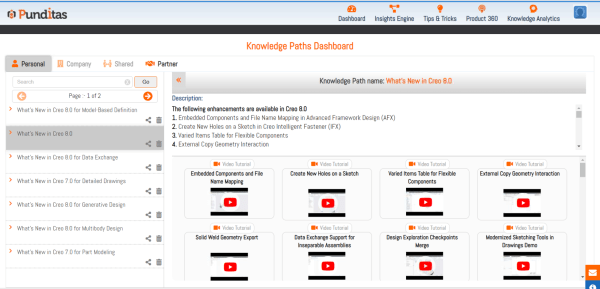
PTC released Creo 9.0.2.0 recently. Punditas AI Advisor now supports this latest version of Creo 9.0.2.0. Punditas AI allows users to learn more about “How”, What” and “Why” of these enhancements through Product 360 module. The picture below shows the Module groups and the corresponding enhancements added within each group. To try this out, please... Continue Reading →
Punditas AI Advisor now supports Creo 7.0.10.0
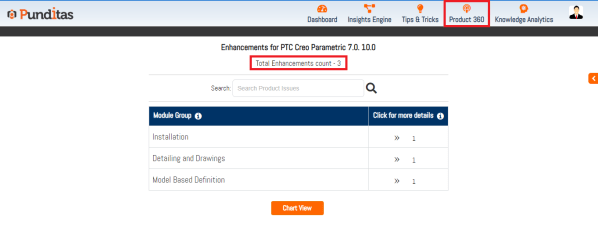
PTC released Creo 7.0.10.0 recently. Punditas AI Advisor now supports this latest version of Creo 7.0.10.0 . Punditas AI allows users to learn more about “How”, What” and “Why” of these enhancements through Product 360 module. The picture below shows the Module groups and the corresponding enhancements added within each group. To try this out,... Continue Reading →
Punditas AI Advisor now supports Creo 8.0.6.0
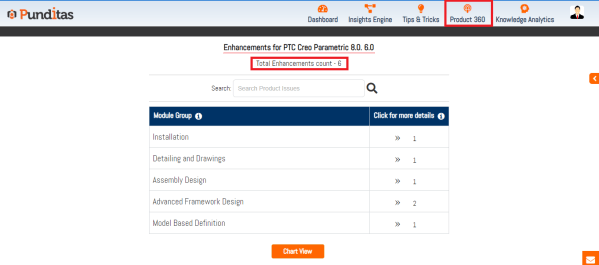
PTC released Creo 8.0.6.0 recently. Punditas AI Advisor now supports this latest version of Creo 8.0.6.0. Punditas AI allows users to learn more about “How”, What” and “Why” of these enhancements through Product 360 module. The picture below shows the Module groups and the corresponding enhancements added within each group. To try this out, please... Continue Reading →
Punditas AI Advisor now supports Creo 9.0.1.0
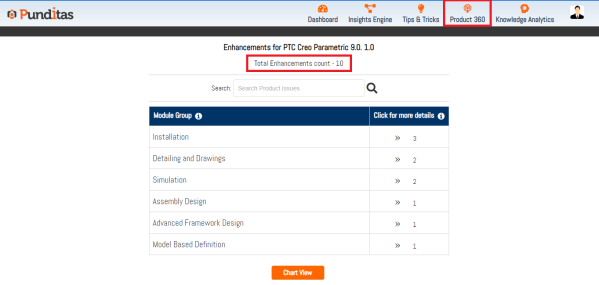
PTC released Creo 9.0.1.0 recently. Punditas AI Advisor now supports this latest version of Creo 9.0.1.0 . Punditas AI allows users to learn more about “How”, What” and “Why” of these enhancements through Product 360 module. The picture below shows the Module groups and the corresponding enhancements added within each group. To try this out,... Continue Reading →
Punditas AI Advisor now supports Creo 7.0.9.0
PTC released Creo 7.0.9.0 recently. Punditas AI Advisor now supports this latest version of Creo 7.0.9.0 . Punditas AI allows users to learn more about “How”, What” and “Why” of these enhancements through Product 360 module. The picture below shows the Module groups and the corresponding enhancements added within each group. To try this out,... Continue Reading →
Punditas AI Advisor now supports Creo 8.0.5.0
PTC released Creo 8.0.5.0 recently. Punditas AI Advisor now supports this latest version of Creo 8.0.5.0. Punditas AI allows users to learn more about “How”, What” and “Why” of these enhancements through Product 360 module. The picture below shows the Module groups and the corresponding enhancements added within each group. To try this out, please... Continue Reading →
Punditas Artificial Intelligence Software Transforms Creo Upgrade Training
It is critical to provide task-oriented learning to Creo users in order to ensure a smooth upgrade of PTC Creo software with minimal loss of productivity. Punditas AI helps organizations realize costs savings and increase efficiencies by ensuring a smooth transition from one PTC Creo version to next. Punditas AI is a self-service platform that... Continue Reading →
Punditas AI Advisor now supports Creo 8.0.3.0
PTC released Creo 8.0.3.0 recently. Punditas AI Advisor now supports this latest version of Creo 8.0.3.0 . Punditas AI allows users to learn more about “How”, What” and “Why” of these enhancements through Product 360 module. The picture below shows the Module groups and the corresponding enhancements added within each group. To try this out,... Continue Reading →
Punditas AI Advisor now supports Creo 8.0.2.0
PTC released Creo 8.0.2.0 recently. Punditas AI Advisor now supports this latest version of Creo 8.0.2.0 . Punditas AI allows users to learn more about “How”, What” and “Why” of these enhancements through Product 360 module. The picture below shows the Module groups and the corresponding enhancements added within each group. To try this out,... Continue Reading →
Do you know that you can Create, Edit, import and collaborate on ECAD cuts and slots in PTC Creo?
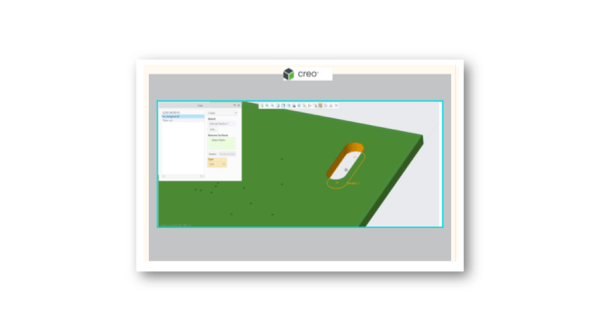
Starting with In Creo Parametric 8, you can create, edit, import, and collaborate on ECAD cuts and slots. A slot is a specific type of ECAD cut with an attribute to identify it as a slot. Slots are imported as a separate cut feature along with attributes that identify them as ECAD Slots. You can import and... Continue Reading →