Starting with Creo Parametric 4.0, you can quickly find rounds, chamfers , sheet metal design objects from within a single, easy-to-use search tool. The Geometry Search tool allows searches based on geometry and design intent to Creo Flexible Modeling. Searches can be based on a seed surface or be defined without a seed. Search results appears in the Found... Continue Reading →
About User roles and licenses for Punditas AI?
Punditas AI Advisor supports 7 types of Users based on their License level and the Punditas Product they are using User typePunditas ProductSummaryLicense requirementsDemo UserPunditas User AdvisorDemo User has limited access to Punditas User functionality. Only one module (Insights Engine) is included No license neededTrial UserPunditas User AdvisorTrial User has access to most functionality within Punditas... Continue Reading →
What is Punditas AI?
Punditas is an Artificial Intelligence (AI) driven Knowledge Platform for CAD, PLM, IoT, ERP and other Enterprise Applications. Punditas AI delivers product knowledge and insights by discovering and curating content from 100's of sources across the product ecosystem The picture above shows the home page of Punditas AI for Creo Parametric. Home page in Punditas... Continue Reading →
How do you drag surface finishes beyond placement surface in Creo?
In Creo, if the placement surface is planar, then you can drag surface finishes in the XY direction beyond the placement surface. An extension line is created in the XY-direction when you drag the surface finish off the reference surface as shown below You can drag the surface finish in the Z-direction even when it... Continue Reading →
How to trim a quilt in Creo using curves?
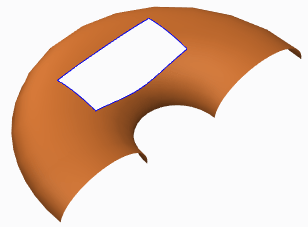
Quilts in Creo can be trimmed in a few ways (see below). Adding a cut or slot as you do to remove material from solid featuresTrimming the quilt at its intersection with another quilt or to its own silhouette edge as it appears in a certain viewFilleting corners of the quiltTrimming along a datum curve... Continue Reading →
Punditas AI Advisor now supports Creo 5.0.0.0
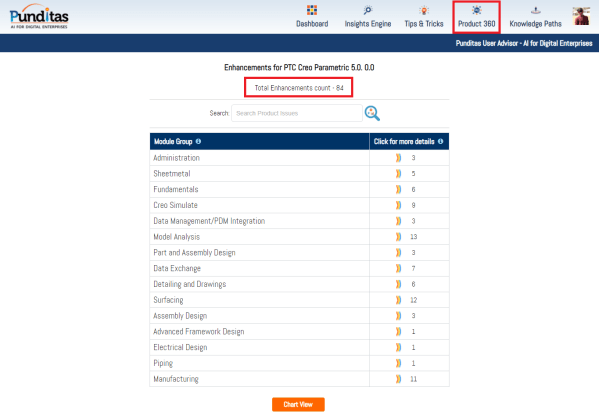
PTC released Creo 5.0.0.0 recently. Punditas AI Advisor now supports this latest version of Creo 5.0.0.0. Punditas AI allows users to learn more about “How”, What” and “Why” of these enhancements through Product 360 module. The picture below shows the Module groups and the corresponding enhancements added within each group. To try this out, please... Continue Reading →