

With each new release, Creo Parametric undergoes continuous improvements to enhance its user interface (UI) and functionality. These improvements aim to provide users with a more intuitive and efficient experience while working with the software. The updates may include enhancements to the visual design, layout, and organization of tools and features, as well as the addition of new capabilities and workflows. These iterative improvements help users to stay productive, streamline their design processes, and take advantage of the latest advancements in CAD technology within the Creo Parametric environment.
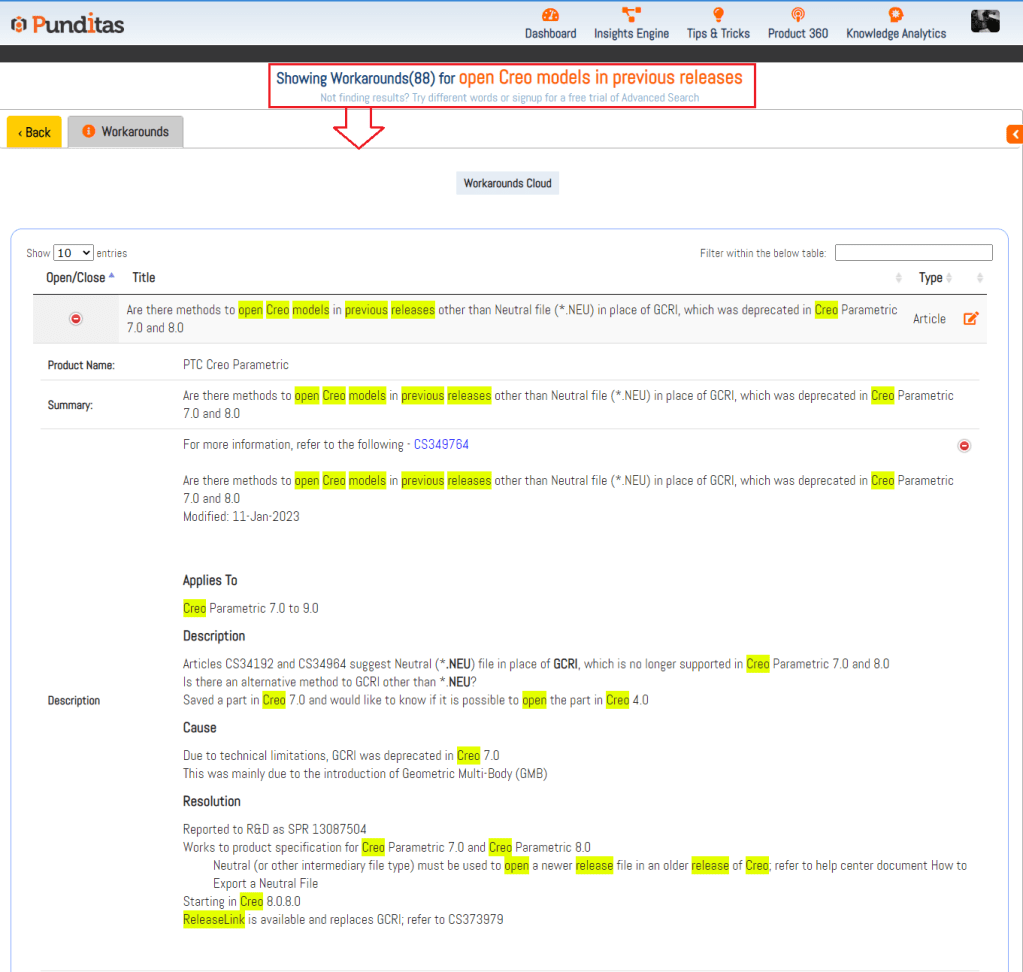
Creo Parametric offers the capability for users to open files created in a newer version of the software within an older version, but this feature comes with certain limitations and conditions.
Firstly, an older release of Creo Parametric cannot directly open models created in a newer version unless the Granite Cross Release Interoperability (GCRI) feature is utilized. GCRI allows for the exchange of data between versions, making it possible to open files created in a newer release in an older version. However, it is important to note that not all features of the newer release may be supported in the older version, which could lead to some loss of functionality.
Another option is to use the neutral file format “.neu” to save a file from the newer release and then open it in an older release. This can be a viable solution, but it also has limitations. For example, any features or functionalities that are not supported by the .neu format may be lost when opening the file in the older release.

Therefore, when opening files created in a newer release of Creo Parametric in an older version, it is important to consider these limitations and evaluate whether the GCRI or the .neu file format will meet the specific needs.
Find out more by exploring Insights Engine in Punditas AI
What is Punditas AI Advisor?
Punditas AI Advisor provides real-time guidance as you work in the Creo environment. Information on “how to use” a feature in Creo or best practices for working with Creo are presented within context, removing the need to guess or search for such information. Punditas AI driven content helps you leverage Creo to create your designs faster and with confidence.
For more information about Punditas AI Advisor, visit our website at Punditas AI or contact us at contact@punditas.com
 Punditas
Leave a comment