
Creo Parametric continually enhances its user interface (UI) and functionality with each new version release. One of the recent improvements has been made to the hatching feature. In earlier versions, such as Creo 7.0, if a user preferred the previous XCH hatching style over the new PAT hatching, they had the option to revert back.
To utilize the old XCH hatching in Creo 7.0, the user could set a configuration option by modifying the “DEFAULT_HATCH_TYPE” value in the config.pro file. Additionally, they could copy the XCH file from the previous version of Creo, which could be found in the directory: Common Files\text\crosshatch.
However, the hatching feature has undergone further improvements in Creo 9.0.4.0. These improvements have enhanced the hatching capabilities and provided users with a more refined and advanced hatching experience compared to the previous versions.
Follow the steps and find out more information about hatch properties with Punditas AI
Step 1:- Login to Punditas AI
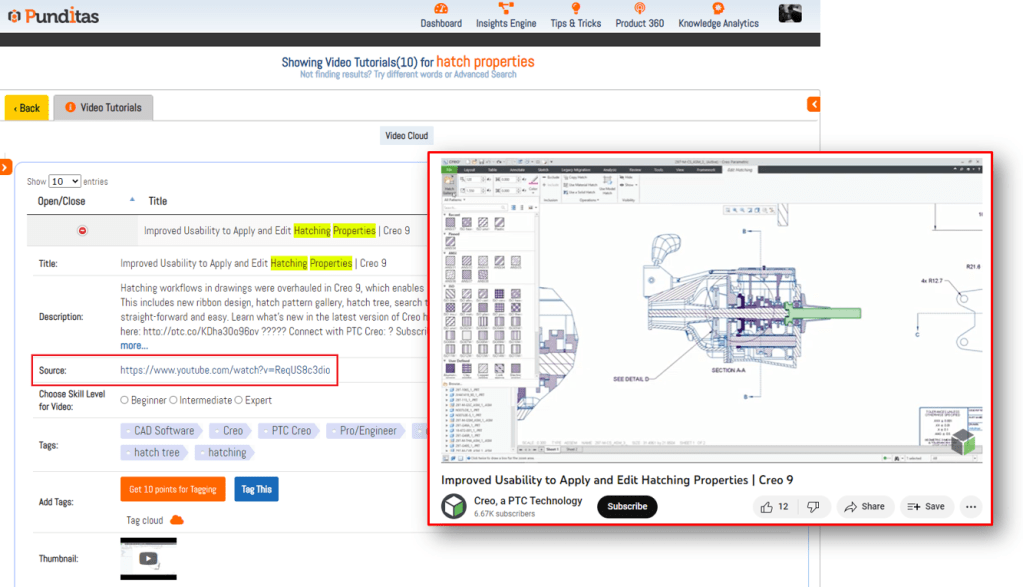
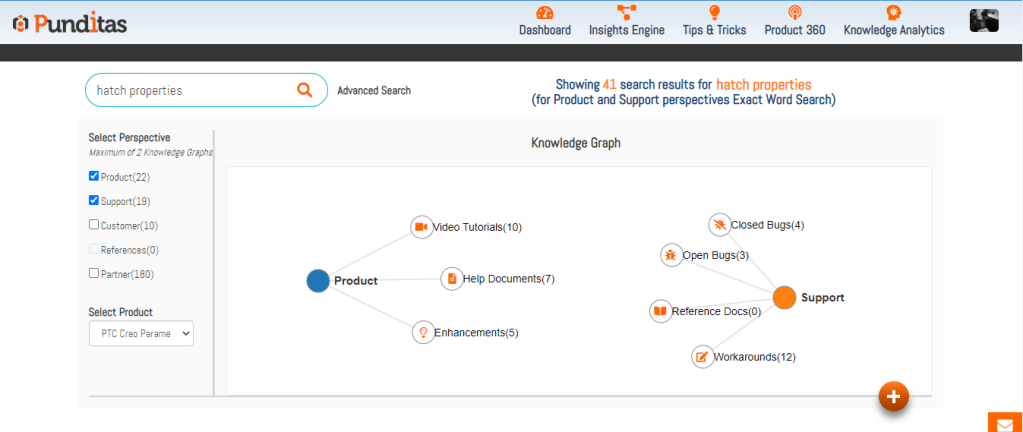
Step 2:- Go to Insights Engine and search for hatch properties
Step 3:- Click on Video Tutorials and get the knowledge about hatch properties by exploring pre-verified videos
Explore Help articles, Enhancements, Open and Closed bugs, Workarounds etc. with Punditas AI
What is Punditas AI Advisor?
Punditas AI Advisor provides real-time guidance as you work in the Creo environment. Information on “how to use” a feature in Creo or best practices for working with Creo are presented within context, removing the need to guess or search for such information. Punditas AI driven content helps you leverage Creo to create your designs faster and with confidence.
For more information about Punditas AI Advisor, visit our website at Punditas AI or contact us at contact@punditas.com


Leave a Reply