With this enhancements, you can decide if you want to include or exclude embedded components from their repeat region tables. This allows you to control exclusion of embedded components in the repeat region BOMs. It is useful if you have converted some models to be inseparable assemblies or embedded components and want to list them... Continue Reading →
New construction mode in Creo 8.0
The new construction mode in Creo 8.0 allows you to sketch reference geometry with phantom lines, before you create the final geometry. This mode supports construction lines, arcs, rectangles, etc. This enhancement increases the variety of construction mode geometries. In addition, there is a new shortcut menu option that allows you to toggle the already... Continue Reading →
What is Punditas AI Advisor? Punditas AI Advisor provides real-time guidance as you work in the Creo environment. Information on “how to use” a feature in Creo or best practices for working with Creo are presented within context, removing the need to guess or search for such information. Punditas AI driven content helps you leverage Creo to create your designs faster and with... Continue Reading →
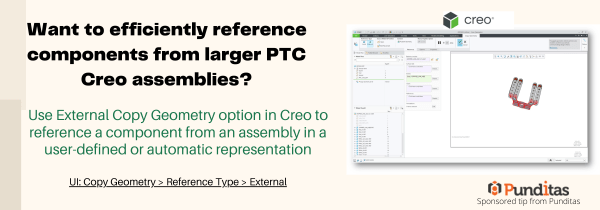
Want to efficiently reference components from larger PTC Creo assemblies?
Use External Copy Geometry option in Creo to reference a component from an assembly in a user-defined or automatic representation UI: Copy Geometry > Reference Type > External ptccreo.punditas.com
How to easily add Standard text symbols in PTC Creo?
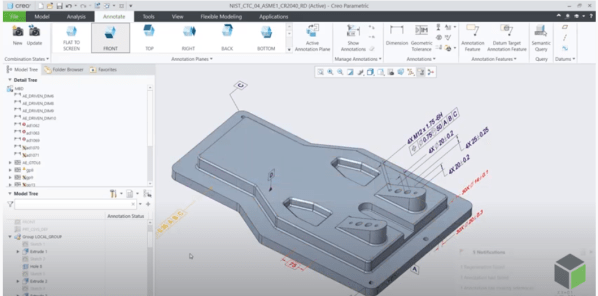
With Creo 8.0, text symbol pallet is easily accessible for datum feature symbol (DFS) annotations. This allows you to add standard text symbols to a datum feature symbol annotations UI: Annotate -> Datum Feature Symbol ->place DFS -> Select DFS-> activate text field ->Symbols ptccreo.punditas.com
Punditas AI Advisor now supports Creo 7.0.4.0
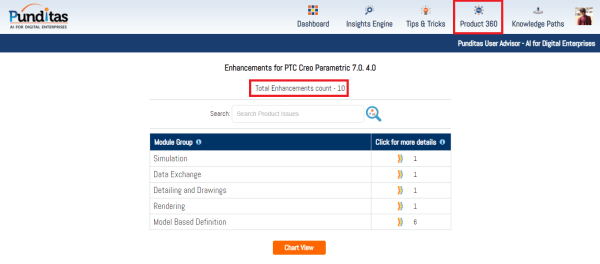
PTC released Creo 7.0.4.0 recently. Punditas AI Advisor now supports this latest version of Creo 7.0.4.0 . Punditas AI allows users to learn more about “How”, What” and “Why” of these enhancements through Product 360 module. The picture below shows the Module groups and the corresponding enhancements added within each group. To try this out,... Continue Reading →
Punditas AI Advisor now supports Creo 4.0 M150
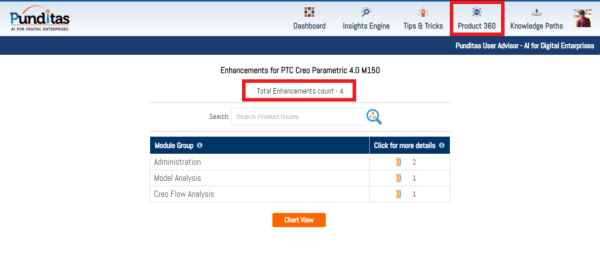
PTC released Creo 4.0 M150 recently. Punditas AI Advisor now supports this latest version of Creo 4.0 M150. Punditas AI allows users to learn more about “How”, What” and “Why” of these enhancements through Product 360 module. The picture below shows the Module groups and the corresponding enhancements added within each group. To try this... Continue Reading →
Punditas AI Advisor now supports Creo 8.0.0.0
PTC released Creo 8.0.0.0 recently. Punditas AI Advisor now supports this latest version of Creo 8.0.0.0 . Punditas AI allows users to learn more about “How”, What” and “Why” of these enhancements through Product 360 module. The picture below shows the Module groups and the corresponding enhancements added within each group. To try this out,... Continue Reading →
Did you know that Creo now uses absolute accuracy by default?
Starting with Creo 7.0, Creo Parametric uses absolute accuracy instead of relative accuracy. The default accuracy values are 0.00039 inches and .01 millimeters. The template files are also adjusted so that new empty models are created by default with absolute accuracy. Template files use the following naming schemes: Absolute accuracy uses the new template files by default.... Continue Reading →
Did you know that you can exclude child annotations based on the parent status in Creo 6.0?
Creo Parametric 6.0 added a very useful feature to start allowing us to exclude annotations from our design and graphics when their parent feature is no longer available. Child annotations can be excluded when the parent feature is not available in the following situations 1. Excluded by family table 2. Excluded by simplified representation or Family... Continue Reading →