PTC introduced Stochastic lattices (random lattices) in Creo Parametric 6.0. This first implementation of the stochastic lattices used Voronoi diagram algorithm. Voronoi is a common algorithm when you want a lattice to conform to bionic shapes. However, starting with Creo Parametric 7.0.0.0, Delaunay triangulation was introduced. The Delaunay triangulation generates a set of triangles to use... Continue Reading →
Did you know that you can use Bodies as design tools for Multibody Part Design?
In Creo 7.0 we can now create and use bodies that are intended to act as modification tools to change geometry in other design bodies. Using these operations increases productivity by applying faster and easier design workflows and reducing the need to switch to surface or quilt-based workflows and tools. Geometry creation tools such as Extrude or Revolve... Continue Reading →
How to designate multiple Model Annotations as Control Characteristics
Starting with Creo Parametric 7.0.2.0, we can now select multiple annotations in the Model Tree, Detail Tree, or the Graphics Window, and designate all of them to Windchill with a new option called Designation on the shortcut menu. Two levels of designation are available: General designation Designation as control characteristics Select annotations and right-click to open the shortcut... Continue Reading →
Alignment of spacing for composite GTOLS with additional text is improved
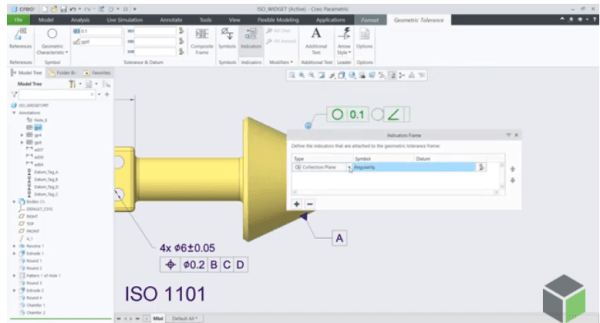
Starting with Creo 7.0, there is a new option for spacing alignment in the Additional Text dialog box. The Additional Text dialog box is available from the Geometric Tolerance tab. This is useful when you need to include additional text on the right side of a composite GTOL and want to ensure that it is evenly aligned with the different rows... Continue Reading →
Punditas AI Advisor now supports Creo 6.0.6.0
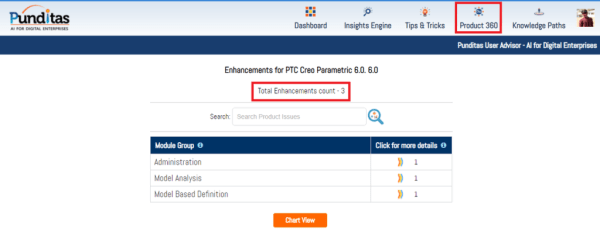
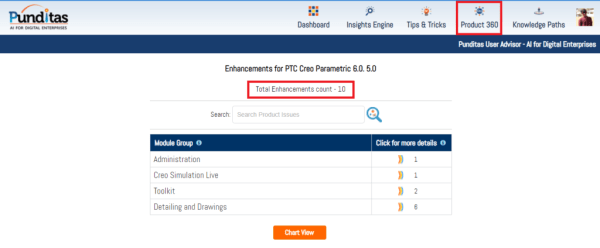
PTC released Creo 6.0.6.0 recently. Punditas AI Advisor now supports this latest version of Creo 6.0.6.0. Punditas AI allows users to learn more about “How”, What” and “Why” of these enhancements through Product 360 module. The picture below shows the Module groups and the corresponding enhancements added within each group. To try this out, please... Continue Reading →
Punditas AI Advisor now supports Creo 7.0.3.0
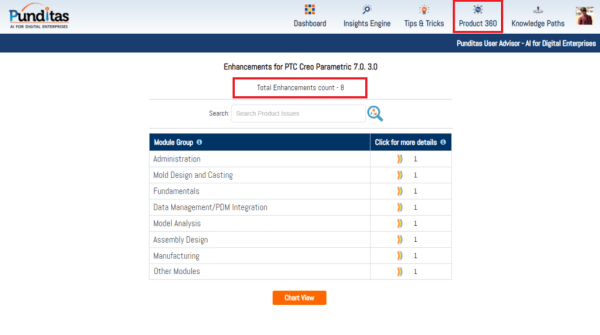
PTC released Creo 7.0.3.0 recently. Punditas AI Advisor now supports this latest version of Creo 7.0.3.0 . Punditas AI allows users to learn more about “How”, What” and “Why” of these enhancements through Product 360 module. The picture below shows the Module groups and the corresponding enhancements added within each group. To try this out,... Continue Reading →
Punditas AI Advisor now supports Creo 7.0.2.0
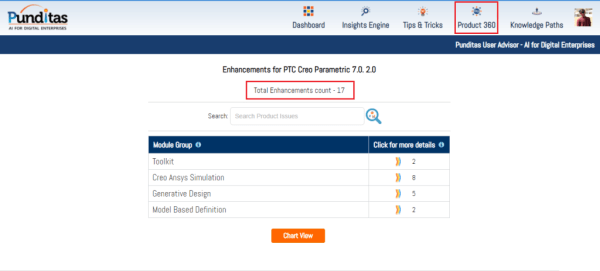
PTC released Creo 7.0.2.0 recently. Punditas AI Advisor now supports this latest version of Creo 7.0.2.0 . Punditas AI allows users to learn more about “How”, What” and “Why” of these enhancements through Product 360 module. The picture below shows the Module groups and the corresponding enhancements added within each group. To try this out,... Continue Reading →
Punditas AI Advisor now supports Creo 4.0 M140
PTC released Creo 4.0 M140 recently. Punditas AI Advisor now supports this latest version of Creo 4.0 M140. Punditas AI allows users to learn more about “How”, What” and “Why” of these enhancements through Product 360 module. The picture below shows the Module groups and the corresponding enhancements added within each group. To try this... Continue Reading →
Punditas AI Advisor now supports Creo 6.0.5.0
PTC released Creo 6.0.5.0 recently. Punditas AI Advisor now supports this latest version of Creo 6.0.5.0. Punditas AI allows users to learn more about “How”, What” and “Why” of these enhancements through Product 360 module. The picture below shows the Module groups and the corresponding enhancements added within each group. To try this out, please... Continue Reading →
Have you tried any of these 3 MBD enhancements in Creo?
The following are 6 MBD related enhancements in Creo 7.0 - Control gap between a GTOL frame and Indicator frame If you have a drawing that is designed against the 2012 version of ISO 1101, and you need to make it compliant with the 2017 version , you can use this detail option to help... Continue Reading →