Punditas AI Advisor supports 7 types of Users based on their License level and the Punditas Product they are using User typePunditas ProductSummaryLicense requirementsDemo UserPunditas User AdvisorDemo User has limited access to Punditas User functionality. Only one module (Insights Engine) is included No license neededTrial UserPunditas User AdvisorTrial User has access to most functionality within Punditas... Continue Reading →
What is Punditas AI?
Punditas is an Artificial Intelligence (AI) driven Knowledge Platform for CAD, PLM, IoT, ERP and other Enterprise Applications. Punditas AI delivers product knowledge and insights by discovering and curating content from 100's of sources across the product ecosystem The picture above shows the home page of Punditas AI for Creo Parametric. Home page in Punditas... Continue Reading →
Did you know about these hole placement enhancements in Creo?
Starting with Creo 4.0, you can place a hole using an axis or point and a surface as references, even if - the axis is not normal to the surface or the point is not on the surface. Note: you can define the orientation of the hole regardless of how the hole is placed. When... Continue Reading →
How do you drag surface finishes beyond placement surface in Creo?
In Creo, if the placement surface is planar, then you can drag surface finishes in the XY direction beyond the placement surface. An extension line is created in the XY-direction when you drag the surface finish off the reference surface as shown below You can drag the surface finish in the Z-direction even when it... Continue Reading →
Have you tried splitting surfaces in Creo?
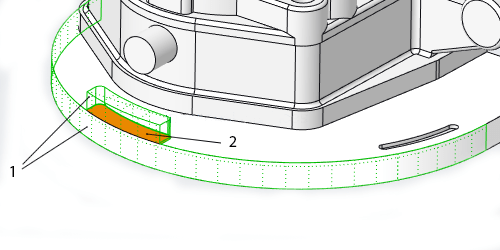
In Creo, some shape surface sets that are selected for removal contain surfaces that are shared by shapes included in the surface set, and shapes that are not included in the surface set. The system automatically splits these shared surfaces so that only the portions of the shared surfaces that belong to the selected shapes... Continue Reading →
How to trim a quilt in Creo using curves?
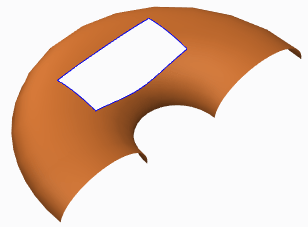
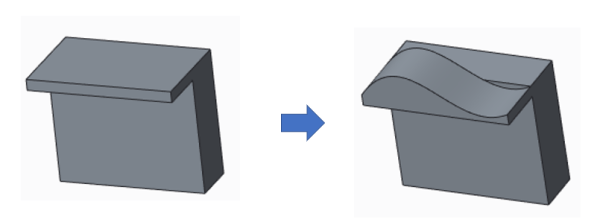
Quilts in Creo can be trimmed in a few ways (see below). Adding a cut or slot as you do to remove material from solid featuresTrimming the quilt at its intersection with another quilt or to its own silhouette edge as it appears in a certain viewFilleting corners of the quiltTrimming along a datum curve... Continue Reading →
Do you know how to flip the normal direction of a loft surface in Creo?
With Creo 5.0 release, you can flip the normal direction of a loft surface from one side of a boundary curve to the other side. However, in previous releases of Creo, you could not control the direction of the normal connection of a loft surface where the boundary curve is planer. As a result, the... Continue Reading →
Punditas AI Advisor now supports Creo 6.0.4.0
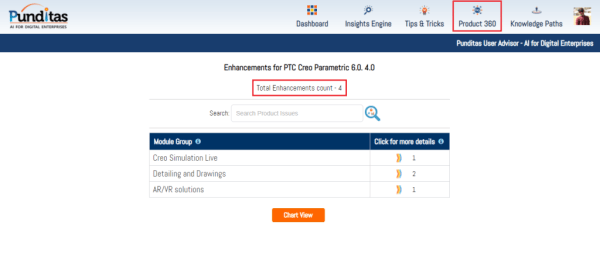
PTC released Creo 6.0.4.0 recently. Punditas AI Advisor now supports this latest version of Creo 6.0.4.0. Punditas AI allows users to learn more about “How”, What” and “Why” of these enhancements through Product 360 module. The picture below shows the Module groups and the corresponding enhancements added within each group. To try this out, please... Continue Reading →
How to replace an entity in Creo sketcher?
In Creo Parametric, you can replace an entity and redefine a section after several features are created. The children of the replaced entity are automatically rerouted to the new entity. To replace one of the sketcher entities in the part, use the below steps Step 1: In Sketcher, sketch the... Continue Reading →
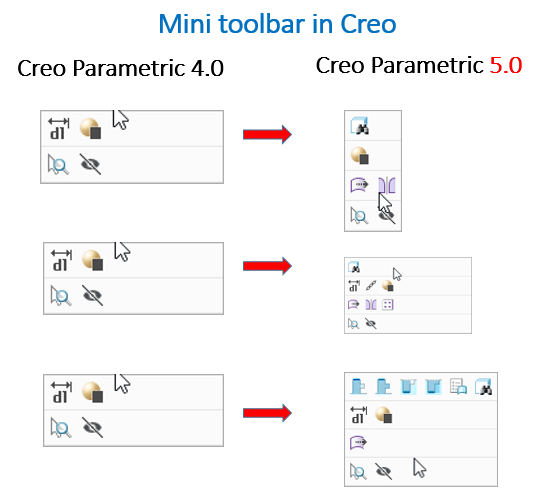
Have you tried the enhanced mini toolbar in Creo?
In Creo Parametric 4.0, when objects of different types are selected, a single invariant toolbar would appear. This has been improved with Creo 5.0 as shown below For selection of surface + datum axis For selection of surface + quilt For selection of datum + surface + round ... Continue Reading →