The new construction mode in Creo 8.0 allows you to sketch reference geometry with phantom lines, before you create the final geometry. This mode supports construction lines, arcs, rectangles, etc. This enhancement increases the variety of construction mode geometries. In addition, there is a new shortcut menu option that allows you to toggle the already... Continue Reading →
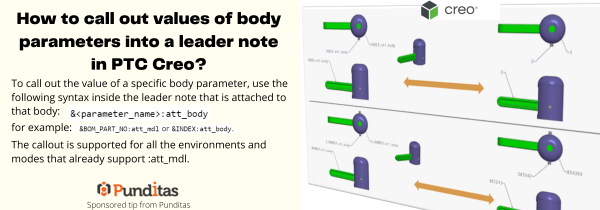
How to call out values of body parameters into a leader note in PTC Creo?
To call out the value of a specific body parameter, use the following syntax inside the leader note that is attached to that body: &<parameter_name>:att_body for example: &BOM_PART_NO: att_mdl or &INDEX: att_body The callout is supported for all the environments and modes that already support :att_mdl. ptccreo.punditas.com
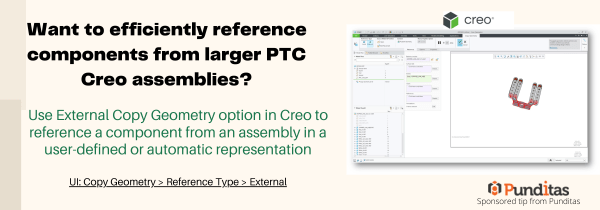
Want to efficiently reference components from larger PTC Creo assemblies?
Use External Copy Geometry option in Creo to reference a component from an assembly in a user-defined or automatic representation UI: Copy Geometry > Reference Type > External ptccreo.punditas.com
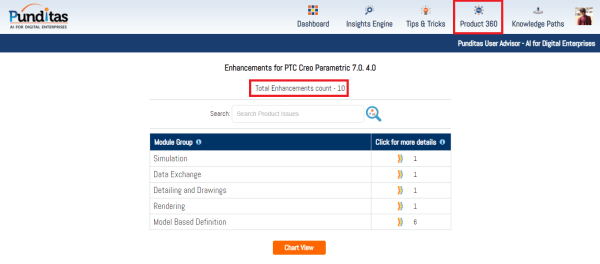
Punditas AI Advisor now supports Creo 7.0.4.0
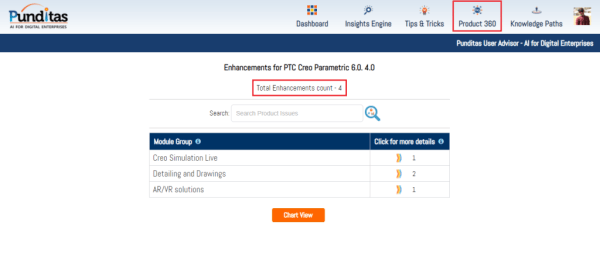
PTC released Creo 7.0.4.0 recently. Punditas AI Advisor now supports this latest version of Creo 7.0.4.0 . Punditas AI allows users to learn more about “How”, What” and “Why” of these enhancements through Product 360 module. The picture below shows the Module groups and the corresponding enhancements added within each group. To try this out,... Continue Reading →
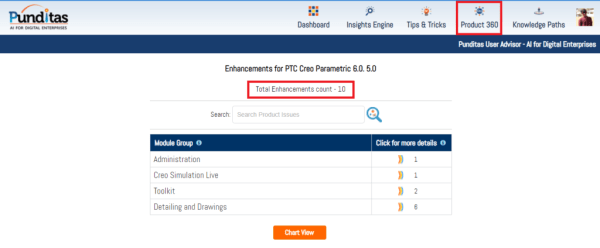
Punditas AI Advisor now supports Creo 6.0.5.0
PTC released Creo 6.0.5.0 recently. Punditas AI Advisor now supports this latest version of Creo 6.0.5.0. Punditas AI allows users to learn more about “How”, What” and “Why” of these enhancements through Product 360 module. The picture below shows the Module groups and the corresponding enhancements added within each group. To try this out, please... Continue Reading →
Did you know that you can exchange Multibody Parts in Creo model easily?
Starting with Creo 7.0, Multibody definition is maintained during data exchange. This helps preserve design intent during an Import/Export operation. The multibody definition is maintained in both exported and imported Creo Parametric 7.0 geometry. Export operation Multibody models in Creo Parametric preserve multibody definitionBody characteristics, such as body name and body appearances, are transferredConstruction bodies for each exported profile... Continue Reading →
Partner Spotlight tile in Punditas AI Advisor
- Published by Ananth The landing page of Punditas AI Advisor has four tiles such as Events Spotlight, Partner Spotlight, User Spotlight and Product Spotlight The Partner Spotlight tile showcases complementary Products and Services from the PTC Partner ecosystem. These partners are discovered by Punditas AI Engine from numerous open sources including PTC Partner website... Continue Reading →
How to trim a quilt in Creo using curves?
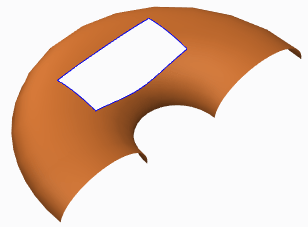
Quilts in Creo can be trimmed in a few ways (see below). Adding a cut or slot as you do to remove material from solid featuresTrimming the quilt at its intersection with another quilt or to its own silhouette edge as it appears in a certain viewFilleting corners of the quiltTrimming along a datum curve... Continue Reading →
Do you know how to flip the normal direction of a loft surface in Creo?
With Creo 5.0 release, you can flip the normal direction of a loft surface from one side of a boundary curve to the other side. However, in previous releases of Creo, you could not control the direction of the normal connection of a loft surface where the boundary curve is planer. As a result, the... Continue Reading →
Punditas AI Advisor now supports Creo 6.0.4.0
PTC released Creo 6.0.4.0 recently. Punditas AI Advisor now supports this latest version of Creo 6.0.4.0. Punditas AI allows users to learn more about “How”, What” and “Why” of these enhancements through Product 360 module. The picture below shows the Module groups and the corresponding enhancements added within each group. To try this out, please... Continue Reading →