

Engineering tools move fast, and most teams don’t have the time to read every release note or watch every launch video. Yet those small enhancements and workflow tweaks often add up to big gains in productivity. Punditas AI’s Product 360 is designed exactly for that reality: it gives you a clear, simple view of what’s new, why it matters, how to use it, and what other engineers really think about it.
What is Product 360?
Product 360 is a focused module inside the Punditas AI ecosystem that pulls together information about new features and enhancements across major engineering platforms like Creo, Windchill, SolidWorks, and others. Instead of jumping between PDFs, forums, and videos, you land on one structured view that organizes updates into easy-to-understand sections. It’s like a live, continuously updated brief on your tools: concise, visual, and actually usable in day‑to‑day work.
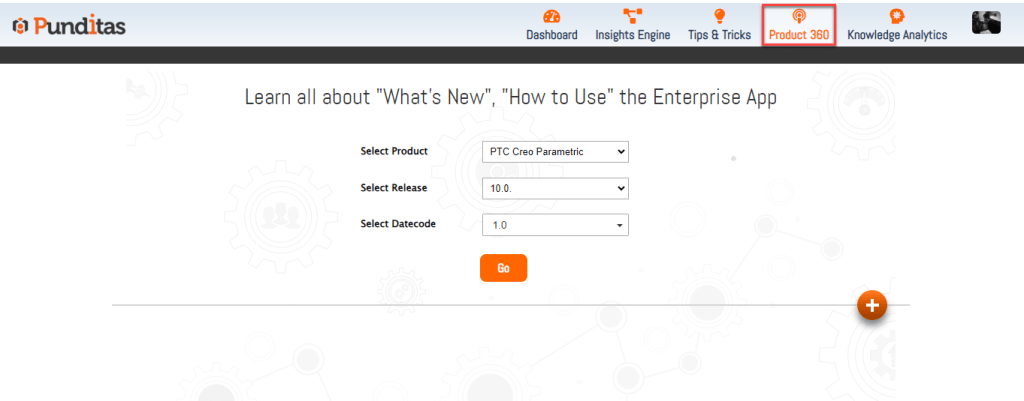
The “What’s New” layer
The first pillar is all about visibility. Product 360 highlights the latest features, UX improvements, performance boosts, and version‑to‑version changes in a clean, filterable view. You can quickly scan release highlights, see what’s new in a specific major version, and catch updates you might have skipped earlier. This saves you from wading through long release notes just to figure out what’s relevant to your role or product.
Turning features into actions
Knowing something exists is one thing; knowing how to use it is what actually changes your workflow. The “How to Use It” pillar gives you step‑by‑step guidance, examples, and direct links to tutorials or official help content, often right from within the CAD environment. You see not just a feature name, but how it behaves, where to find it, and how it plugs into real design or admin tasks, so new capabilities move from “nice to know” to “actively used” much faster.
Understanding the value and the voice of users
The Value Proposition pillar explains why each enhancement exists: what pain point it addresses, how it can speed up tasks, improve quality, or simplify admin work. This makes it easier for teams to prioritize which features to adopt, experiment with, or roll out across the organization. Alongside that, the “What Other Customers Are Saying” view brings in discussions, feedback, and usage patterns from the broader community, giving you a reality check on how features perform outside of marketing slides.
Why it matters in the bigger picture
For busy engineers and admins, Product 360 becomes a single source of truth for product evolution: no more bouncing between forums, videos, knowledge bases, and PDFs to piece together what changed and why. Because it sits inside the wider Punditas AI ecosystem working with Insights Engine, Feature Explorer, Knowledge Paths, and Tips & Tricks it doesn’t just inform you, it also guides learning, reinforces best practices, and helps teams stay aligned with the latest capabilities across their engineering stack.
What is Punditas AI Advisor?
Punditas AI Advisor provides real-time guidance as you work in the Creo environment. Information on “how to use” a feature in Creo or best practices for working with Creo are presented within context, removing the need to guess or search for such information. Punditas AI driven content helps you leverage Creo to create your designs faster and with confidence.
For more information about Punditas AI Advisor, visit our website at Punditas AI or contact us at contact@punditas.com


Leave a Reply