Do you like the improved appearance of handles, text, dimensions, and lines in Creo?

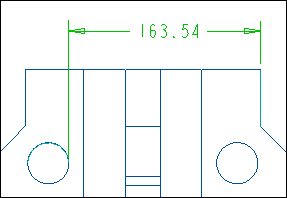
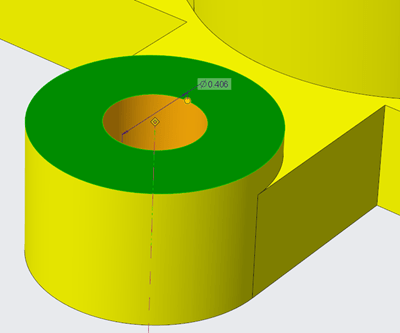
Starting with Creo 5.0, the appearance of handles, text, dimensions, and lines (2D and 3D) displayed in the graphics area have improved visibility. In addition, Lines Anti-Aliasing and Text Anti-Aliasing can also be controlled. For example - you can set Lines Anti-Aliasing to On even if the Anti-Aliasing is set to Off. I think these are improvements are definitely useful. What are your thoughts?... Continue Reading →

Punditas AI Advisor now supports Creo 5.0.6.0

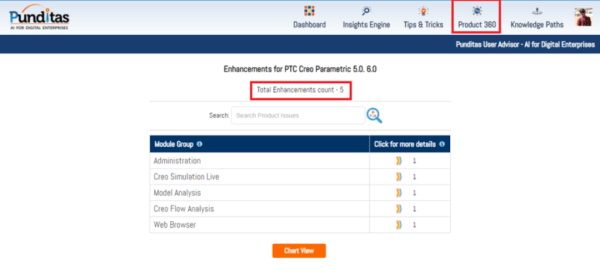
PTC released Creo 5.0.6.0 recently. Punditas AI Advisor now supports this latest version of Creo 5.0.6.0. Punditas AI allows users to learn more about “How”, What” and “Why” of these enhancements through Product 360 module. The picture below shows the Module groups and the corresponding enhancements added within each group. To try this out, please... Continue Reading →

About User roles and licenses for Punditas AI?

Punditas AI Advisor supports 7 types of Users based on their License level and the Punditas Product they are using User typePunditas ProductSummaryLicense requirementsDemo UserPunditas User AdvisorDemo User has limited access to Punditas User functionality. Only one module (Insights Engine) is included No license neededTrial UserPunditas User AdvisorTrial User has access to most functionality within Punditas... Continue Reading →

What is Punditas AI?

Punditas is an Artificial Intelligence (AI) driven Knowledge Platform for CAD, PLM, IoT, ERP and other Enterprise Applications. Punditas AI delivers product knowledge and insights by discovering and curating content from 100's of sources across the product ecosystem The picture above shows the home page of Punditas AI for Creo Parametric. Home page in Punditas... Continue Reading →

Punditas AI Advisor now supports Creo 6.0.4.0

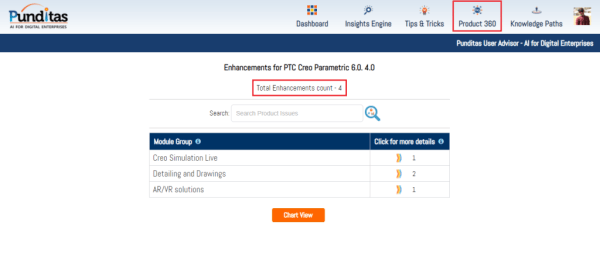
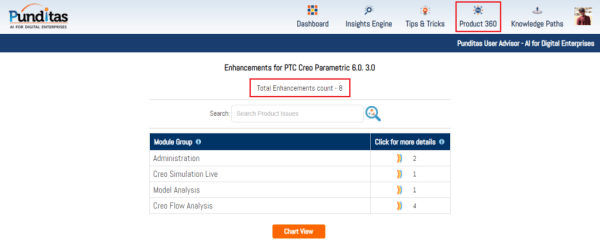
PTC released Creo 6.0.4.0 recently. Punditas AI Advisor now supports this latest version of Creo 6.0.4.0. Punditas AI allows users to learn more about “How”, What” and “Why” of these enhancements through Product 360 module. The picture below shows the Module groups and the corresponding enhancements added within each group. To try this out, please... Continue Reading →

Punditas AI Advisor now supports Creo 4.0 M120

PTC released Creo 4.0 M120 recently. Punditas AI Advisor now supports this latest version of Creo 4.0 M120. Punditas AI allows users to learn more about “How”, What” and “Why” of these enhancements through Product 360 module. The picture below shows the Module groups and the corresponding enhancements added within each group. To try this... Continue Reading →

Did you know that display of dimensions is improved in Creo 6.0?

Starting with Creo Parametric 6.0.0.0, there are new configuration options for displaying dimensions. This improves the visibility of objects that are frequently used in the graphics window. To control the appearance of the background for dimensions use the following new configuration options dim_background  —Shows the background under dimensions when new dimensions appear. Values are always,... Continue Reading →

Punditas AI Advisor now supports Creo 6.0.3.0

PTC released Creo 6.0.3.0 recently. Punditas AI Advisor now supports this latest version of Creo 6.0.3.0. Punditas AI allows users to learn more about “How”, What” and “Why” of these enhancements through Product 360 module. The picture below shows the Module groups and the corresponding enhancements added within each group. To try this out, please... Continue Reading →

Punditas AI Advisor now supports Creo 4.0 M110

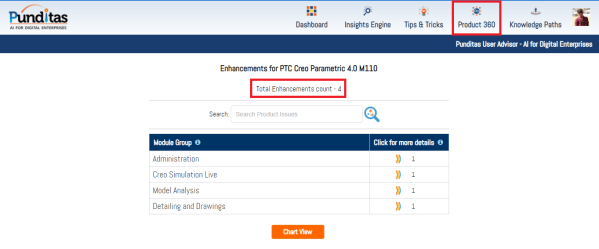
Punditas AI Advisor supports Creo 4.0 M110. Punditas AI allows users to learn more about “How”, What” and “Why” of these enhancements through Product 360 module. The picture below shows the Module groups and the corresponding enhancements added within each group. To try this out, please signup for a FREE trial at Punditas AI Modules and... Continue Reading →

Website Powered by WordPress.com.

Up ↑