Punditas AI Now Supports Creo 12.4

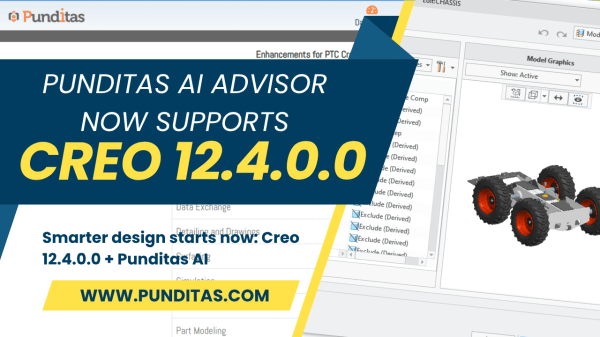
Released on June 4, 2025, Creo 12.4.0.0 represents more than just another version update. It’s PTC’s latest answer to a question every engineering leader is wrestling with: "How can we accelerate design without sacrificing depth, detail, or downstream accuracy?" The answer lies in smarter design workflows—streamlined, intuitive, and informed at every step. That’s where Creo... Continue Reading →

Punditas AI Now Supports Creo 11.0.0.0

Creo 11.0.0.0: Launched on April 17, 2024 The much-anticipated launch of Creo 11.0.0.0 on April 17, 2024, brought an exciting array of new features and improvements, making it a game-changer for the engineering and design community. PTC has introduced enhancements across nearly every module in Creo, but one standout is the Composite Design module, which... Continue Reading →

About User roles and licenses for Punditas AI?

Punditas AI Advisor supports 7 types of Users based on their License level and the Punditas Product they are using User typePunditas ProductSummaryLicense requirementsDemo UserPunditas User AdvisorDemo User has limited access to Punditas User functionality. Only one module (Insights Engine) is included No license neededTrial UserPunditas User AdvisorTrial User has access to most functionality within Punditas... Continue Reading →

What is Punditas AI?

Punditas is an Artificial Intelligence (AI) driven Knowledge Platform for CAD, PLM, IoT, ERP and other Enterprise Applications. Punditas AI delivers product knowledge and insights by discovering and curating content from 100's of sources across the product ecosystem The picture above shows the home page of Punditas AI for Creo Parametric. Home page in Punditas... Continue Reading →

Did you know that display of dimensions is improved in Creo 6.0?

Starting with Creo Parametric 6.0.0.0, there are new configuration options for displaying dimensions. This improves the visibility of objects that are frequently used in the graphics window. To control the appearance of the background for dimensions use the following new configuration options dim_background  —Shows the background under dimensions when new dimensions appear. Values are always,... Continue Reading →

Website Powered by WordPress.com.

Up ↑