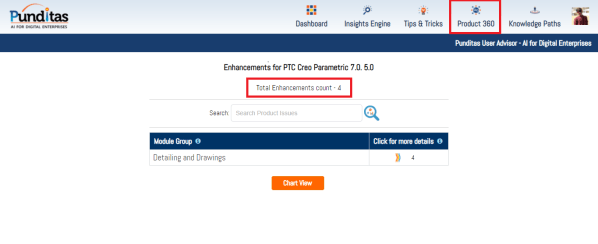
PTC released Creo 7.0.5.0 recently. Punditas AI Advisor now supports this latest version of Creo 7.0.5.0. Punditas AI allows users to learn more about “How”, What” and “Why” of these enhancements through Product 360 module. The picture below shows the Module groups and the corresponding enhancements added within each group. To try this out, please... Continue Reading →
Punditas AI Advisor now supports Creo 8.0.1.0
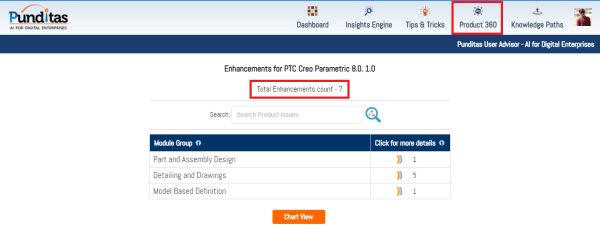
PTC released Creo 8.0.1.0 recently. Punditas AI Advisor now supports this latest version of Creo 8.0.1.0. Punditas AI allows users to learn more about “How”, What” and “Why” of these enhancements through Product 360 module. The picture below shows the Module groups and the corresponding enhancements added within each group. To try this out, please... Continue Reading →
Redefine the locations and type of probes in PTC Creo
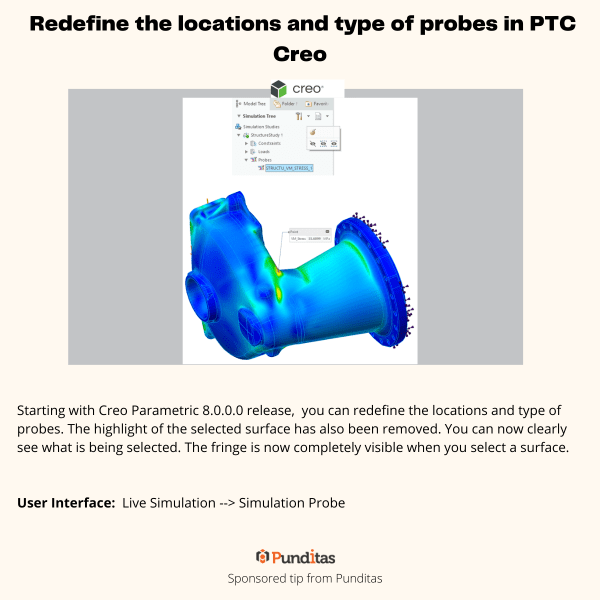
Starting with Creo Parametric 8.0.0.0 release, you can redefine the locations and type of probes. The highlight of the selected surface has also been removed. You can now clearly see what is being selected. The fringe is now completely visible when you select a surface. User Interface: Live Simulation --> Simulation Probe For more information about Punditas... Continue Reading →
Selective Removal of Dangling Beams in PTC Creo
This Improvement allows one to control which surfaces should be used to remove the dangling beams. Eliminating the old on/off approach, this enhancement provides a more flexible way to remove dangling beams and a better control over the lattice creation. User Interface: Lattice --> Cell Fill --> Dangling beams --> Keep/Remove/Remove by surfaces For more... Continue Reading →
Did you know you cannot drag surface finishes off the model surfaces that are created flat to screen in Creo?
That's correct. Flat to screen surface finishes do not have a directional annotation plane and do not support an extension line. You cannot drag surface finishes off the model surfaces that are created flat to screen. In Creo, if the placement surface is planar, then you can drag surface finishes in the XY direction beyond... Continue Reading →
Did you know about these MBD related checks in Creo?
With Creo 6.0, PTC has enhanced ModelCheck to include additional checks for tolerances, annotations, features, and combined states. For example - Annotations that are not referencing any surfaces Annotations not included in any combined state ModelCheck can identify any combined states that are not following the naming conventions within the user defined list of names... Continue Reading →
How do you drag surface finishes beyond placement surface in Creo?
In Creo, if the placement surface is planar, then you can drag surface finishes in the XY direction beyond the placement surface. An extension line is created in the XY-direction when you drag the surface finish off the reference surface as shown below You can drag the surface finish in the Z-direction even when it... Continue Reading →
Have you tried splitting surfaces in Creo?
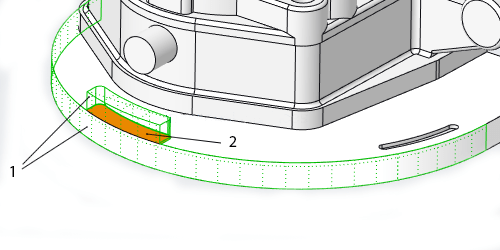
In Creo, some shape surface sets that are selected for removal contain surfaces that are shared by shapes included in the surface set, and shapes that are not included in the surface set. The system automatically splits these shared surfaces so that only the portions of the shared surfaces that belong to the selected shapes... Continue Reading →
How to trim a quilt in Creo using curves?
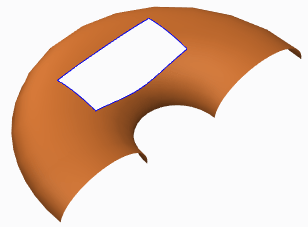
Quilts in Creo can be trimmed in a few ways (see below). Adding a cut or slot as you do to remove material from solid featuresTrimming the quilt at its intersection with another quilt or to its own silhouette edge as it appears in a certain viewFilleting corners of the quiltTrimming along a datum curve... Continue Reading →
Do you know how to flip the normal direction of a loft surface in Creo?
With Creo 5.0 release, you can flip the normal direction of a loft surface from one side of a boundary curve to the other side. However, in previous releases of Creo, you could not control the direction of the normal connection of a loft surface where the boundary curve is planer. As a result, the... Continue Reading →