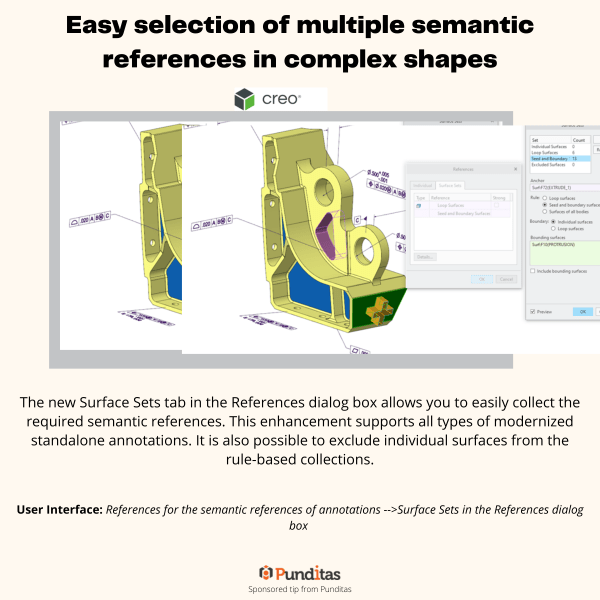
The new Surface Sets tab in the References dialog box allows you to easily collect the required semantic references. This enhancement supports all types of modernized standalone annotations. It is also possible to exclude individual surfaces from the rule-based collections. User Interface: References for the semantic references of annotations -->Surface Sets in the References dialog... Continue Reading →
Import of inseparable assemblies & embedded components in Creo
You can now import inseparable assemblies from the standard import profile dialog box. Note: 1.When you convert the Unite Creo Wrapper to a Creo model, the inseparable assembly is extracted into individual Creo files. 2. Currently, Creo does not support the export of inseparable assemblies to other formats. User Interface: File > Options > Data... Continue Reading →
Repeat Region support for inseparable assemblies and embedded components
With this enhancements, you can decide if you want to include or exclude embedded components from their repeat region tables. This allows you to control exclusion of embedded components in the repeat region BOMs. It is useful if you have converted some models to be inseparable assemblies or embedded components and want to list them... Continue Reading →
New construction mode in Creo 8.0
The new construction mode in Creo 8.0 allows you to sketch reference geometry with phantom lines, before you create the final geometry. This mode supports construction lines, arcs, rectangles, etc. This enhancement increases the variety of construction mode geometries. In addition, there is a new shortcut menu option that allows you to toggle the already... Continue Reading →
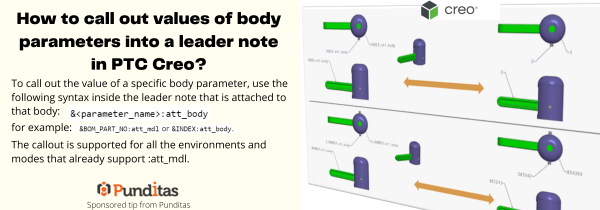
How to call out values of body parameters into a leader note in PTC Creo?
To call out the value of a specific body parameter, use the following syntax inside the leader note that is attached to that body: &<parameter_name>:att_body for example: &BOM_PART_NO: att_mdl or &INDEX: att_body The callout is supported for all the environments and modes that already support :att_mdl. ptccreo.punditas.com
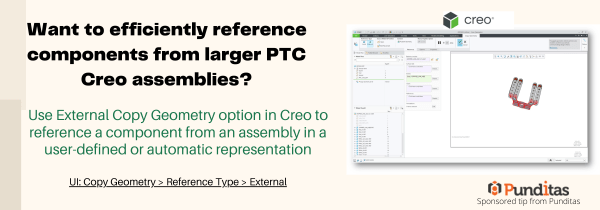
Want to efficiently reference components from larger PTC Creo assemblies?
Use External Copy Geometry option in Creo to reference a component from an assembly in a user-defined or automatic representation UI: Copy Geometry > Reference Type > External ptccreo.punditas.com
Punditas AI Advisor now supports Creo 7.0.4.0
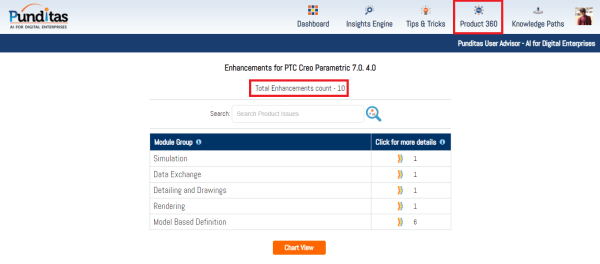
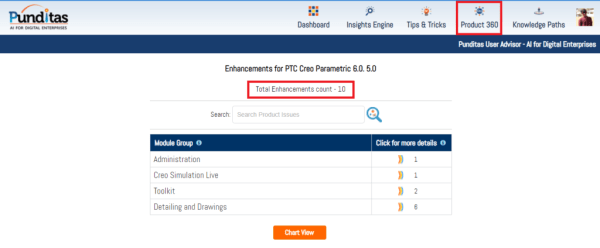
PTC released Creo 7.0.4.0 recently. Punditas AI Advisor now supports this latest version of Creo 7.0.4.0 . Punditas AI allows users to learn more about “How”, What” and “Why” of these enhancements through Product 360 module. The picture below shows the Module groups and the corresponding enhancements added within each group. To try this out,... Continue Reading →
Punditas AI Advisor now supports Creo 6.0.5.0
PTC released Creo 6.0.5.0 recently. Punditas AI Advisor now supports this latest version of Creo 6.0.5.0. Punditas AI allows users to learn more about “How”, What” and “Why” of these enhancements through Product 360 module. The picture below shows the Module groups and the corresponding enhancements added within each group. To try this out, please... Continue Reading →
Did you know that you can exchange Multibody Parts in Creo model easily?
Starting with Creo 7.0, Multibody definition is maintained during data exchange. This helps preserve design intent during an Import/Export operation. The multibody definition is maintained in both exported and imported Creo Parametric 7.0 geometry. Export operation Multibody models in Creo Parametric preserve multibody definitionBody characteristics, such as body name and body appearances, are transferredConstruction bodies for each exported profile... Continue Reading →
Partner Spotlight tile in Punditas AI Advisor
- Published by Ananth The landing page of Punditas AI Advisor has four tiles such as Events Spotlight, Partner Spotlight, User Spotlight and Product Spotlight The Partner Spotlight tile showcases complementary Products and Services from the PTC Partner ecosystem. These partners are discovered by Punditas AI Engine from numerous open sources including PTC Partner website... Continue Reading →