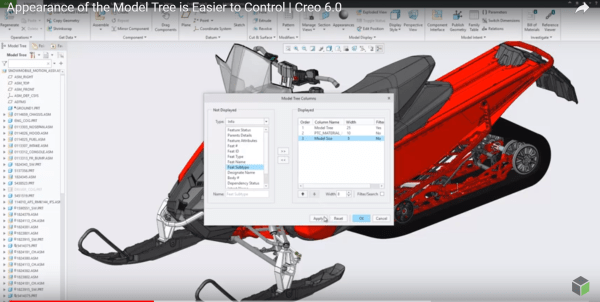
I think this is a neat enhancement in Creo. With Creo 6.0 release, the Model Tree appearance can be controlled and configured by users Setting Up the Model Tree You can define the width of the model tree - add columns and keep the Model Tree column at the default width or the width you... Continue Reading →
What is Chart Tool in Creo Parametric and how does it work?
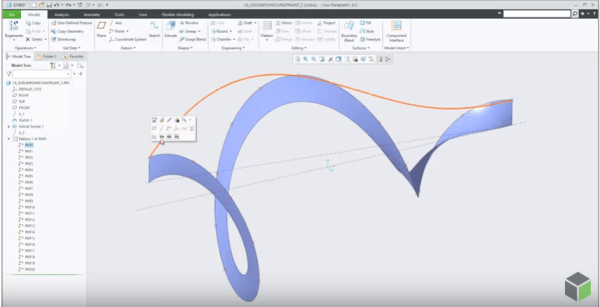
A new modernized Chart tool replaces Graph tool starting with Creo Parametric 6.0 release. Chart tool has more options and provides more control over the chart settings. Chart-Tool can be used to view and customize different types of graphs. Once the graph is displayed, the graph can be changed for border colors, fonts, background colors,... Continue Reading →
How to project a Datum Point onto a planar surface in Creo Parametric?
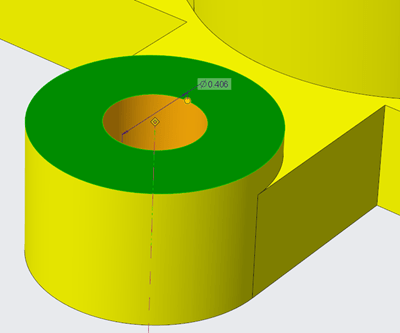
In Creo Parametric 6.0, the Datum point feature is enhanced. A constraint option is added to the datum point feature to project a datum point, a vertex or a curve endpoint onto a planar surface, datum plane, straight edge line or axis. Also, note that datum points created with project constraints can also be used... Continue Reading →
Did you know that display of dimensions is improved in Creo 6.0?
Starting with Creo Parametric 6.0.0.0, there are new configuration options for displaying dimensions. This improves the visibility of objects that are frequently used in the graphics window. To control the appearance of the background for dimensions use the following new configuration options dim_background —Shows the background under dimensions when new dimensions appear. Values are always,... Continue Reading →
What is Enterprise Application Software?
Enterprise Application Software also known as Enterprise Applications or Enterprise Softwares are mission critical applications used by Enterprises to deliver Products. Typical, Enterprise Application Softwares include CAD for Design, PLM for Product LifeCycle Management, ERP for managing Business Processes within the company, IoT for connected devices to collect and share data, CRM for Customer Relationship... Continue Reading →
Punditas AI Advisor now supports Creo 6.0.3.0
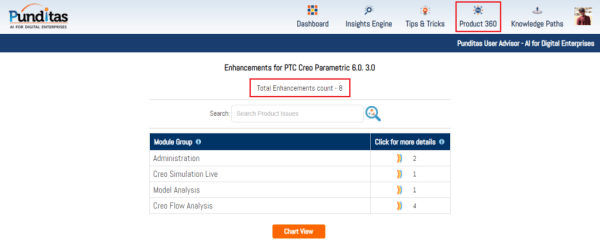
PTC released Creo 6.0.3.0 recently. Punditas AI Advisor now supports this latest version of Creo 6.0.3.0. Punditas AI allows users to learn more about “How”, What” and “Why” of these enhancements through Product 360 module. The picture below shows the Module groups and the corresponding enhancements added within each group. To try this out, please... Continue Reading →
Punditas AI Advisor now supports Creo 4.0 M110
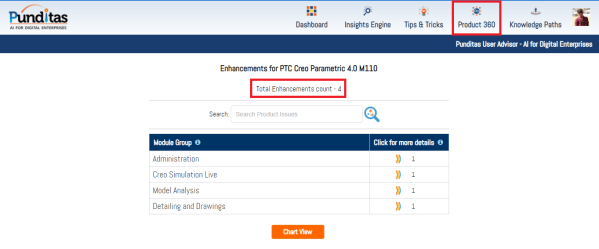
Punditas AI Advisor supports Creo 4.0 M110. Punditas AI allows users to learn more about “How”, What” and “Why” of these enhancements through Product 360 module. The picture below shows the Module groups and the corresponding enhancements added within each group. To try this out, please signup for a FREE trial at Punditas AI Modules and... Continue Reading →
Identifying gaps in CAD-PLM-IoT-ERP-Enterprise Training with Punditas Knowledge Maps
Oct 25, 2019 11:00 AM EST 30 mins Webcast: Identifying gaps in CAD-PLM-IoT-ERP-Enterprise Training with Punditas Knowledge Maps Join us to learn about how Organizations are gaining insights into the expectations and training needs of their CAD-PLM-IoT-ERP-Enterprise Software Users. Punditas Knowledge Maps enables companies to capture and analyze "what" knowledge resides "where" and the patterns of... Continue Reading →
How to edit existing Creo Pattern Tables?
Mark Ganzer from Toro in his presentation talks about editing existing pattern tables. See the picture below Pattern tables allow you to create complicated or irregular patterns of features or groups by letting you specify unique dimensions for each instance in the pattern through an editable table. Multiple tables can be established for a pattern,... Continue Reading →
Creo Patterning
Mark Ganzer@Toro has done an excellent job covering Patterning in Creo - Basics, Performance & Tips in one his presentations. Here are some excerpts from his slide deck. Check out the Tips (below) in particular ... Continue Reading →