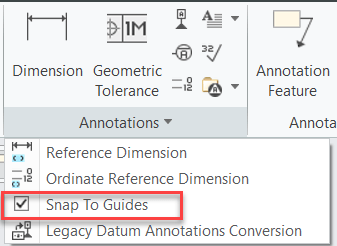
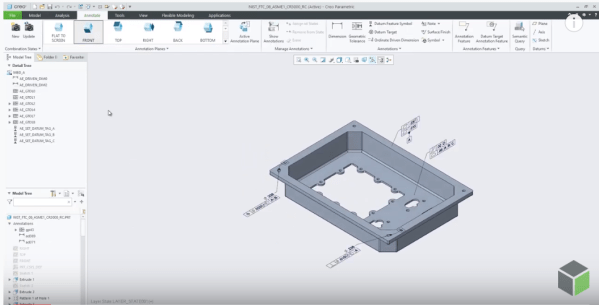
When you place a leader annotation on an edge, the normal or tangent leaders appear as soon as the cursor position is beyond the snapping angle threshold. You may turn off this snapping in order to place a leader annotation very close to a normal or a tangent placement without the snapping. With Creo 7.0.1.0,... Continue Reading →
Did you know that you can control the display of geometry reps in Creo?
With Creo 7.0, you can control the display of representation geometry without setting defined appearances or appearance states. This makes it easier to work with different types of geometry representations. You can select or clear the Boundary (B-rep) and Mixed check boxes to hide or show the type of geometry representation. To set the transparency for each representation type,... Continue Reading →
Did you know about improvements in Creo for placement of ordinate dimensions?
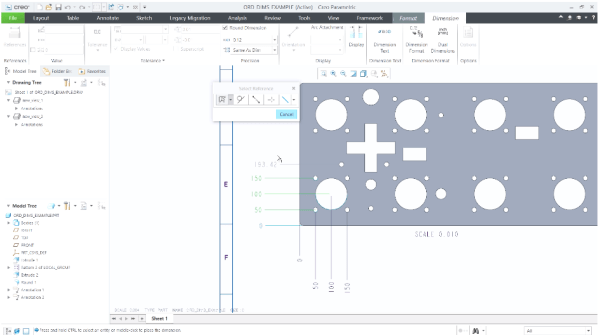
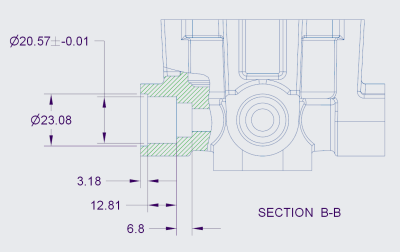
Starting with Creo Parametric 7.0.0.0, there's better control over the placement of ordinate dimensions that are created in models and drawings. This can be done by setting the detail option, default_ansi_ord_dim_aligned. Your options for this option are Yes - Align with the baseline dimensionNo - Stay at the position of the pointer until you place it. When... Continue Reading →
Do you like the improved appearance of handles, text, dimensions, and lines in Creo?
Starting with Creo 5.0, the appearance of handles, text, dimensions, and lines (2D and 3D) displayed in the graphics area have improved visibility. In addition, Lines Anti-Aliasing and Text Anti-Aliasing can also be controlled. For example - you can set Lines Anti-Aliasing to On even if the Anti-Aliasing is set to Off. I think these are improvements are definitely useful. What are your thoughts?... Continue Reading →
Have you tried Lines Anti-Aliasing in Creo?
Starting with Creo Parametric 5.0.0.0, there are 2 new options to control anti-aliasing of lines or text - Lines Anti-Aliasing and Text Anti-Aliasing To turn On or Off these controls, just goto File > Options > Entity Display as shown below Below is an excerpt from PTC that shows how you can set Lines Anti-Aliasing to On even if the Anti-Aliasing is set to Off. Notes about... Continue Reading →
Punditas AI Advisor now supports Creo 5.0.6.0
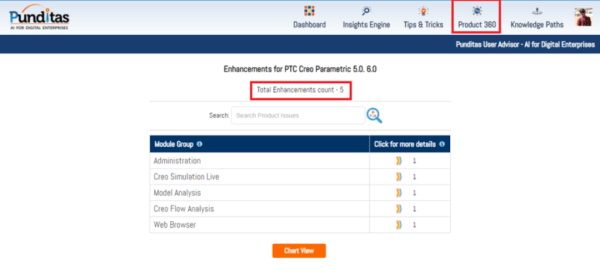
PTC released Creo 5.0.6.0 recently. Punditas AI Advisor now supports this latest version of Creo 5.0.6.0. Punditas AI allows users to learn more about “How”, What” and “Why” of these enhancements through Product 360 module. The picture below shows the Module groups and the corresponding enhancements added within each group. To try this out, please... Continue Reading →
Did you know that applying drafts to models containing rounds and chamfers is vastly enhanced in Creo?
With Creo 5.0, PTC enhanced the ability to apply drafts to design models containing rounds and chamfers. Select surfaces as references in the Draft surfaces collector of the draft feature. Rounds and chamfers are automatically detected and highlighted in a different color. Rounds and chamfers are then handled as they are in the Creo Parametric Flexible Modeling environment If... Continue Reading →
Did you know you cannot drag surface finishes off the model surfaces that are created flat to screen in Creo?
That's correct. Flat to screen surface finishes do not have a directional annotation plane and do not support an extension line. You cannot drag surface finishes off the model surfaces that are created flat to screen. In Creo, if the placement surface is planar, then you can drag surface finishes in the XY direction beyond... Continue Reading →
Did you know about these MBD related checks in Creo?
With Creo 6.0, PTC has enhanced ModelCheck to include additional checks for tolerances, annotations, features, and combined states. For example - Annotations that are not referencing any surfaces Annotations not included in any combined state ModelCheck can identify any combined states that are not following the naming conventions within the user defined list of names... Continue Reading →
How to quickly find similar geometric shapes and surfaces in Creo?
Starting with Creo Parametric 4.0, you can quickly find rounds, chamfers , sheet metal design objects from within a single, easy-to-use search tool. The Geometry Search tool allows searches based on geometry and design intent to Creo Flexible Modeling. Searches can be based on a seed surface or be defined without a seed. Search results appears in the Found... Continue Reading →