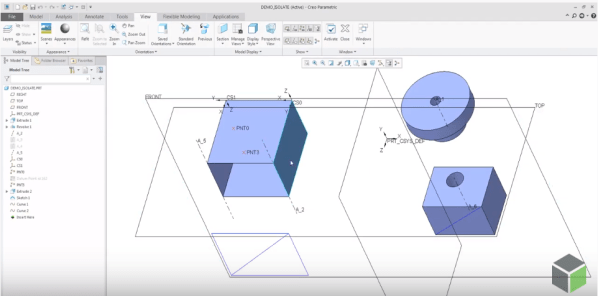
PTC has improved the control of visibility by object type in Part and Assembly modes by adding 2 commands - Show All or Show All Except There are 3 ways to access these new, additional commands for Showing and Hiding objects 1. From View Tab 2. Mini toolbar from graphics area 3. From Model Tree... Continue Reading →
How to assemble components to a Dimension Pattern in Creo?
Using dimension-driven patterns help specify multiple occurrences of a component in an assembly. The dimension-driven pattern uses assembly constraint dimensions such as Distance or Angle Offset offset values. The rules for creating a dimension-driven pattern are the same as those for feature patterning in Part mode. Example below - A component assembled with a distance constraint is patterned using... Continue Reading →
Did you know that defining radial dimensions in Creo is more intuitive now?
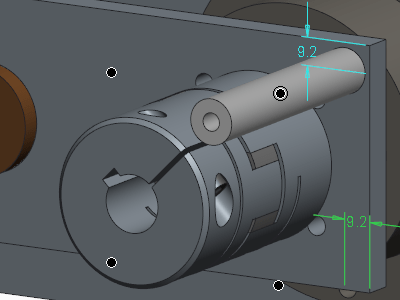
PTC has improved the workflow for creating radial dimensions. The Typical creation of radial dimension provides upto 4 flip states that represents different witness line and arrow configurations. Starting with Creo 5.0, the definition of flip states is improved to provide better default states, depending on the position of the pointer. This provides visual feedback... Continue Reading →
Did you know that you can assign different appearances to the same component in Creo?
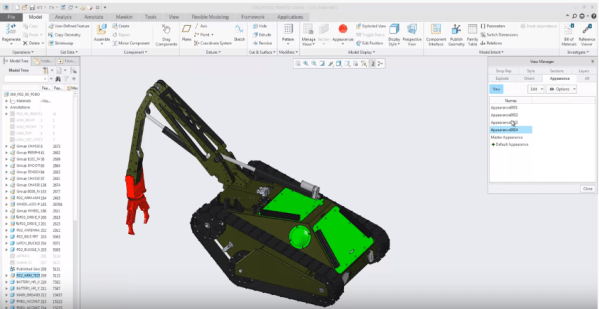
We can now capture multiple appearance combinations for the same part and assembly and easily switch between appearance variants. Use Appearance state instead of Combined state. To do this goto View Manager to set the appearance state of your component. You can also use appearance states inside combined states and switch between... Continue Reading →
Punditas AI Advisor now supports Creo 4.0 M120
PTC released Creo 4.0 M120 recently. Punditas AI Advisor now supports this latest version of Creo 4.0 M120. Punditas AI allows users to learn more about “How”, What” and “Why” of these enhancements through Product 360 module. The picture below shows the Module groups and the corresponding enhancements added within each group. To try this... Continue Reading →
Punditas AI Advisor now supports Creo 6.0.3.0
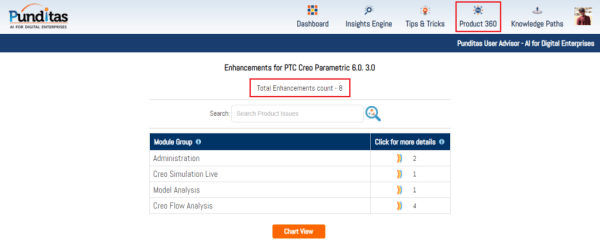
PTC released Creo 6.0.3.0 recently. Punditas AI Advisor now supports this latest version of Creo 6.0.3.0. Punditas AI allows users to learn more about “How”, What” and “Why” of these enhancements through Product 360 module. The picture below shows the Module groups and the corresponding enhancements added within each group. To try this out, please... Continue Reading →
Punditas AI Advisor now supports Creo 5.0.5.0
PTC released Creo 5.0.5.0 recently. Punditas AI Advisor now supports this latest version of Creo 5.0.5.0. Punditas AI allows users to learn more about “How”, What” and “Why” of these enhancements through Product 360 module. The picture below shows the Module groups and the corresponding enhancements added within each group. To try this out, please... Continue Reading →
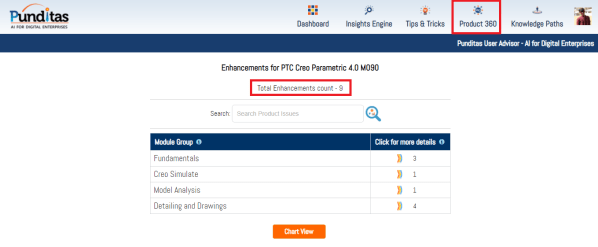
Punditas AI Advisor now supports Creo 4.0 M090
Punditas AI Advisor supports Creo 4.0 M090.Punditas AI allows users to learn more about “How”, What” and “Why” of these enhancements through Product 360 module. The picture below shows the Module groups and the corresponding enhancements added within each group. To try this out, please signup for a FREE trial at Punditas AI Modules and Enhancements... Continue Reading →
Punditas AI Advisor now supports Creo 6.0.0.0
PTC released Creo 6.0.0.0 recently. Punditas AI Advisor now supports this latest version of Creo 6.0.0.0. Punditas AI allows users to learn more about “How”, What” and “Why” of these enhancements through Product 360 module. The picture below shows the Module groups and the corresponding enhancements added within each group. To try this out, please... Continue Reading →
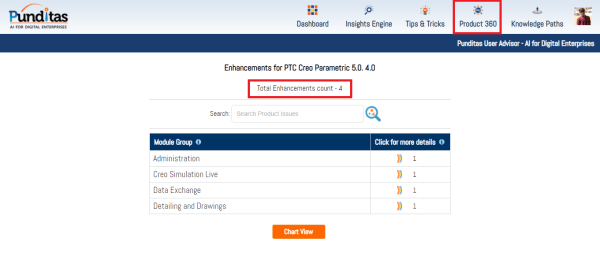
Punditas AI Advisor now supports Creo 5.0.4.0
PTC released Creo 5.0.4.0 recently. Punditas AI Advisor now supports this latest version of Creo 5.0.4.0. Punditas AI allows users to learn more about “How”, What” and “Why” of these enhancements through Product 360 module. The picture below shows the Module groups and the corresponding enhancements added within each group. To try this out, please... Continue Reading →