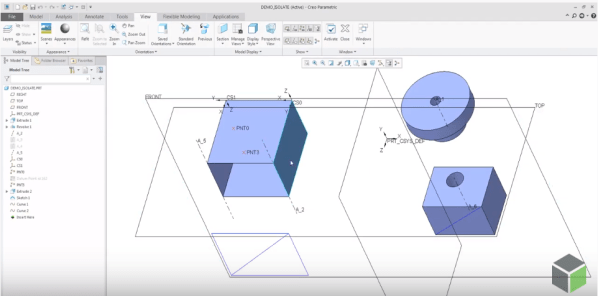
PTC has improved the control of visibility by object type in Part and Assembly modes by adding 2 commands - Show All or Show All Except There are 3 ways to access these new, additional commands for Showing and Hiding objects 1. From View Tab 2. Mini toolbar from graphics area 3. From Model Tree... Continue Reading →
How to assemble components to a Dimension Pattern in Creo?
Using dimension-driven patterns help specify multiple occurrences of a component in an assembly. The dimension-driven pattern uses assembly constraint dimensions such as Distance or Angle Offset offset values. The rules for creating a dimension-driven pattern are the same as those for feature patterning in Part mode. Example below - A component assembled with a distance constraint is patterned using... Continue Reading →
Did you know that defining radial dimensions in Creo is more intuitive now?
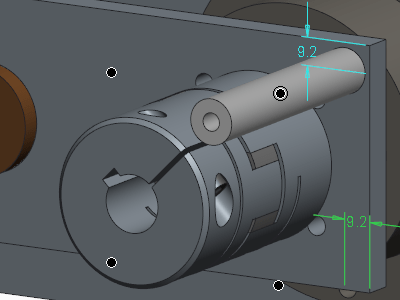
PTC has improved the workflow for creating radial dimensions. The Typical creation of radial dimension provides upto 4 flip states that represents different witness line and arrow configurations. Starting with Creo 5.0, the definition of flip states is improved to provide better default states, depending on the position of the pointer. This provides visual feedback... Continue Reading →
Did you know that mirroring of features in Creo is improved?
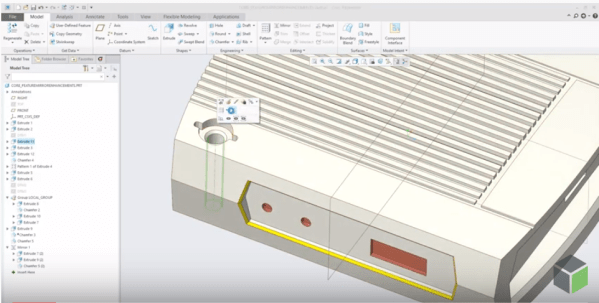
Starting with Creo Parametric 5.0 release, the workflow for mirroring of features is enhanced. Mirror workflow provides an intuitive preview and increased flexibility during redefinition. Also, Mirror tool is faster in definition and re-definition of mirror feature. Preview in the graphics windows is available during creation or redefinition of feature for quick visual feedback on... Continue Reading →
Did you know that you can you reorganize the structure of Annotation Elements in Creo?
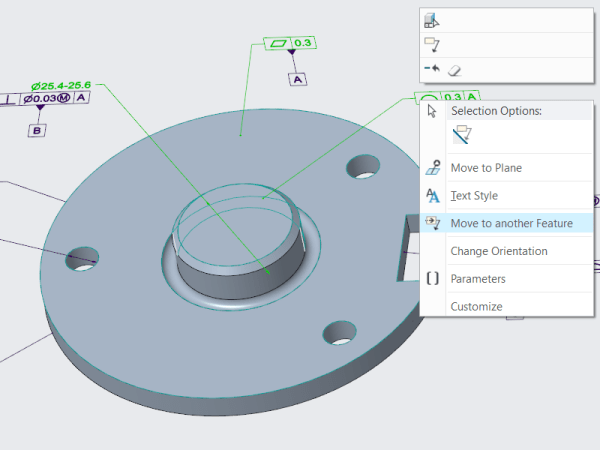
As a designer, you will want to reorganize the structure of the Annotation Elements (AE) by easily moving an AE from its owner Annotation Feature (AF) to a different AF In earlier releases of Creo Parametric, you must edit the Annotation Features to manage the owners of the various annotation elements in your design. Starting... Continue Reading →
How to edit existing Creo Pattern Tables?
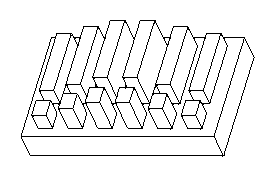
Mark Ganzer from Toro in his presentation talks about editing existing pattern tables. See the picture below Pattern tables allow you to create complicated or irregular patterns of features or groups by letting you specify unique dimensions for each instance in the pattern through an editable table. Multiple tables can be established for a pattern,... Continue Reading →
About Creo Drawing formats & Standards
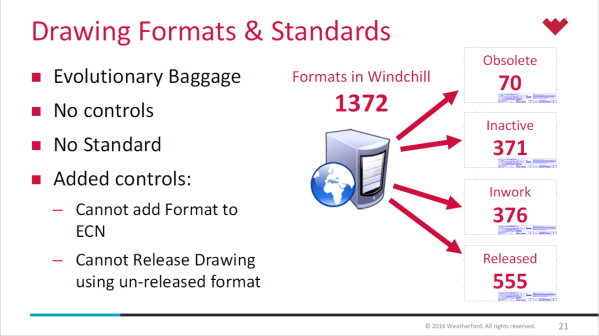
Lewis Lawrence and William Friend from Weatherford, covered Drawing Formats & Standards in one of their webinar. Here are some snippets from their presentation- Creo uses startup scripts to copy standards in place Creo Standard Configurations in place by product line Every install of Creo uses a defined set of configuration files, specific to location... Continue Reading →
Creo Parametric Tip #4: Arrowheads for Dimensions
Did you know that all arrow leader dimensions are created as closed and filled arrowheads with Creo Parametric 6.0.0.0 release? Also, Radial dimensions that are attached to surfaces, are automatically a filled dot arrowhead style. This applies to dimension arrowheads in Detailed Drawings and Model-Based Definition Punditas, a PTC partner offers AI driven content for... Continue Reading →
Single Source of Product Information with Punditas AI
Punditas AI is your gateway to all information about CAD-PLM-IoT-ERP-Enterprise Softwares. The Knowledge Graph within presents five dimensions of content for the Enterprise Software at hand. This content is unlocked by the Punditas AI engine by tapping into 100's of internal & external repositories to Discover, Curate & Deliver pertinent Tips, Tricks, Tutorials, Best Practices,... Continue Reading →
Creo Parametric Tip#3: Creo Simulation Live evaluation just got easier
You no longer have to request an eval license for test driving Creo Simulation Live. Starting with Creo 6.0.1.0, you can click install a 20–day license of CSL and within minutes you can start testing the software to learn about what it has to offer. Note: License is automatically added to your machine. If there... Continue Reading →